Launchpad
One settings file, and Launchpad sets up the server, deploys the apps and keeps watch, even on a network with no internet connection.
01 / The challenge
Every web app has to end up running on a server. It must be installed, start by itself after a restart, answer at its web address, and be protected by a security certificate (the padlock in the browser). Done by hand, that is a long checklist, and the steps are different on Windows and on Linux.
On a closed network it is harder still: nothing can be downloaded, certificates come from an internal authority, and a mistake in the middle of an update can take a working system down with no quick way back.
- A long manual checklist for every server
- Different steps on Windows and on Linux
- Nothing can be downloaded on a closed network
- A failed update could leave a site down
02 / What I built
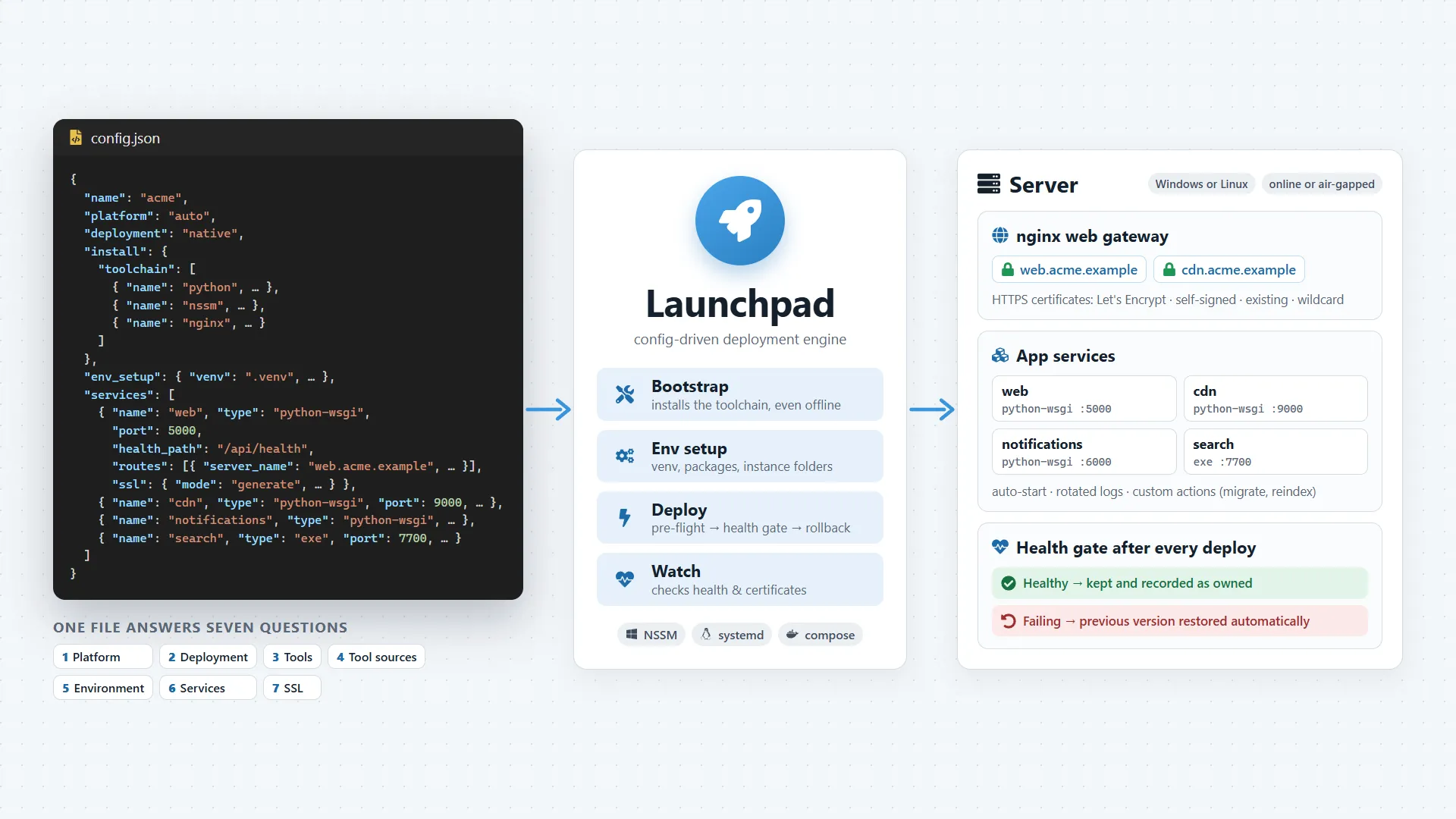
Launchpad reads one settings file (config.json) that answers seven plain questions: which system, which kind of deployment, which tools and where they come from, how to prepare the environment, which apps to run, and which certificates they use. From that file it installs the tools, sets up each app as a service that starts by itself, configures the nginx web gateway (the front door that sends each web address to the right app) and gets the certificates. The same file works on Windows and on Linux.
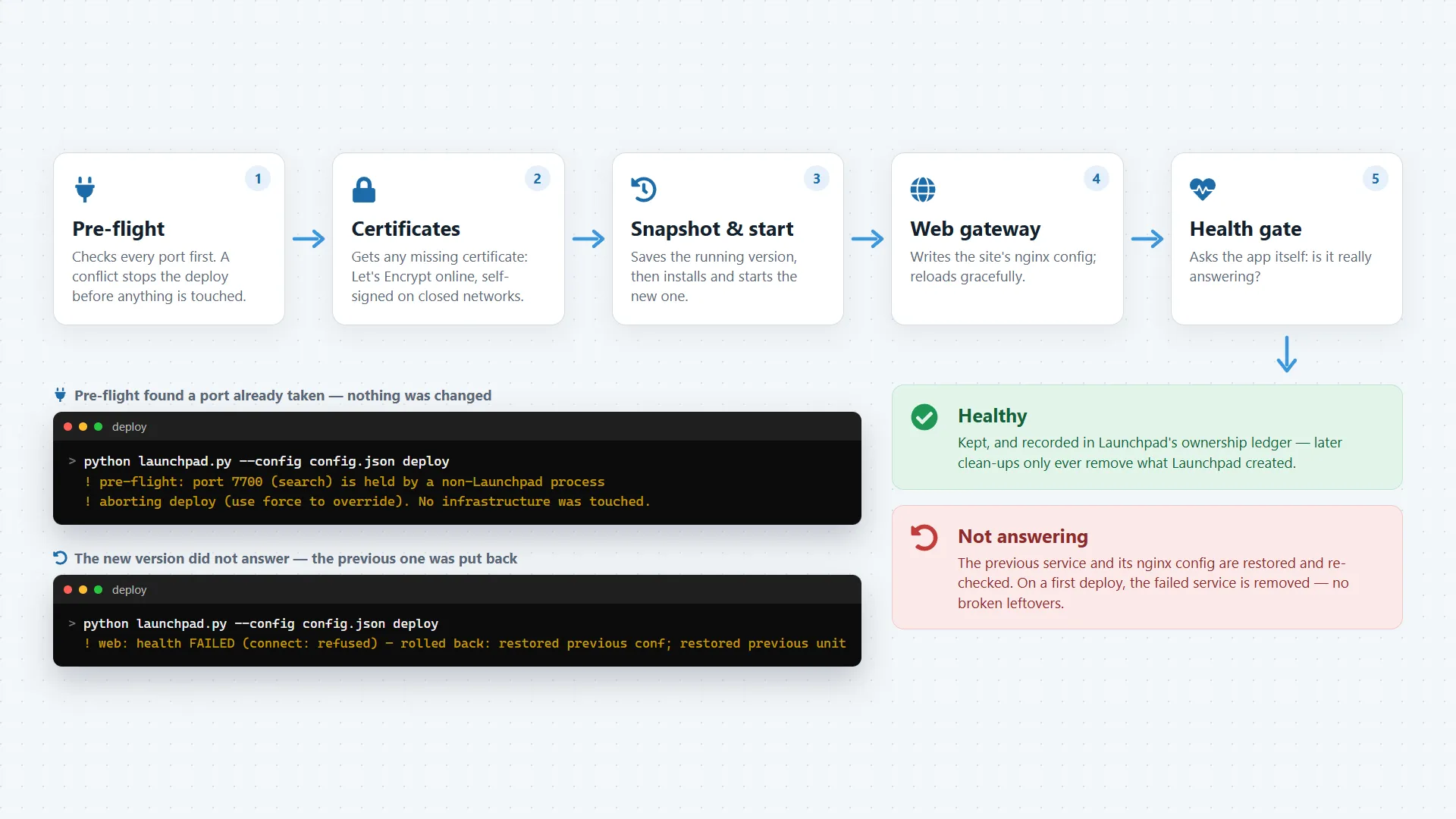
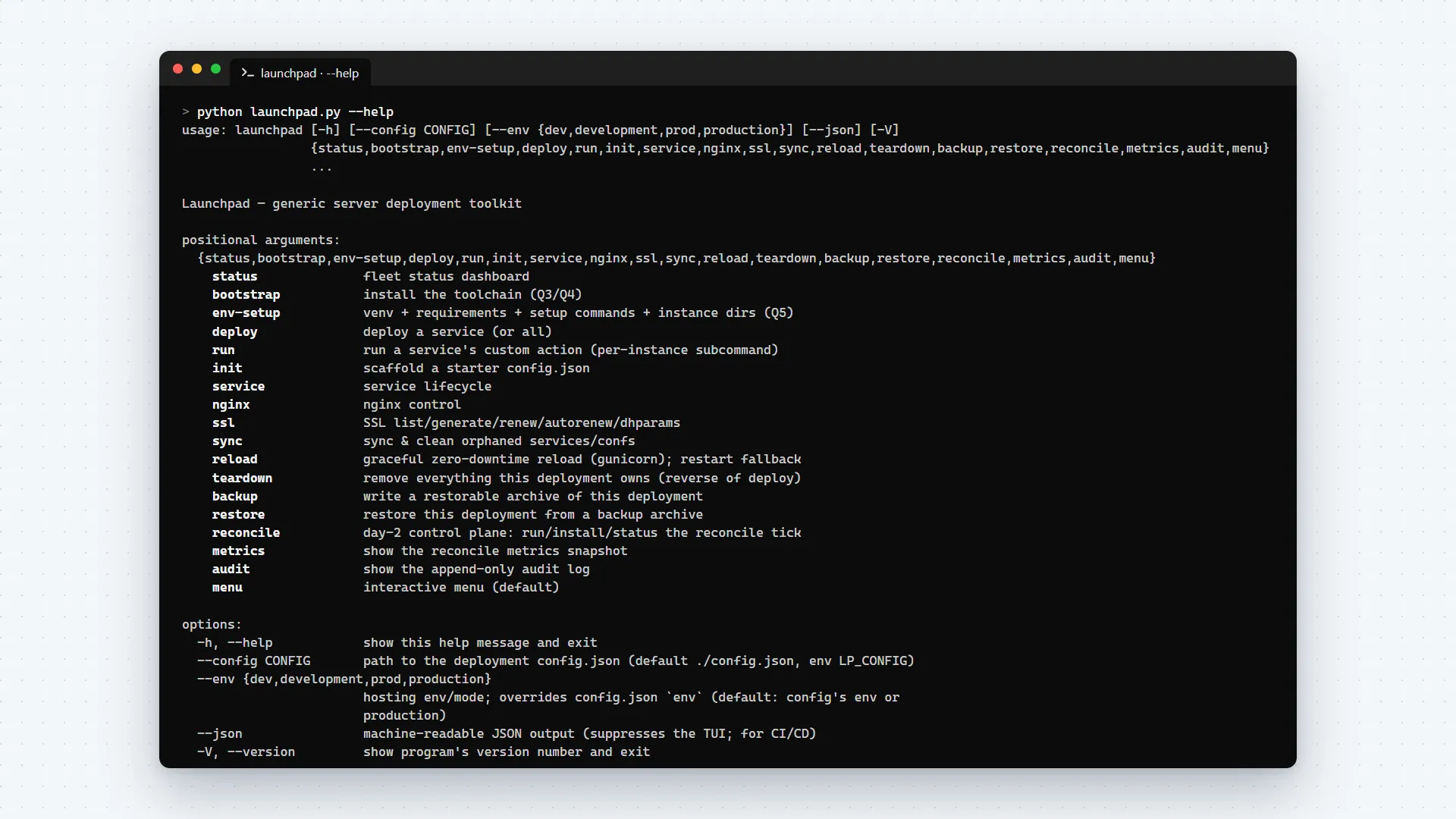
Operators work from a simple menu, and every action is also a command for automation. Every deploy is guarded: before touching anything Launchpad checks for conflicts, after the deploy it asks each app whether it really answers, and if one does not, it puts the previous version back.
How it came together
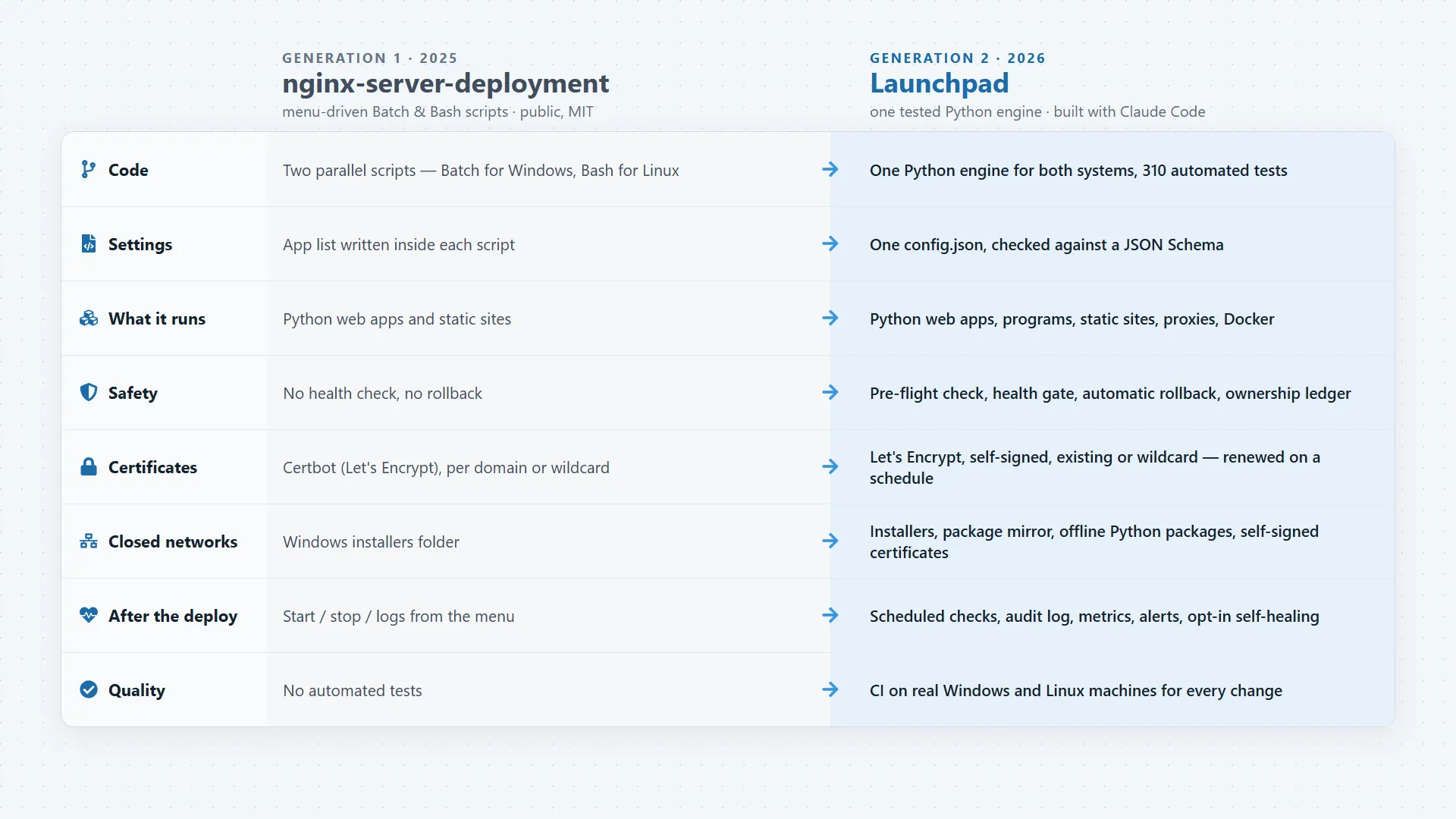
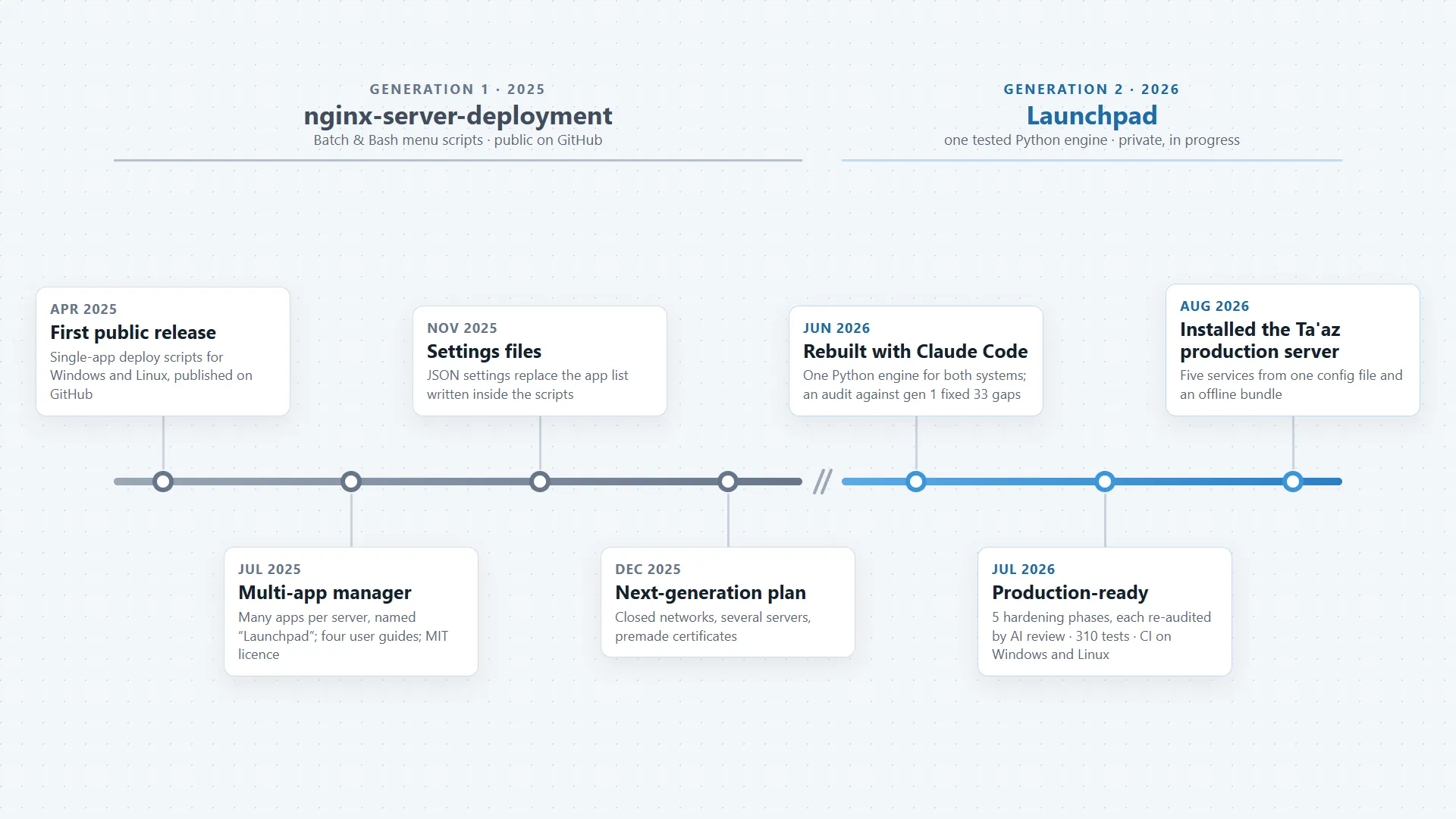
- Apr 2025First public releaseMenu-driven scripts that deploy one app on a Windows or Linux server, published on GitHub.
- Jul 2025Many apps, one serverManages apps by domain, subdomain or sub-path. Named Launchpad, with four guides and an MIT licence.
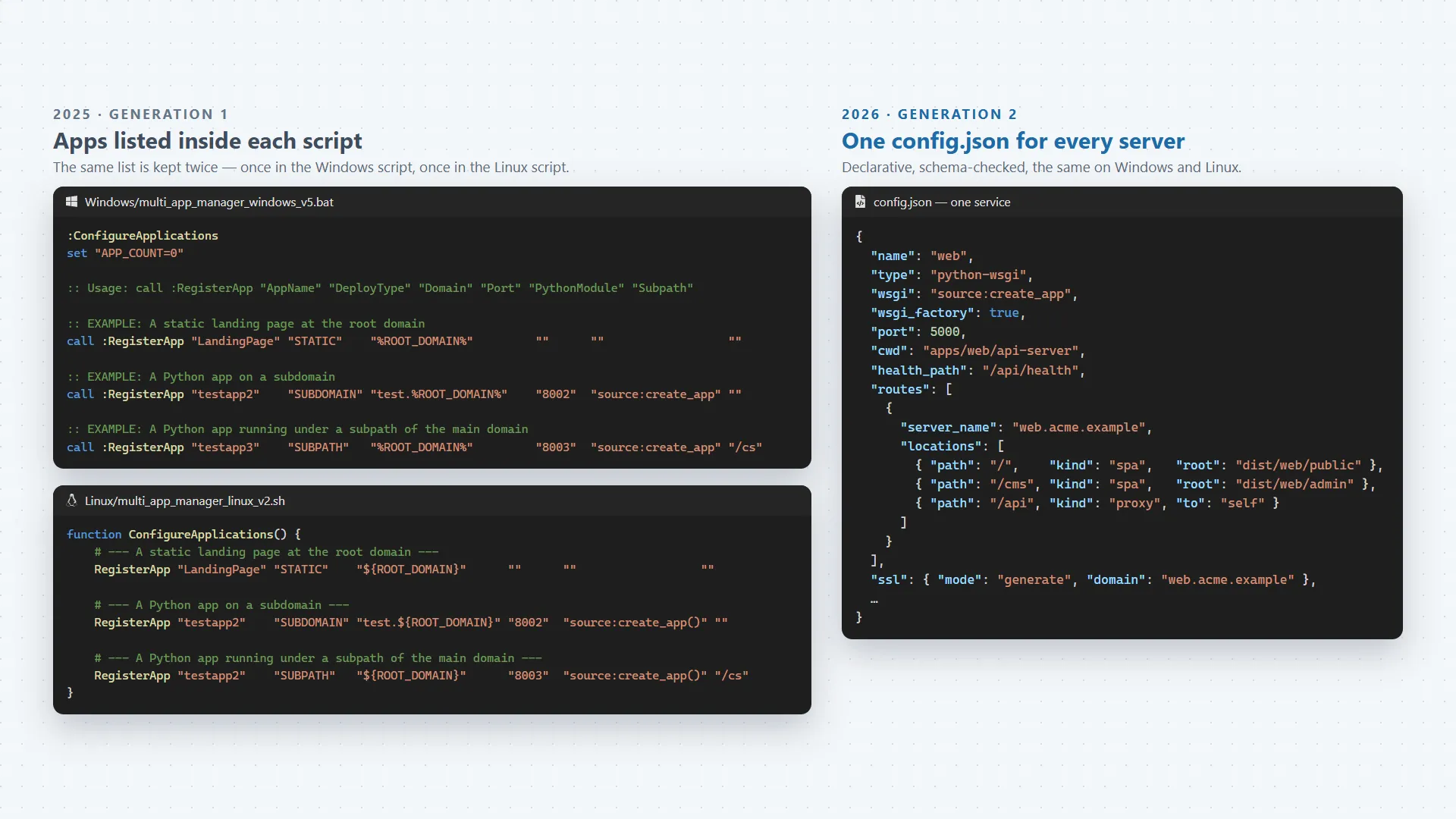
- Nov 2025Settings move to filesJSON settings files replaced the list of apps that had been written inside the scripts.
- Dec 2025Planning generation 2A written spec for closed networks, several servers and premade certificates.
- Jun 2026Rebuilt with Claude CodeOne Python engine for Windows and Linux, built with Claude Code. An audit against the old scripts fixed 33 gaps.
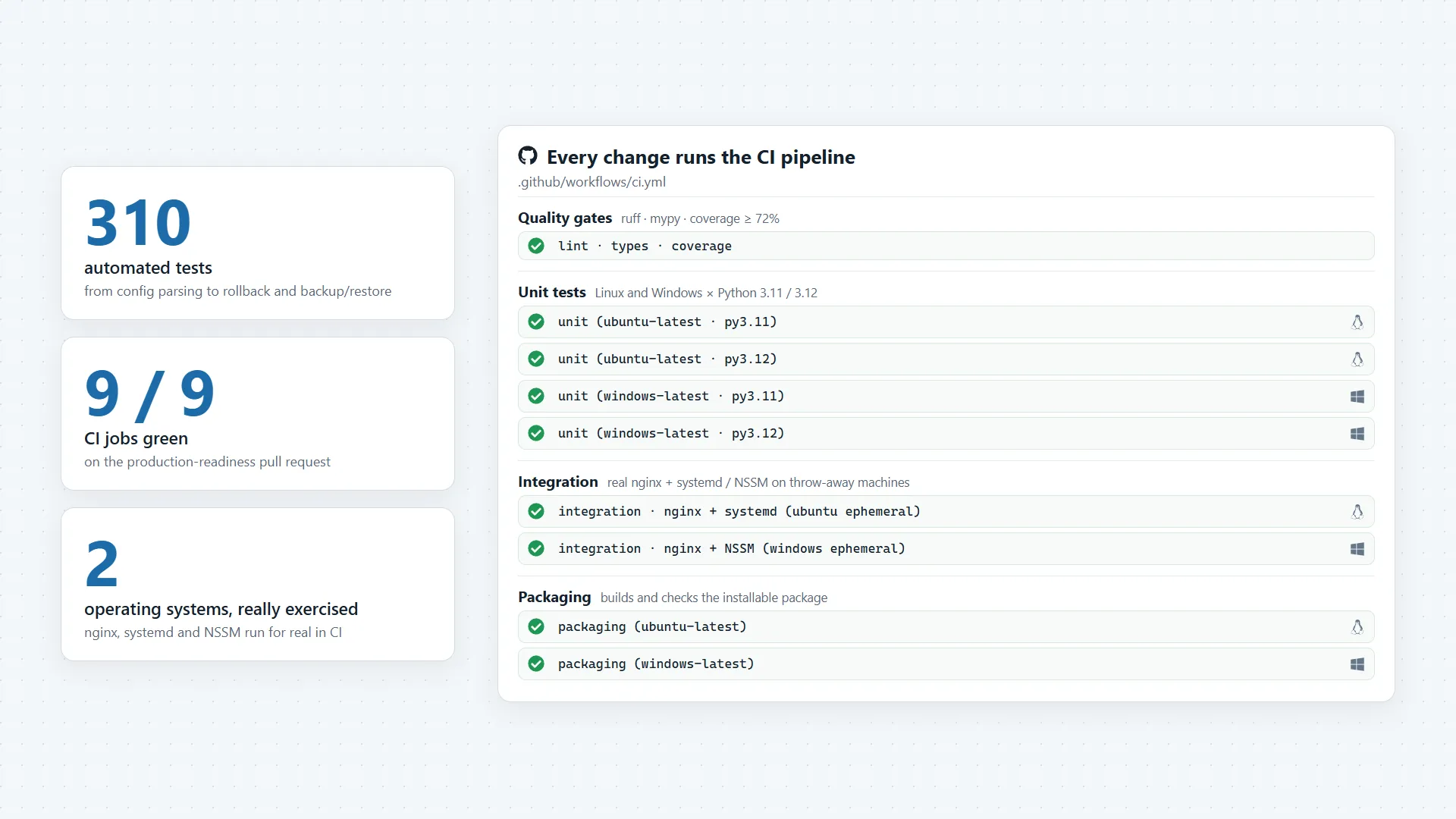
- Jul 2026Ready for productionFive hardening phases, each re-audited by AI review agents. 310 automated tests, run on Windows and Linux.
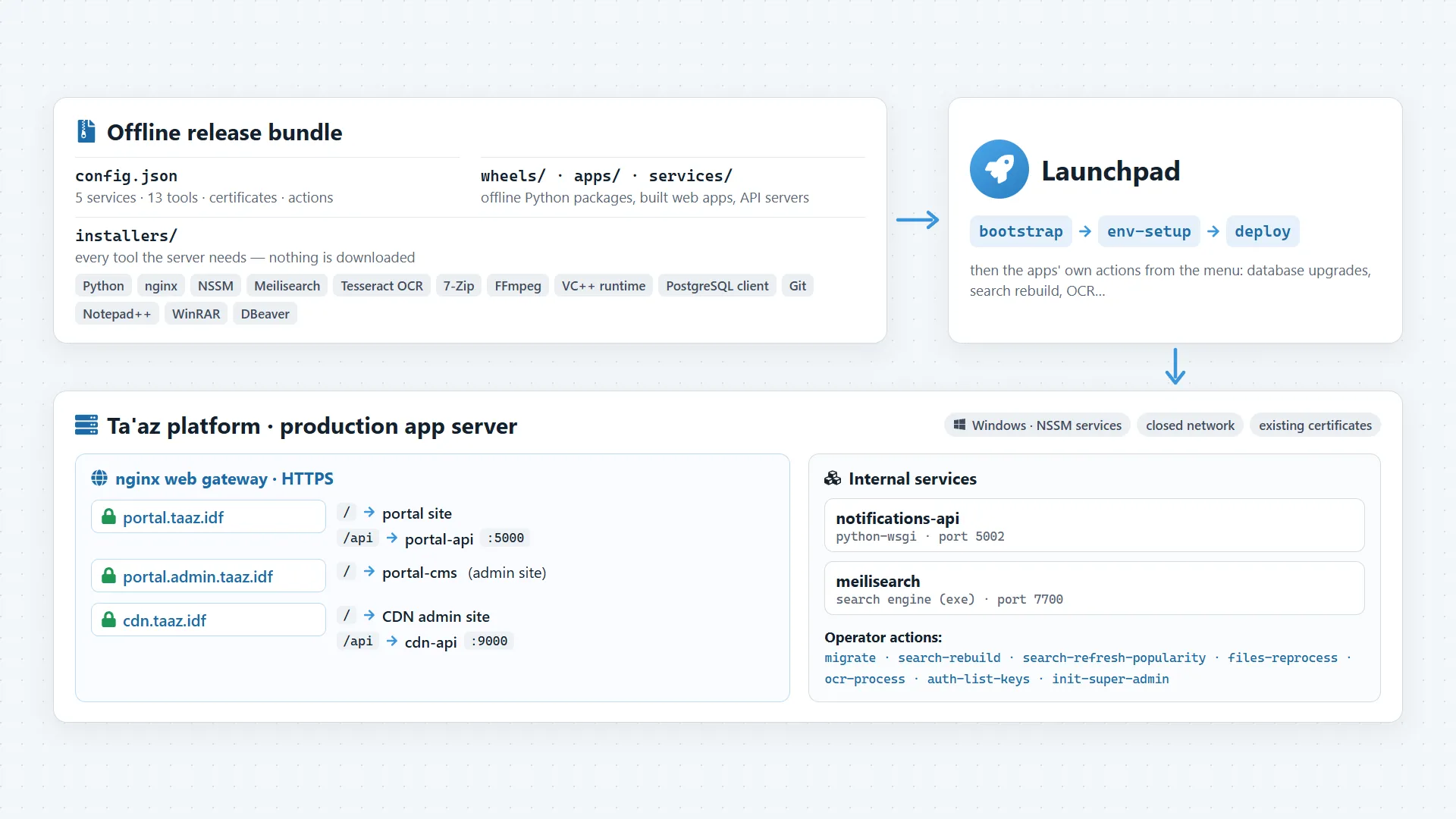
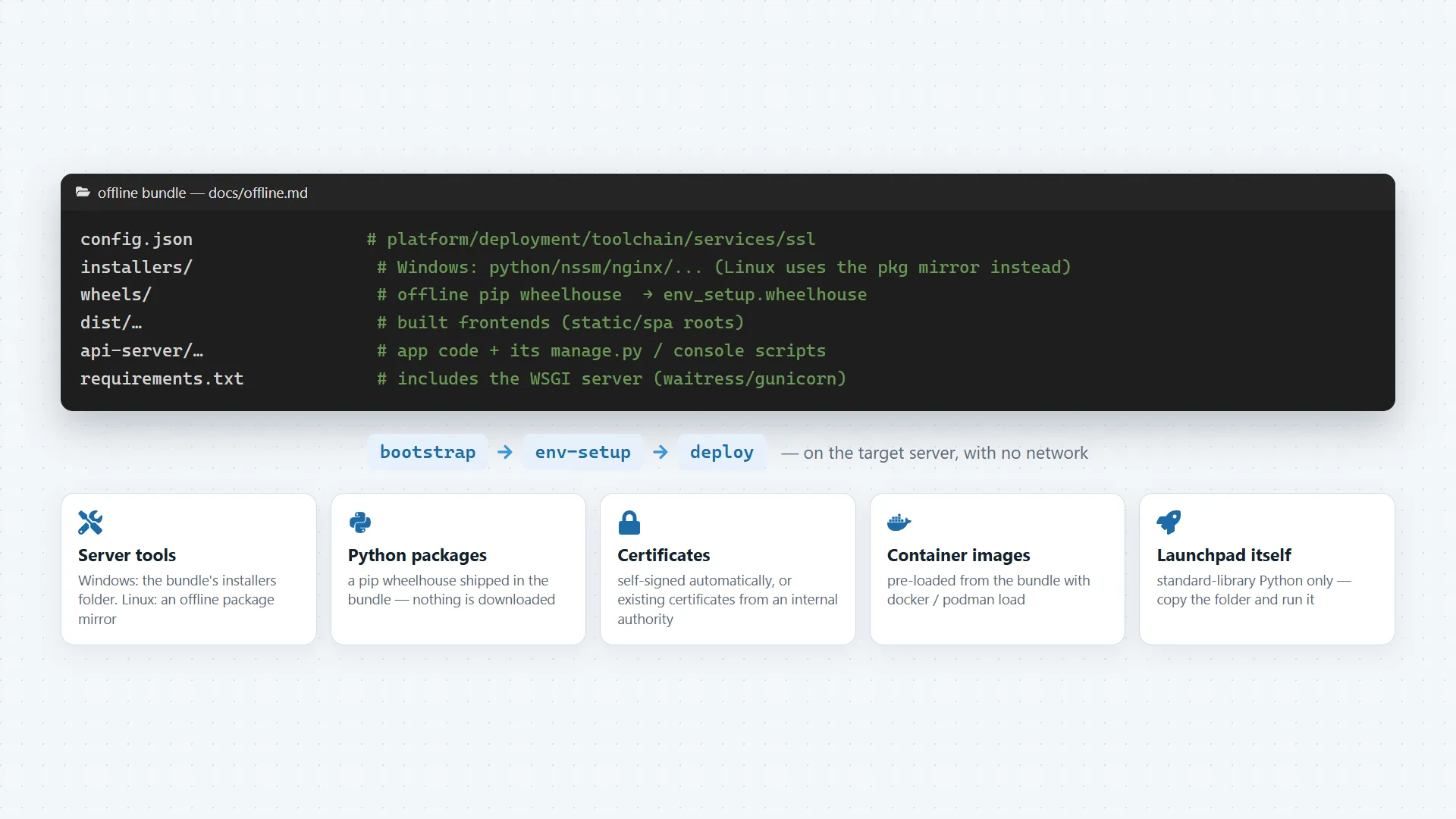
- Aug 2026Ta'az production server installedLaunchpad set up the platform's production server from one settings file and one package, with no internet connection.
03 / Highlights
One file describes the server
Which tools to install, which apps to run, at which addresses and with which certificates: all in one settings file, the same on Windows and Linux.
Works on closed networks
Tools and Python packages come from a local bundle, and certificates are made locally or issued internally. Nothing is downloaded on the server.
Safe updates that undo themselves
Checks for conflicts before it changes anything, confirms every app really answers afterwards, and if an update fails, the previous version comes back by itself.
Secure addresses, hands-off
Gets the certificates that make each web address secure, on the internet or on an internal network, and renews them before they expire.
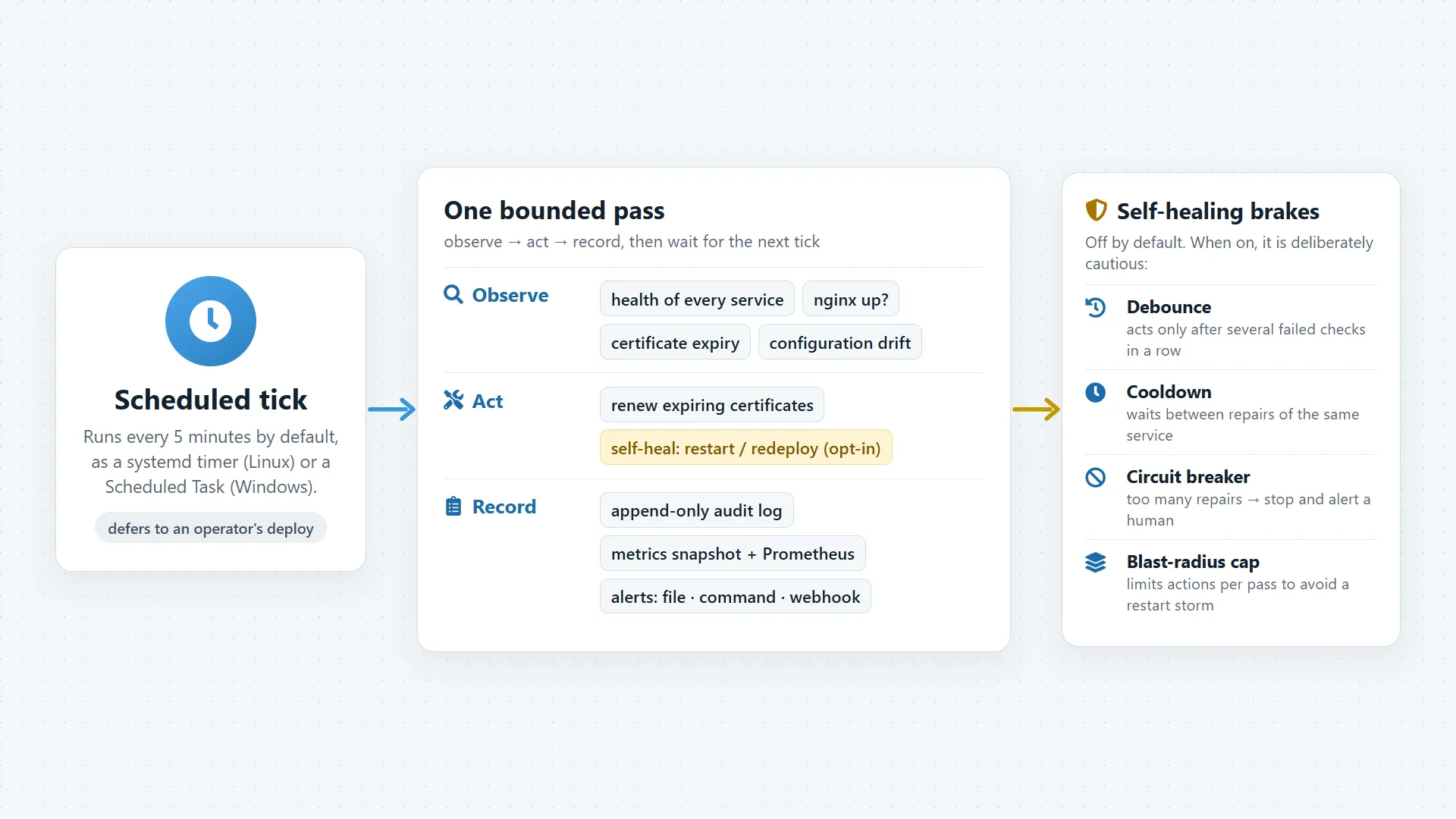
Keeps watch after deploying
A scheduled check spots a stopped service, an expiring certificate or changed settings. It alerts and, if allowed, fixes them within safety limits.
AI-assisted engineering
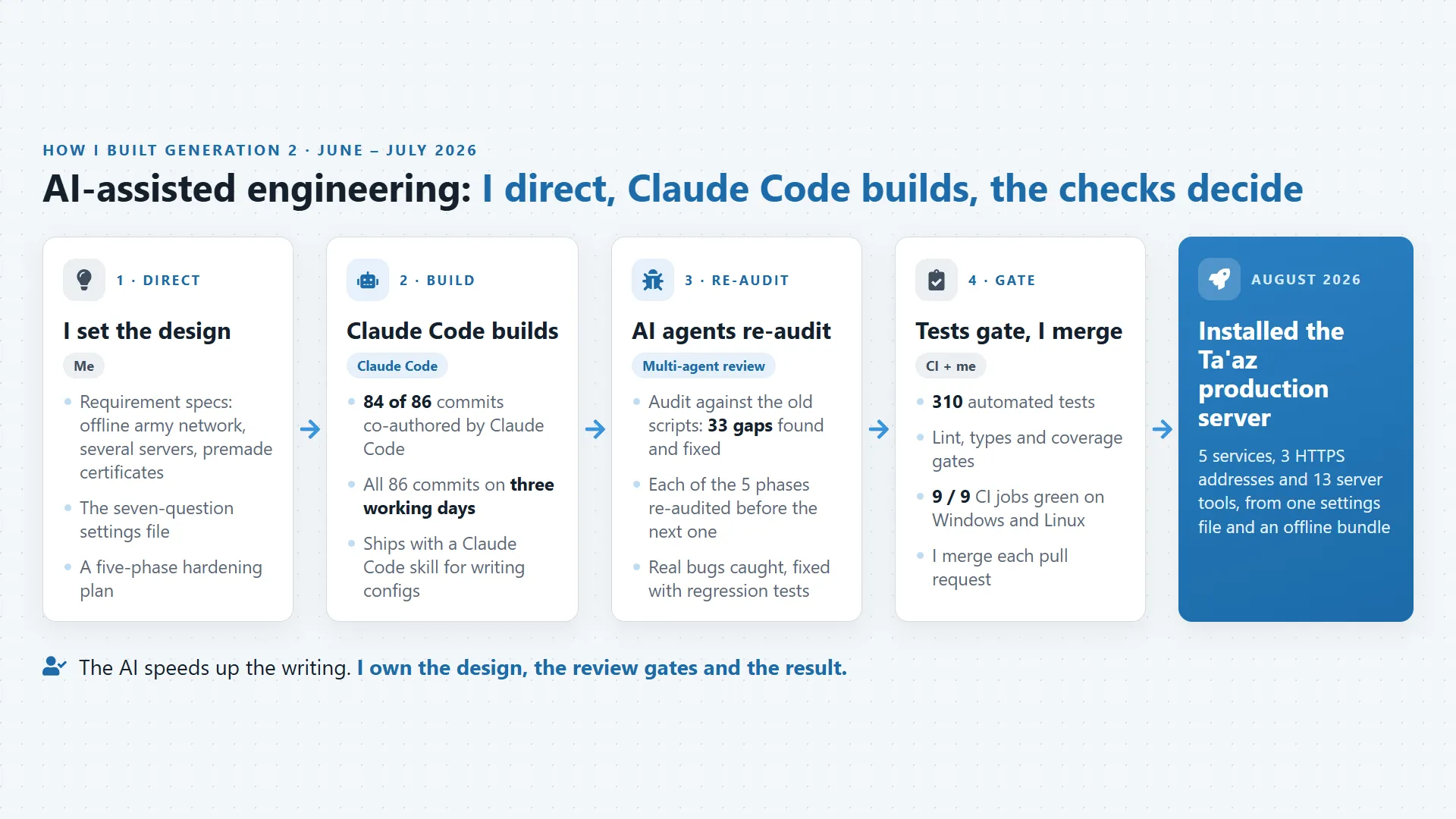
Built with Claude Code to my design and phase plan. AI reviewers checked every phase again, and automatic tests must pass before any change goes in.
04 / Screens
11 screens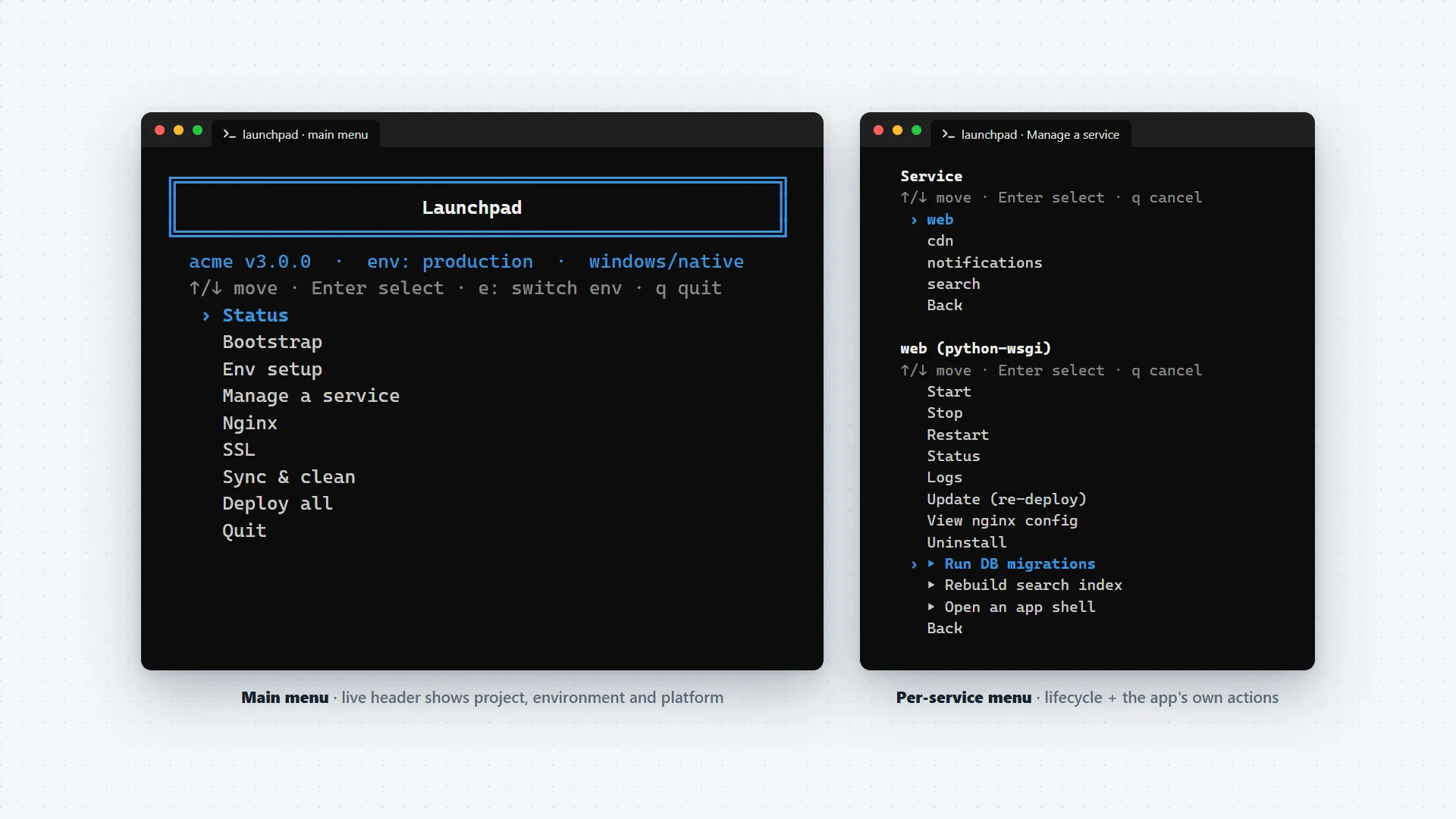
05 / Impact
Launchpad turned setting up a server from a long manual checklist into one repeatable process. Across both generations it set up 6 servers on 4 separate networks and deployed 20–25 apps and services, about 50 releases in all. It was an internal tool for my team at Ta'az and for my own servers. A server that took more than 5 hours to set up by hand took under 15 minutes with Launchpad.
In August 2026 the second generation installed the Ta'az platform's production server: five services, three secure web addresses and 13 server tools, all from one settings file and one package, on a network with no internet connection. Before that, a first-generation Windows script ran the platform's apps there. With Claude Code, generation 2 was written in three working days, and every phase was checked again and tested before I merged it.
06 / Role and tech
I created Launchpad and built both generations: the idea, the design of the settings file, the code for Windows and Linux, the documentation and the tests. In 2025 I wrote and published the first generation and used it to host my own web apps. In June 2026 I built a deploy engine inside the Ta'az platform's code, extracted it into a standalone tool that can deploy any project, and hardened it in five phases. In August 2026 it installed the platform's production server.
I built generation 2 with Claude Code as my coding agent: 84 of its 86 commits are co-authored by it. I wrote the specs and the phase plan, had AI review agents re-audit every phase, kept tests and CI as hard gates, and merged each change myself. The AI made the work faster; the decisions and the result are mine. Generation 2 is private and still in progress.
Tech
- Python (standard library)
- nginx
- NSSM
- systemd
- Docker / Podman compose
- Let's Encrypt / Certbot
- OpenSSL
- JSON Schema
- pytest
- GitHub Actions
- Batch / Bash (generation 1)
- Claude Code
- Waitress
- Gunicorn
- ruff
- mypy
- Gemini
How it's built
The first generation was written in Windows Batch and Linux Bash: two parallel menu scripts built on nginx, NSSM or systemd, Waitress or Gunicorn, and Certbot. The second generation is one Python package that uses only the standard library, so it can be copied onto an offline server and run. It has a separate layer for each system (NSSM on Windows, systemd on Linux, Docker or Podman compose), a JSON Schema for the settings file, 310 automated tests, and a GitHub Actions pipeline that installs nginx, systemd and NSSM for real. I built it with Claude Code working to my specs and phase plan; multi-agent reviews re-audited every phase before I merged it, and the project ships a Claude Code skill for writing deployment settings. Certificates come from Let's Encrypt on the internet, or are existing or self-signed certificates on internal networks.
Launchpad grew from scripts I wrote for my own apps into the engine that installed a production server, built fast with Claude Code while I led, checked and owned the result.