MILESTONE
A web system that follows every IT project from first site survey to go-live: stages, budgets and one-click reports.
01 / Projects in a spreadsheet
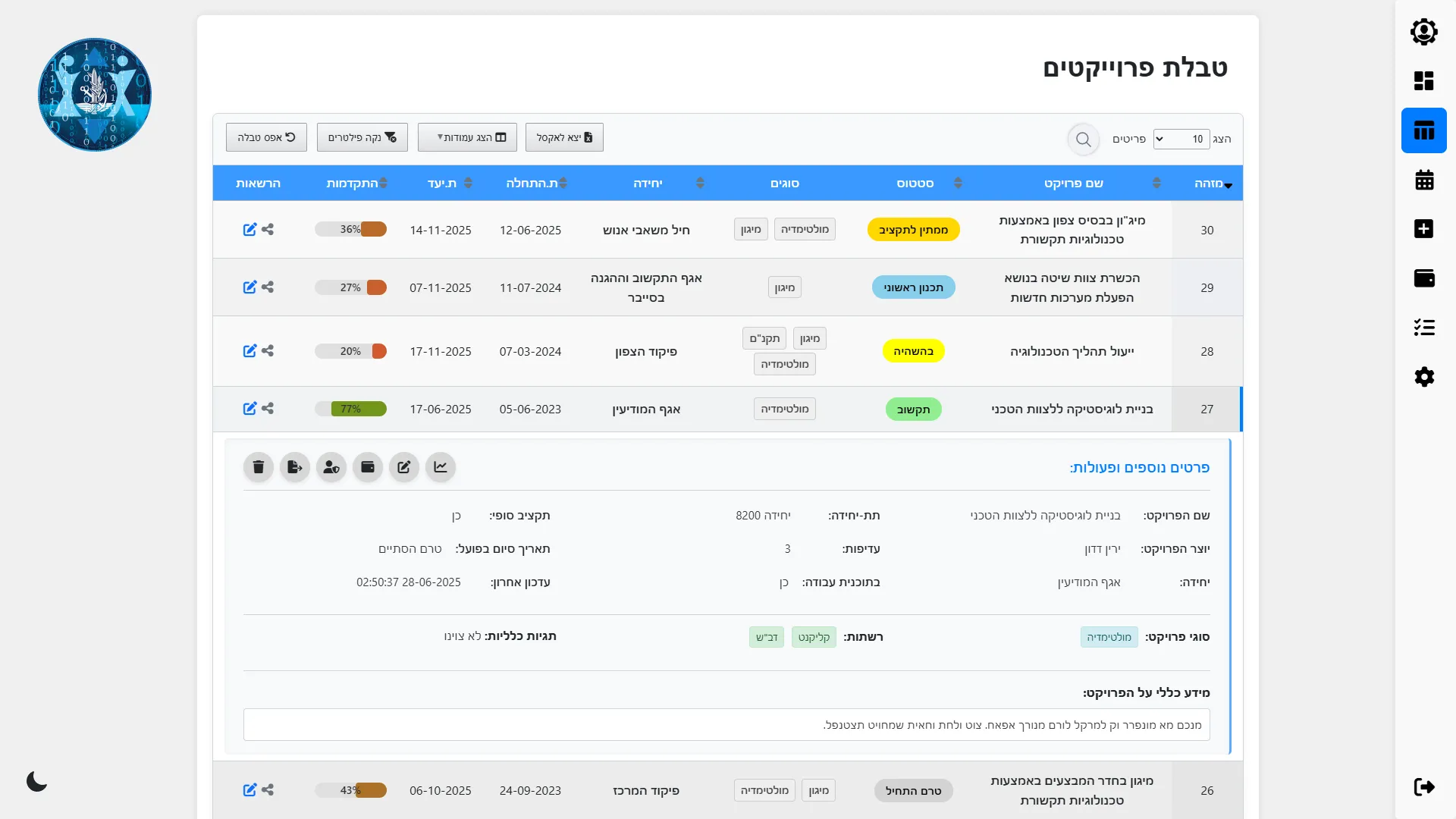
The branch runs IT and infrastructure projects for units: computer networks, equipment and multimedia systems at their bases. Each project passes a long chain of steps, from the first site survey and cost estimate, through approvals, budget transfer and building work, to installation and network activation.
All of this was tracked in a spreadsheet. It could not show where each project stood in that chain, what it cost in shekels and in dollars, or what was due this week, and every project still needed a formal document in the branch's format.
- Every project in one shared spreadsheet
- Sixteen or more steps per project
- Budgets kept in both ₪ and $
- A formal document for every project
02 / What I built
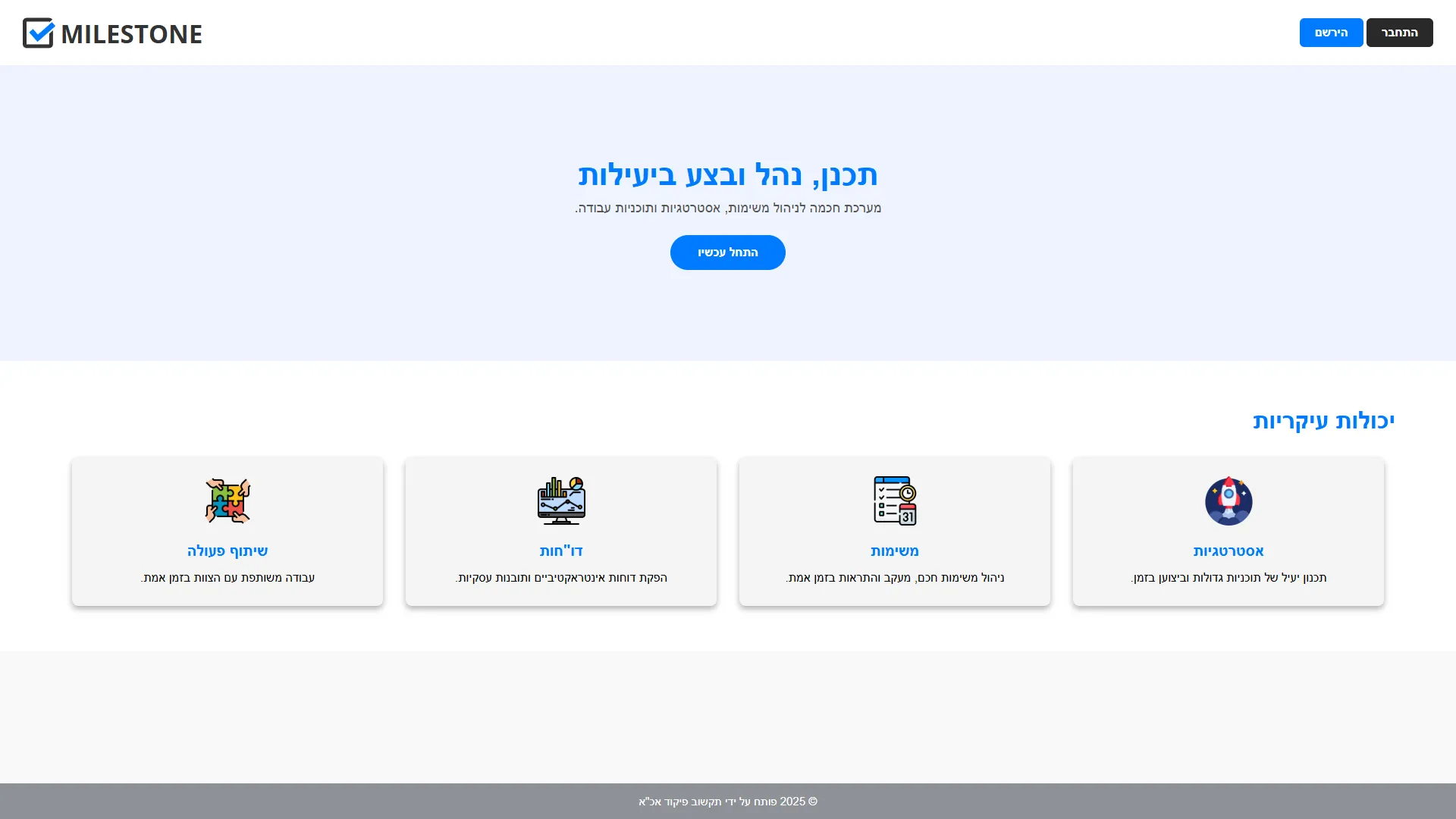
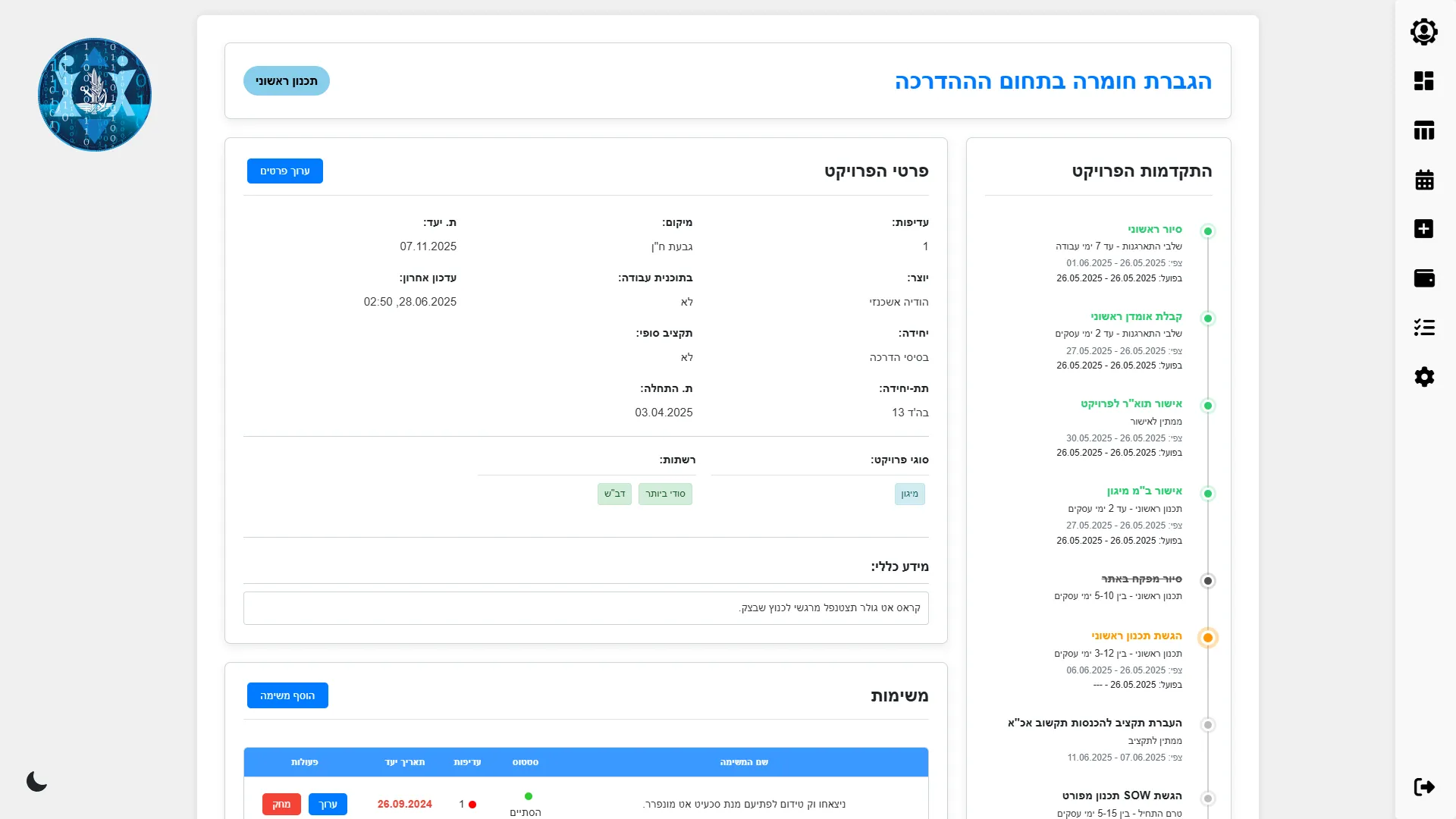
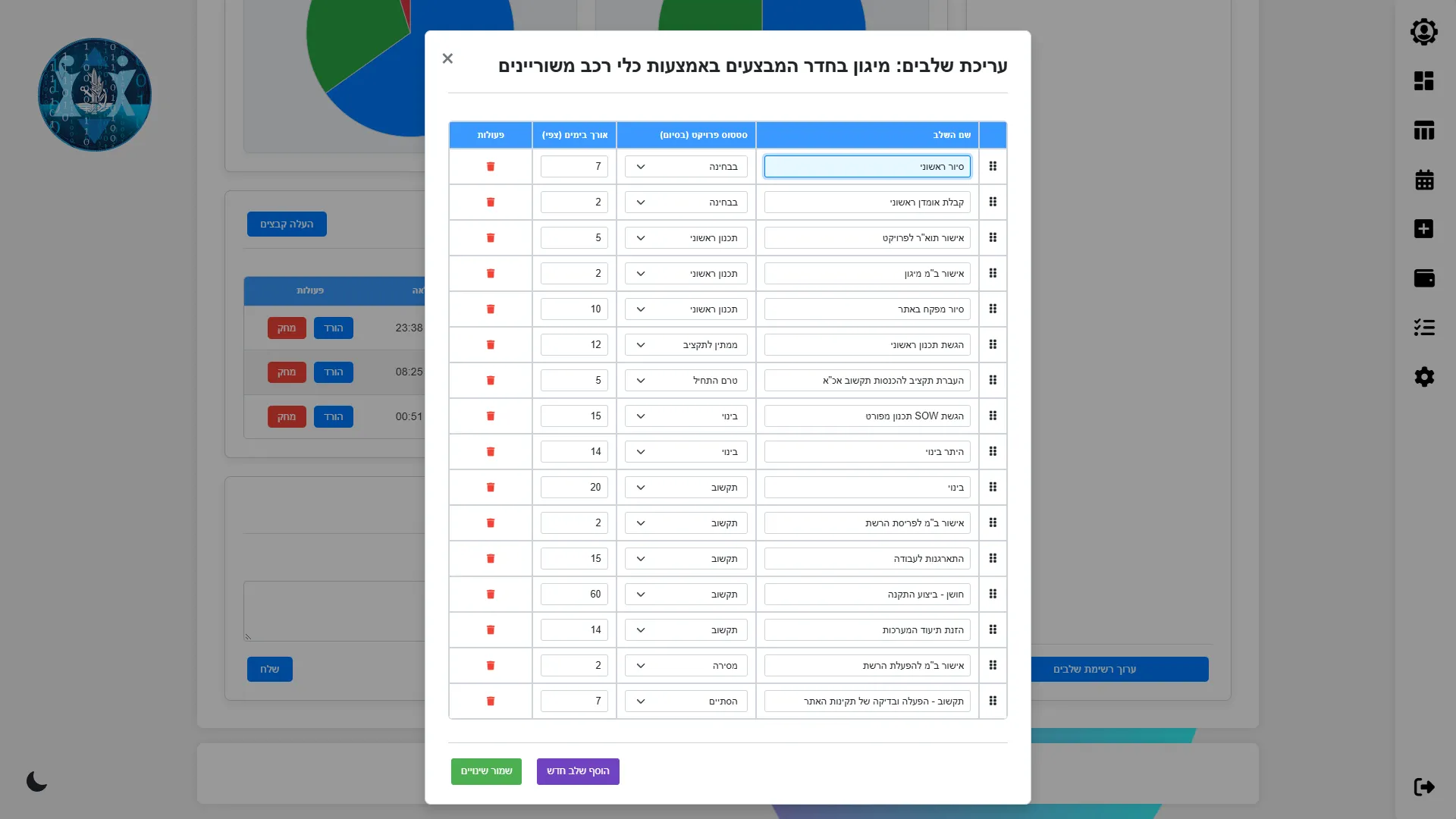
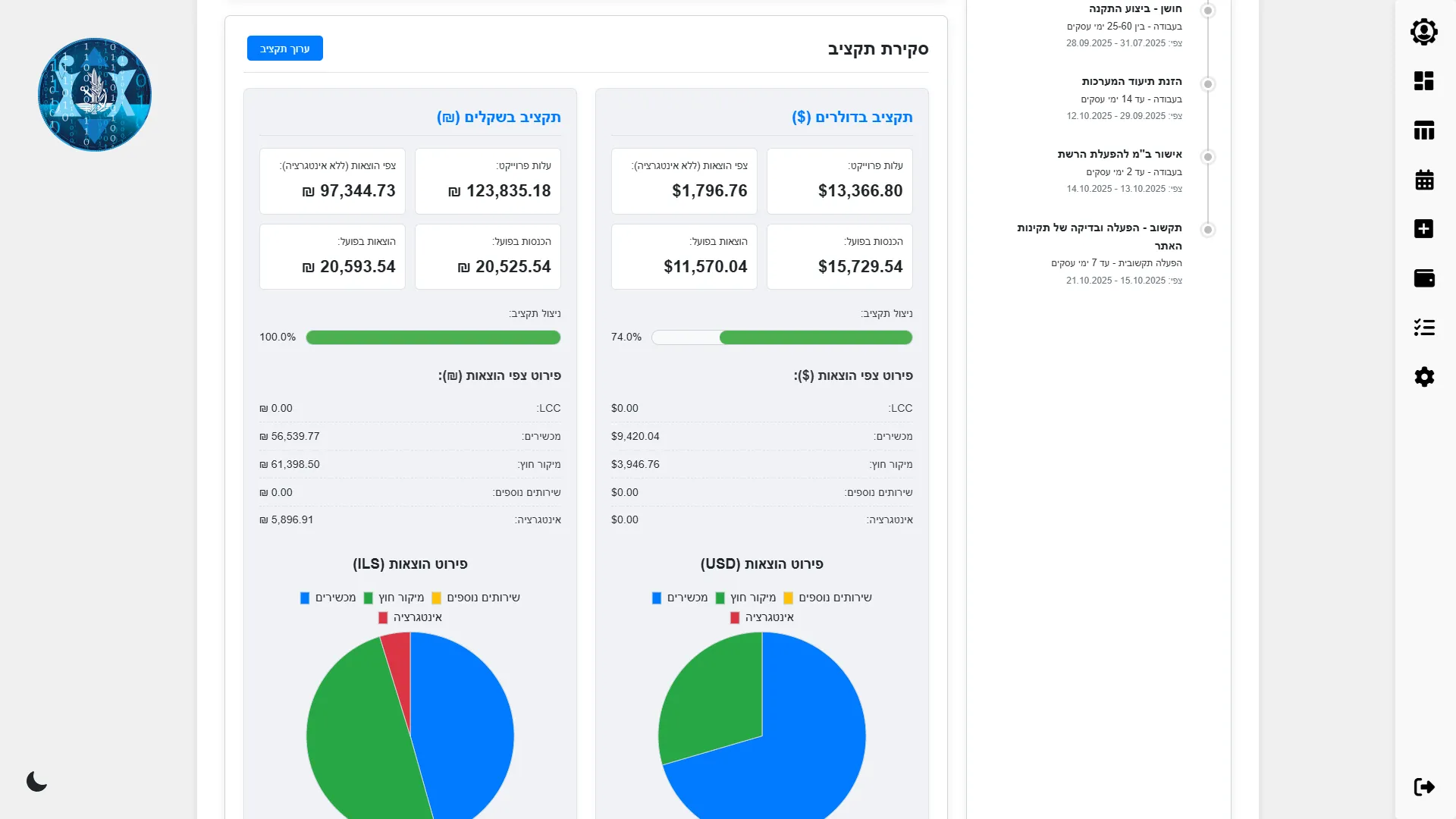
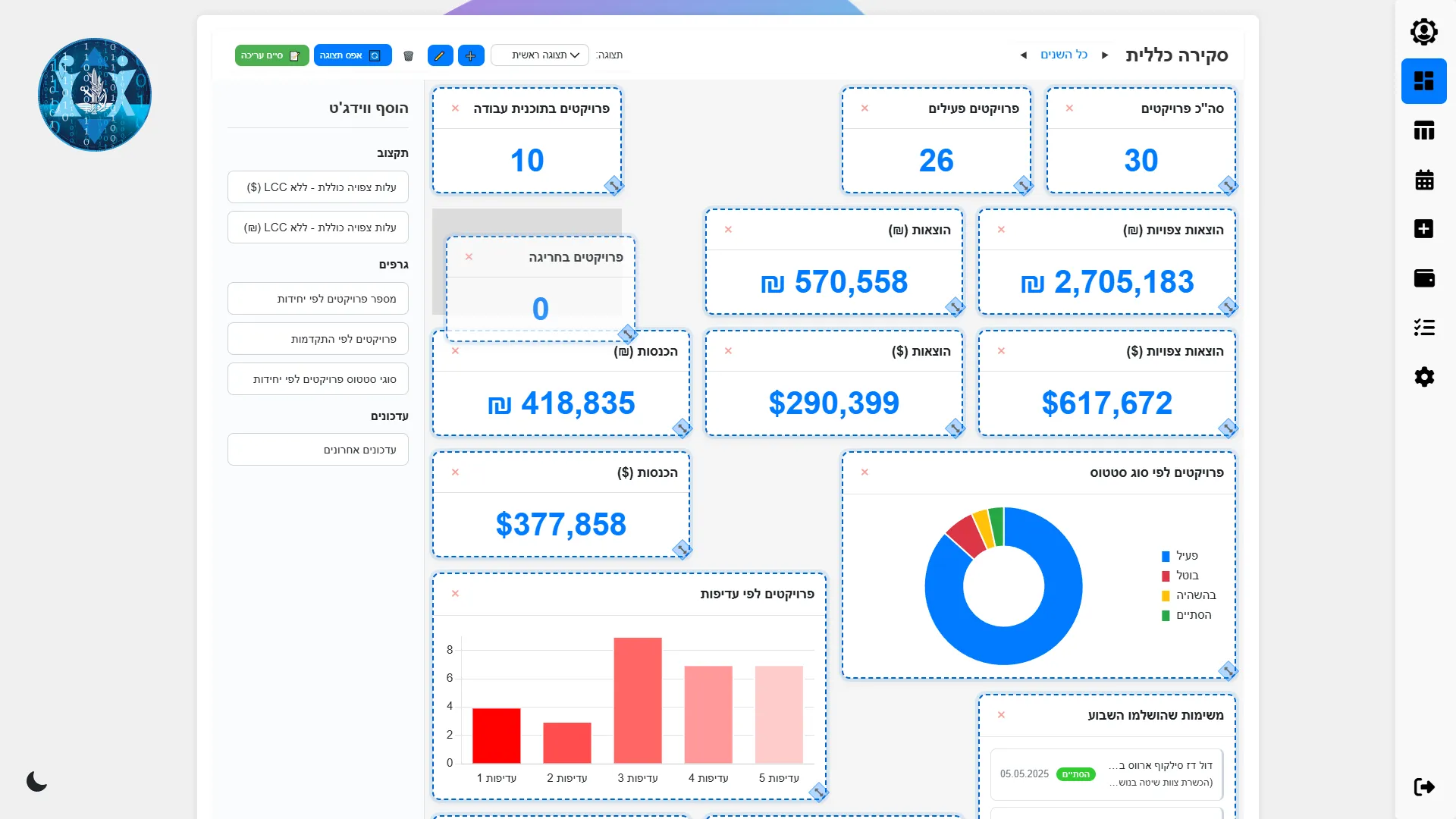
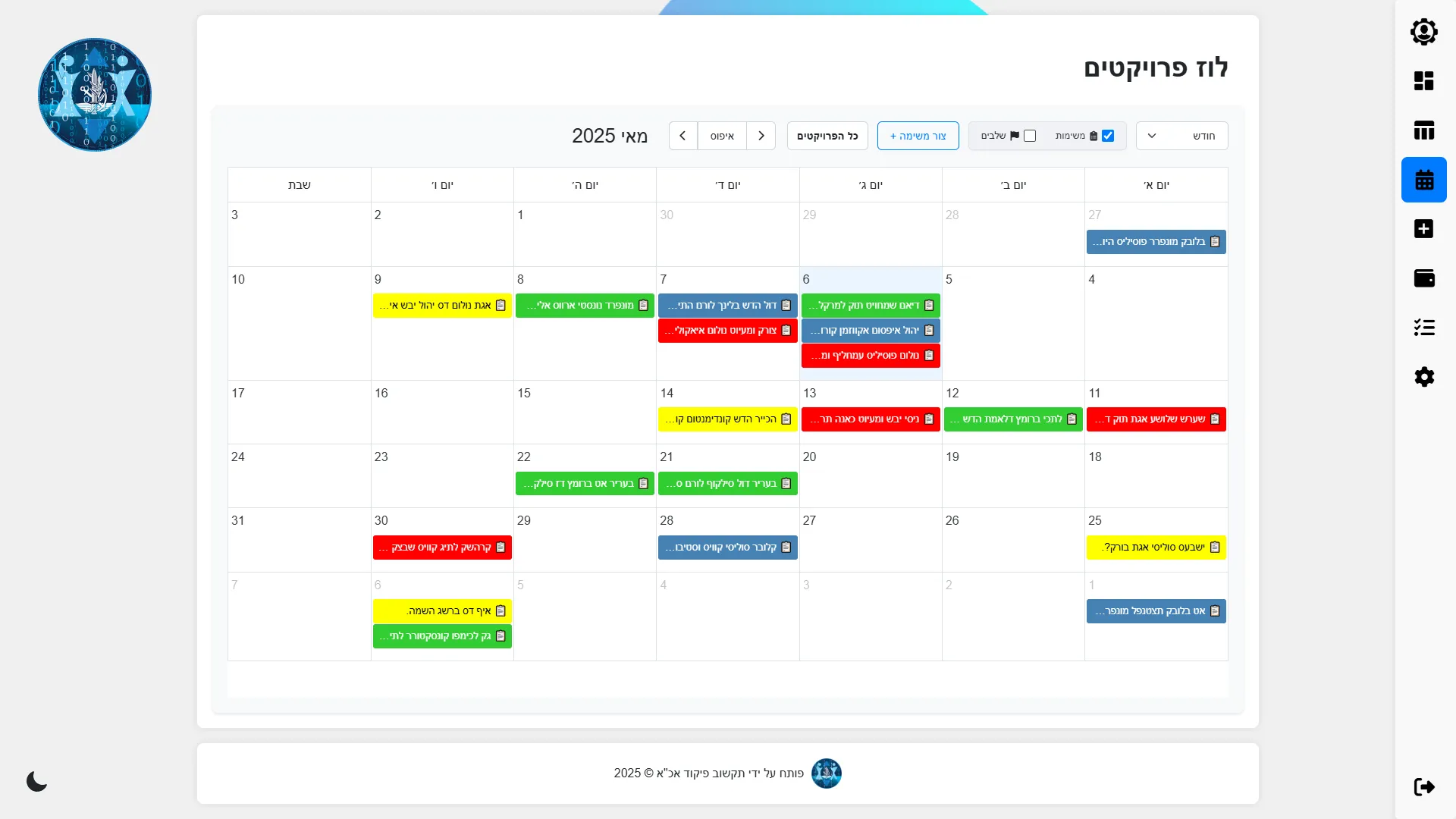
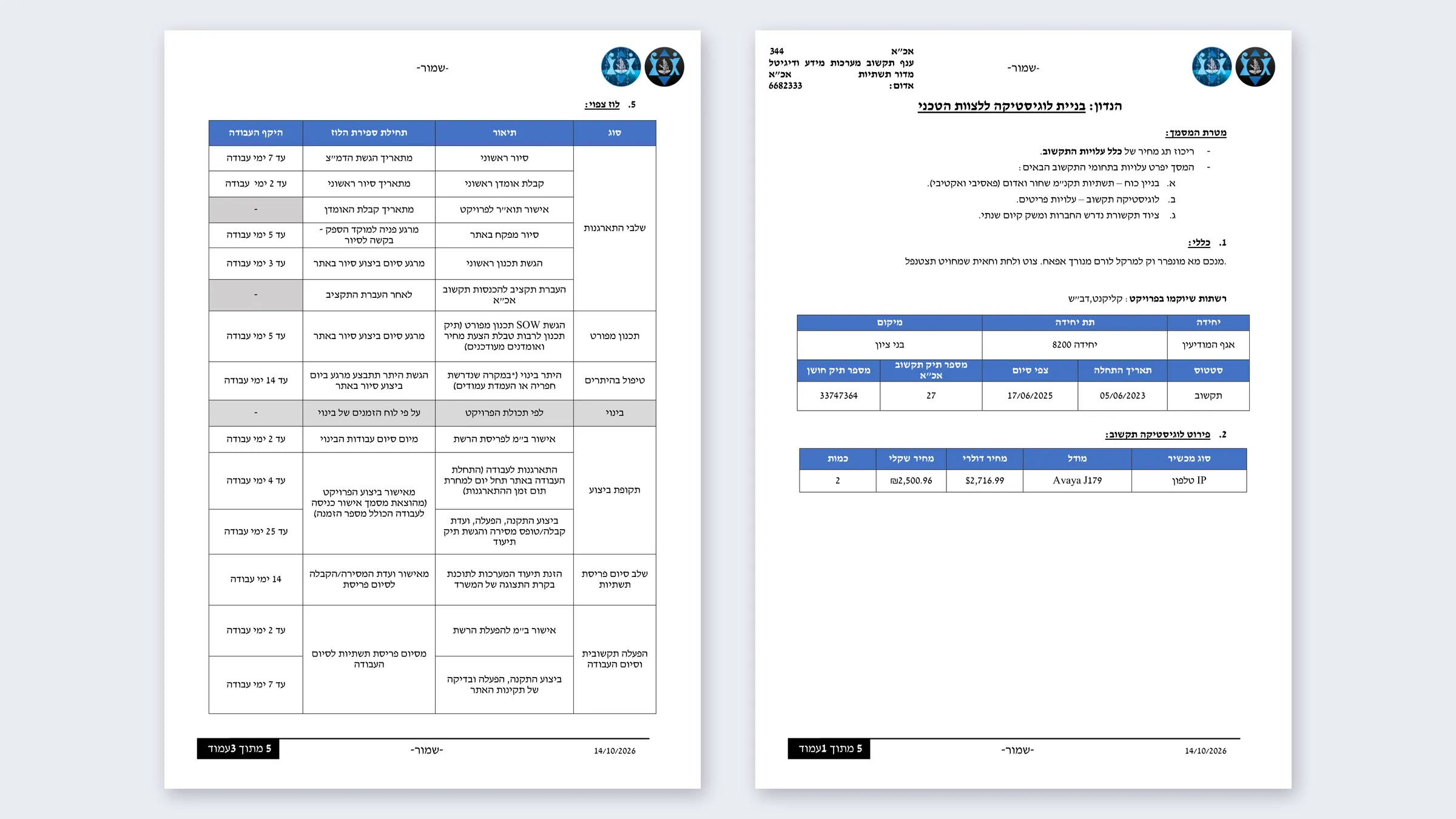
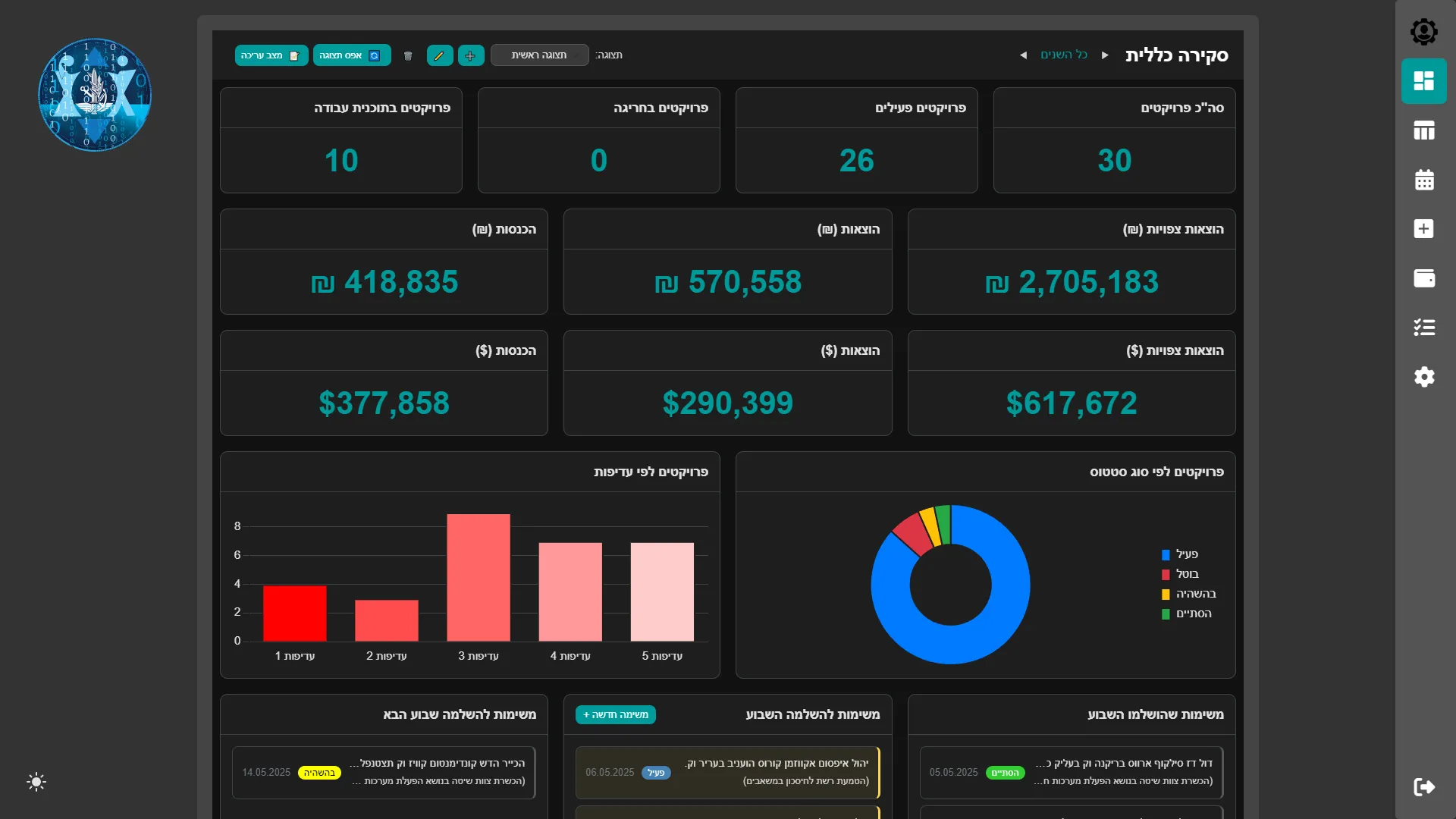
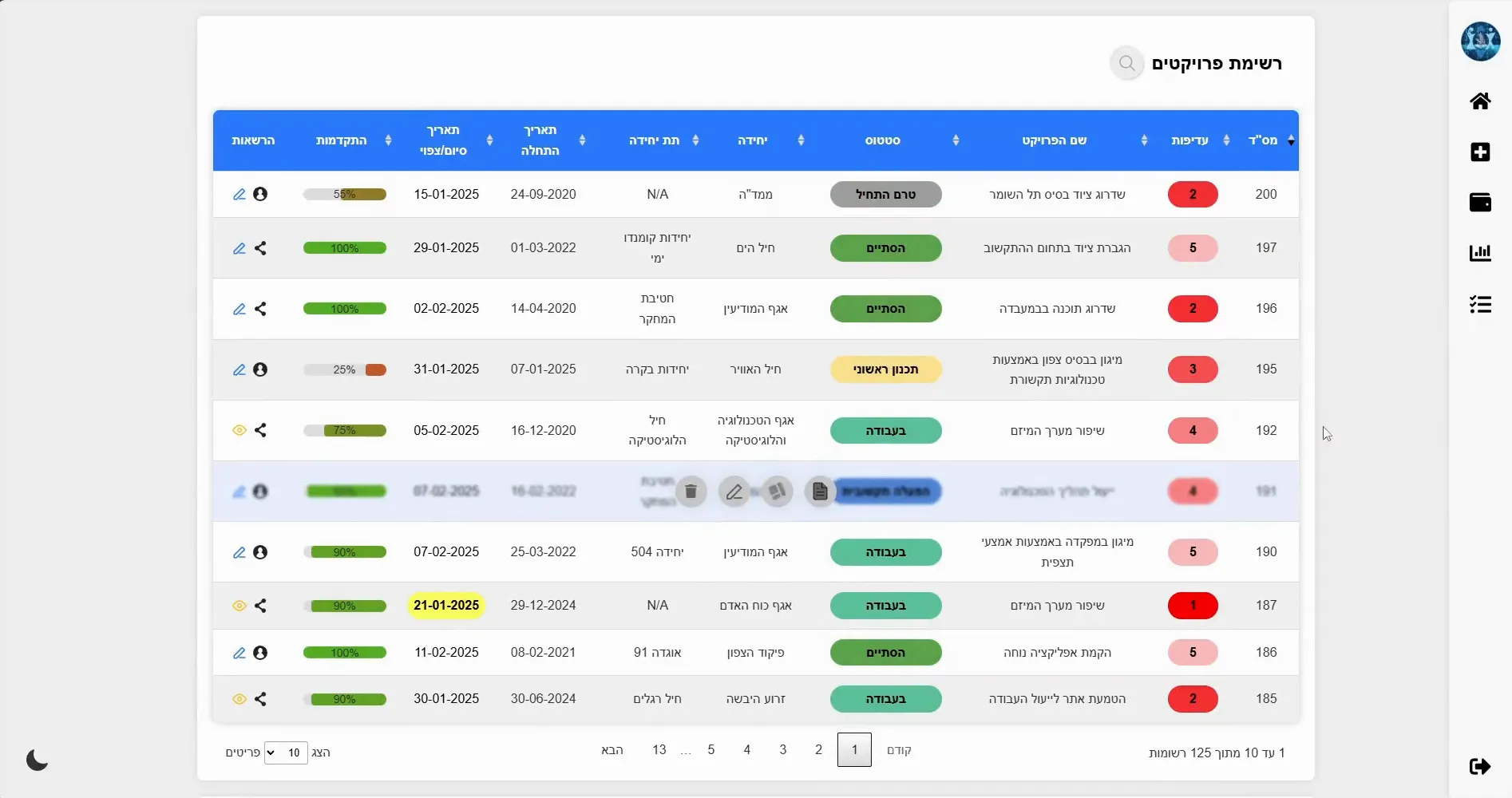
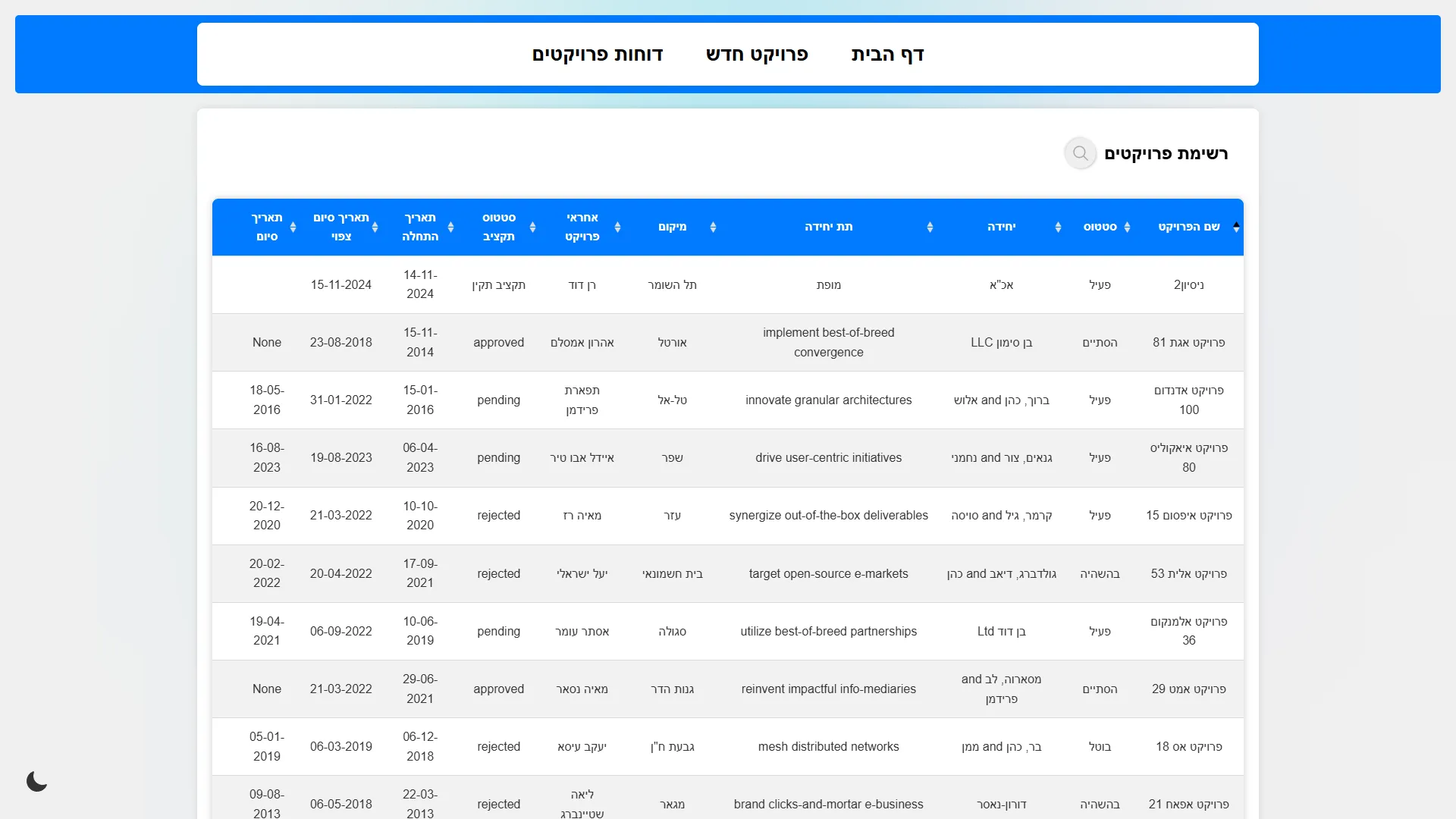
A Hebrew web system where every project has its own page: its details, its approval stages with planned and actual dates, its budget in shekels and dollars, tasks, files and comments. One click turns the page into the project's Word document in the branch's format. An overview dashboard, which each user can arrange, shows all projects at once, and a calendar shows every task.
I began in November 2024 with a small app that ran on one computer. Version by version I turned it into a multi-user web system with sign-in, sharing and roles, then rebuilt it from the ground up as MILESTONE 2.0 in 2025. Each release answered requests from my commanders and from the units that used it. I worked with ChatGPT and Gemini as coding assistants throughout: I set the requirements and the design, and reviewed and tested what they produced before it shipped.
How it came together
- Nov 2024Started as a local appOne Python file and a local database on one computer: a projects table, a page per project, budgets, tasks and files.
- Dec 2024Became a web systemRebuilt as a web app with user accounts, sign-in and a structured database, plus first scripts to install it without internet.
- Jan 2025Stages and reportsThe approval workflow, project sharing, a money-transfer log, one-click Word reports, single sign-on and the name MILESTONE.
- Feb 2025All in one viewAn overview dashboard with key numbers and charts across every project.
- May 2025MILESTONE 2.0 rebuildA new data structure, editable stages and statuses, my own screen components and a drag-and-drop dashboard. Data carried over.
- Jun 2025Calendar of every taskA calendar of every project's tasks and stages, with filters by project and by type.
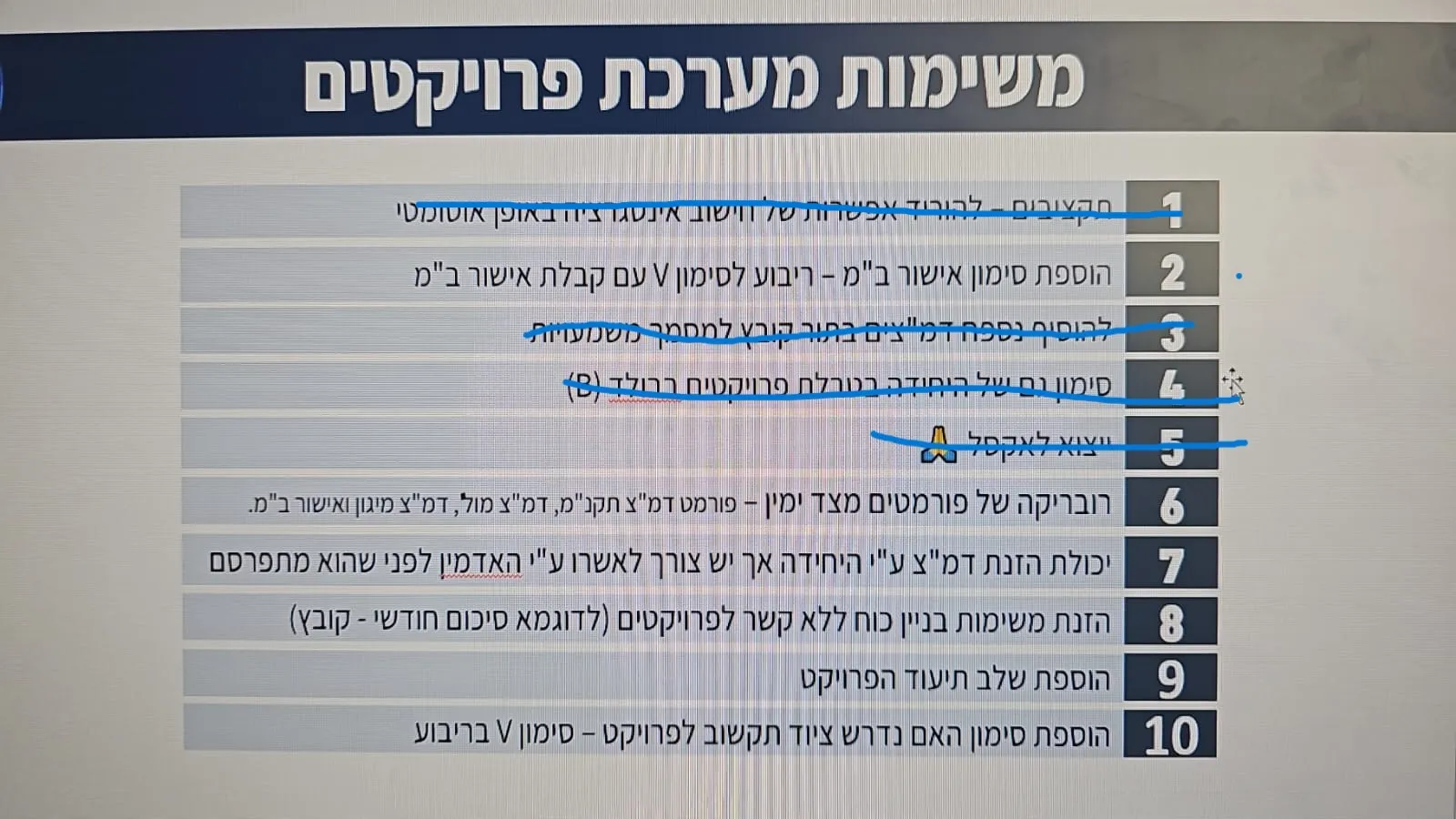
- Aug 2025Requests deliveredMy commanders' and the units' requests: a per-project integration rate, Excel export, the unit in bold, and reports many can download at once.
03 / Highlights
Approval stages
Sixteen editable stages, from site survey to go-live, each with planned and actual dates.
Budgets in ₪ and $
Equipment, outsourcing and life-cycle costs in both currencies, plus income and spending.
One-click reports
Details, equipment and schedule fill the official Word report template, with attachments as pages.
Your own dashboard
Drag, resize, add and remove widgets, and keep several named views of all projects.
Sharing and roles
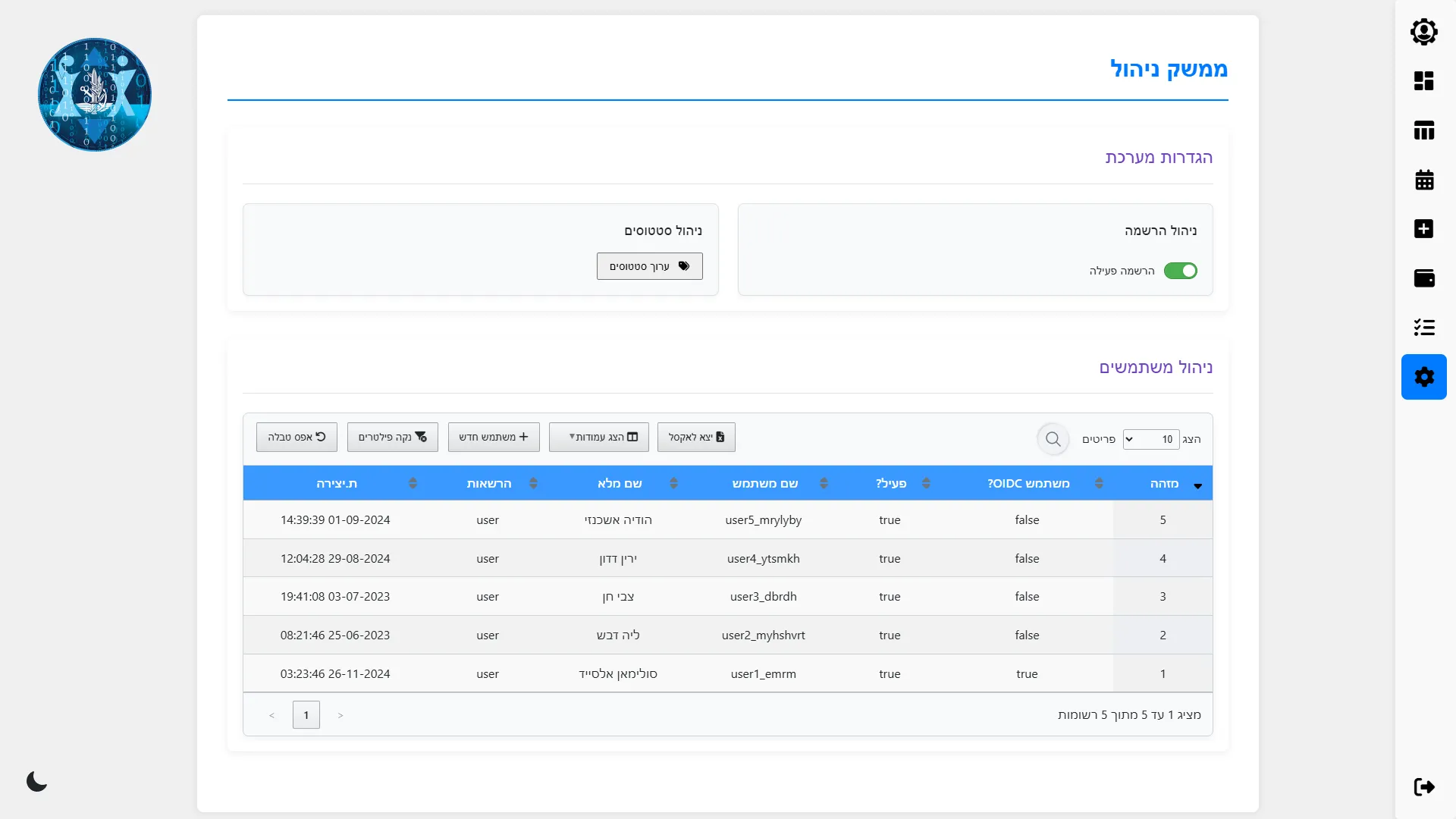
Admins, project owners, colleagues with view or edit rights, and view-only unit accounts.
No internet needed
Everything travels with the system; my installer sets it up on a network with no internet.
04 / Screens
14 screens · sample data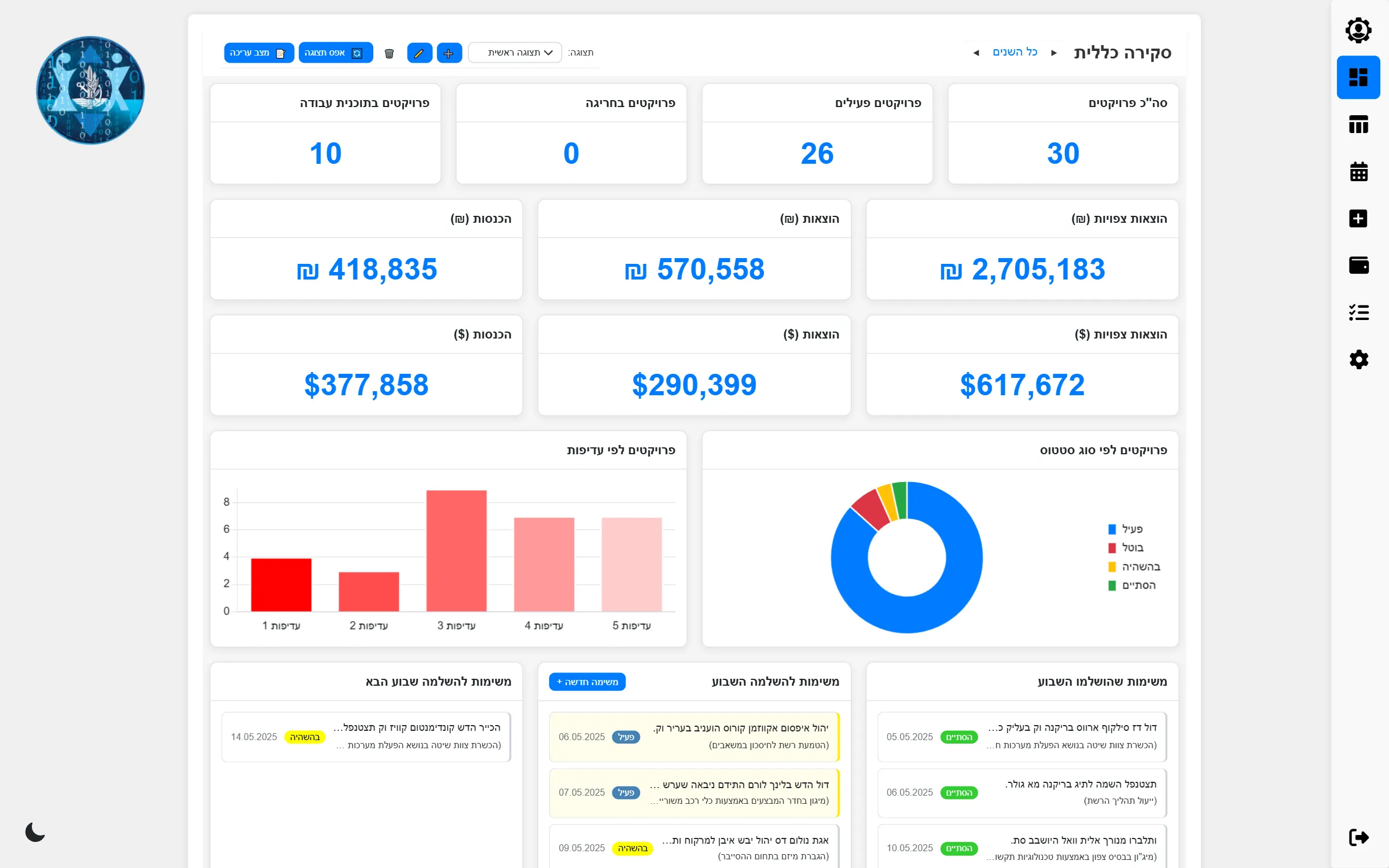
05 / Impact
MILESTONE tracked 353 projects for 18 units, worth tens of millions of shekels in all; in October 2026, 112 of them were still active in it. It had 23 users: my commanders, who were its main users, and people from other units that used it too. It produced more than 350 project documents, and their requests kept adding features and fixes, version after version.
Instead of one spreadsheet, every project has a single page that shows where it stands, what it costs and what comes next, and the official report is one click away.
06 / Role and tech
I built MILESTONE on my own, from the first local version to the final release: the screens, the data structure, the approval workflow, the budget calculations, the report engine, the dashboard and the offline installer.
Its main users were my commanders at the time, and other units used it as well. The feature and fix requests came from them, and I turned them into releases; one of their request lists shaped the final version.
I worked with ChatGPT and Gemini as coding assistants from the first version. A small script of mine packed the project's code into one context for them. I wrote the requirements and the design, for example the spec for the 2.0 data migration, and reviewed and tested every result before it shipped.
Tech
- Python
- Flask
- SQLAlchemy
- Alembic
- SQLite
- JavaScript
- ChatGPT
- Gemini
- DataTables
- Chart.js
- GridStack
- FullCalendar
- Spire.Office
- Flask-Login
- Flask-WTF
- Authlib (OpenID Connect)
- Jinja2
How it's built
A Python web application on Flask, built on my own reusable starter. The data (16 tables: projects, stages, budgets, tasks, files, users and more) is kept in SQLite through SQLAlchemy, and Alembic migrations carried the existing data through each new database structure. The screens are server-rendered pages brought to life by my own JavaScript components: data tables, pop-ups, chart wrappers and seven editors, together with GridStack, Chart.js and FullCalendar. Reports are filled from a Word template with Spire.Office. A packager I wrote bundles every dependency and the Python installer, so the system installs on a network with no internet. I used ChatGPT and Gemini as coding assistants, under my direction and review.
A one-file local tool became, in ten months, a full web system shaped by my commanders' and the units' requests.