MobileSign
Signing for equipment on screen instead of on paper, with a record of every hand-over that no one can change.
01 / The challenge
Sensitive equipment, such as mobile phones and their SIM cards, mobile-internet sticks and push-to-talk radios, is handed to soldiers and officers against a signature. When that signature sits on a paper form, nobody can say at a glance who holds what, since when, and who approved it.
Equipment also moves between warehouses across the organisation, a phone travels with its SIM card and charger as a kit, items go to repair or go missing, and warehouse managers are replaced. Every move needs a clear owner, the other side's agreement and a record that still holds up months later.
- Signatures kept on paper forms
- No live view of who holds what
- Kits and items moving between many warehouses
- Records that can be lost or altered
02 / What I built
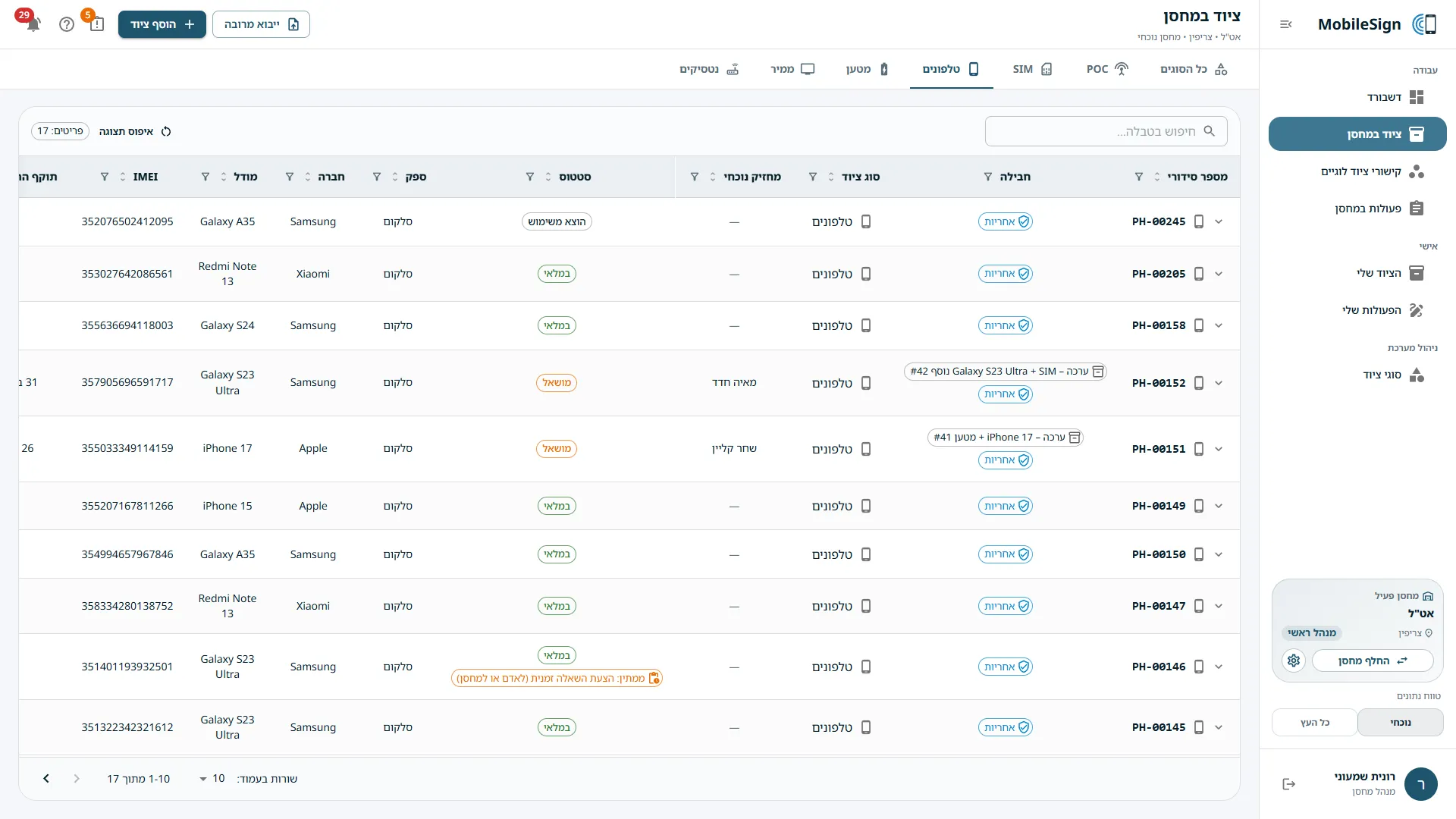
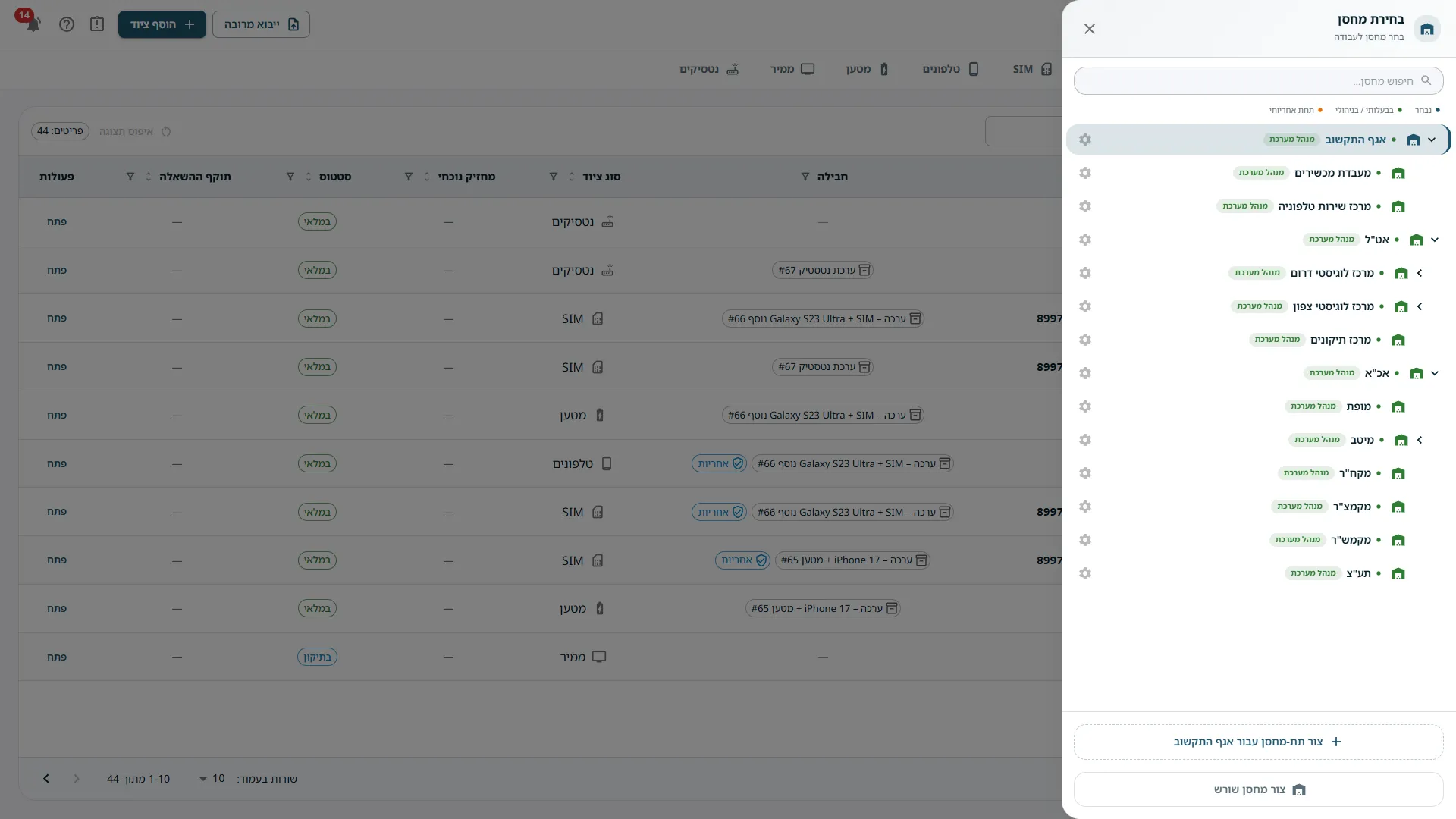
A Hebrew web app that works on a computer or a phone. Each unit gets its own digital warehouse in the organisation's tree, and each manager works in their own branch. Equipment moves only through six two-sided workflows, such as a lease, a return or a transfer: one side proposes and signs, the other side checks which items arrived, approves and signs, and only then does anything change hands.
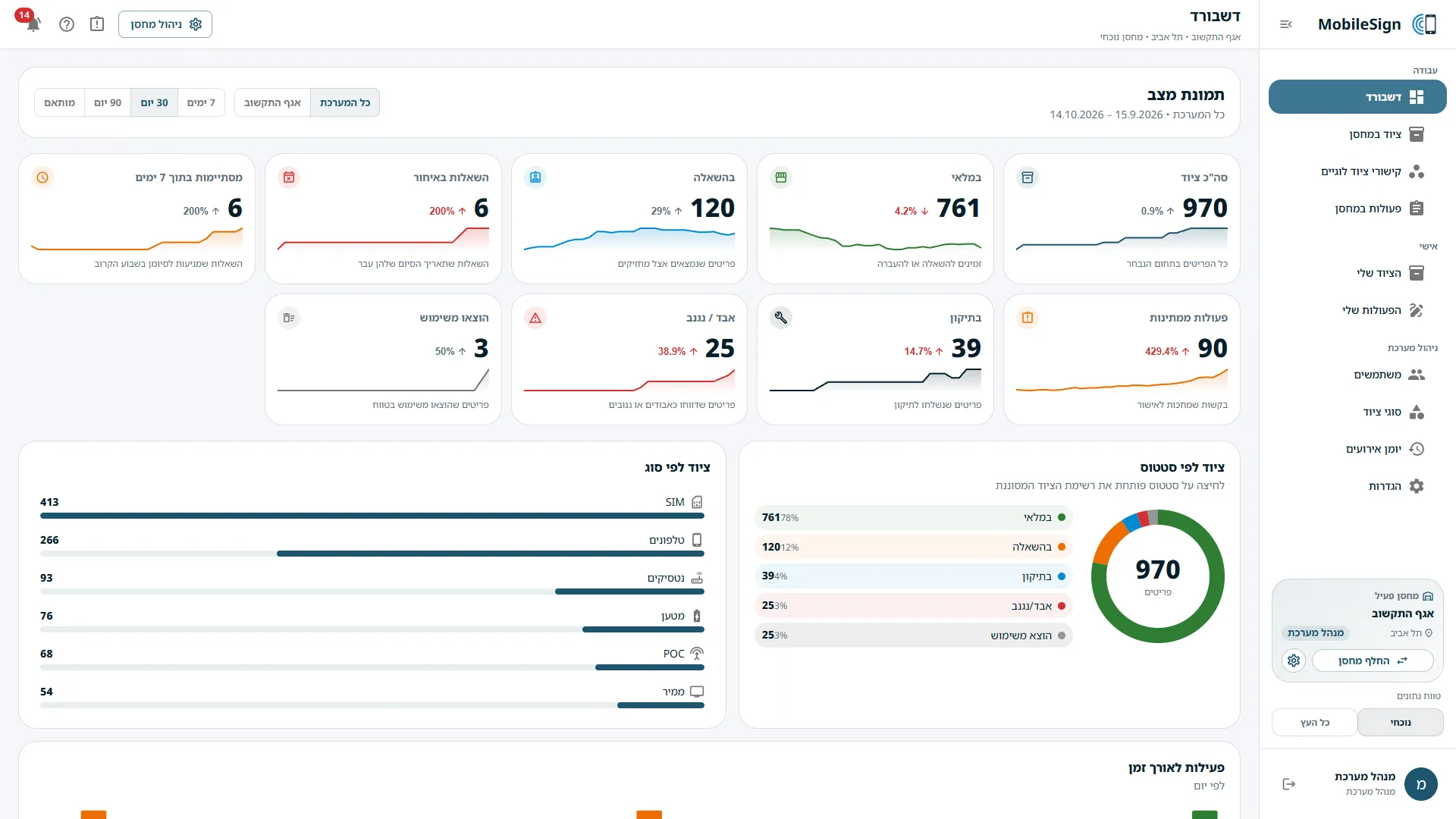
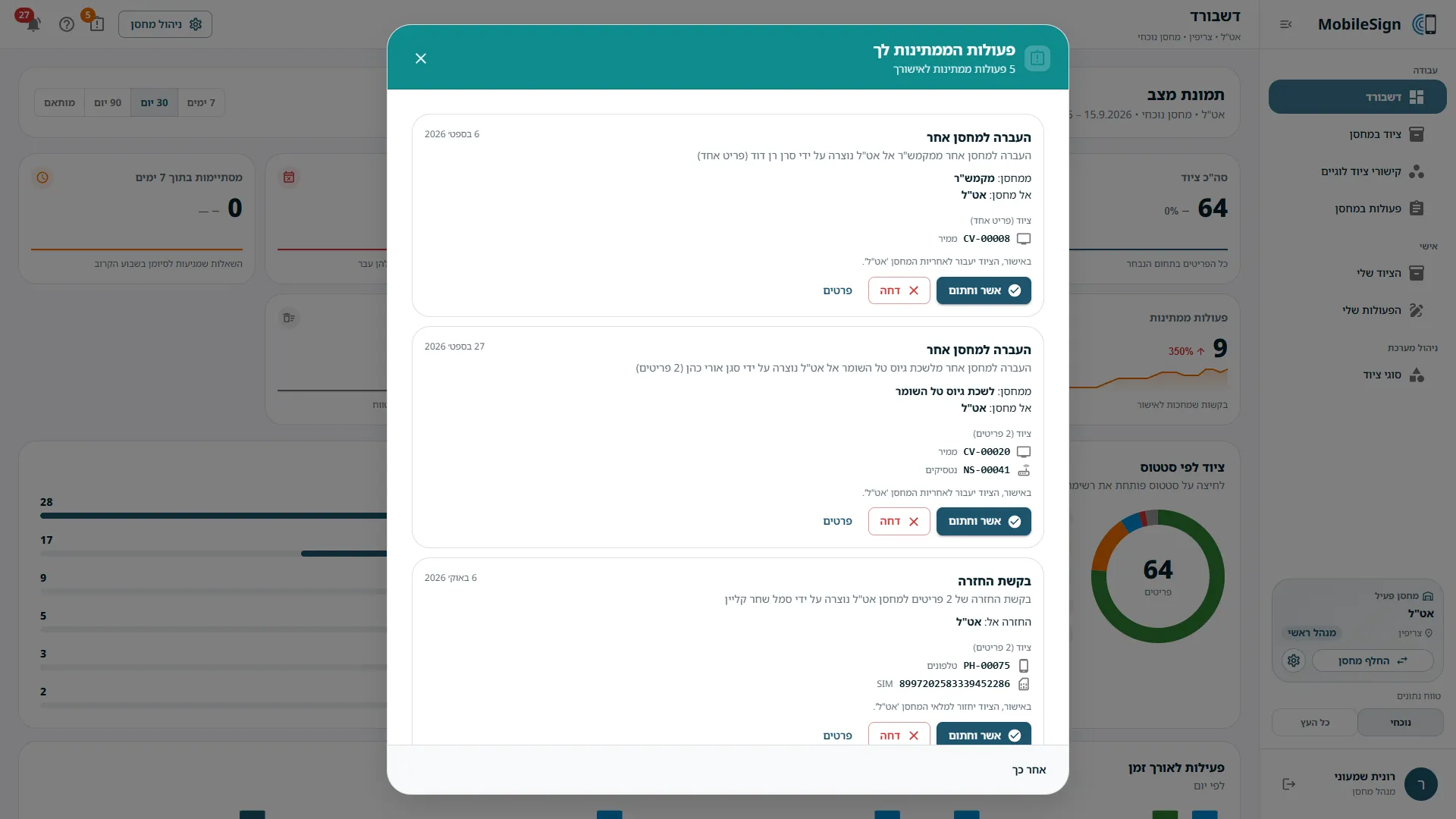
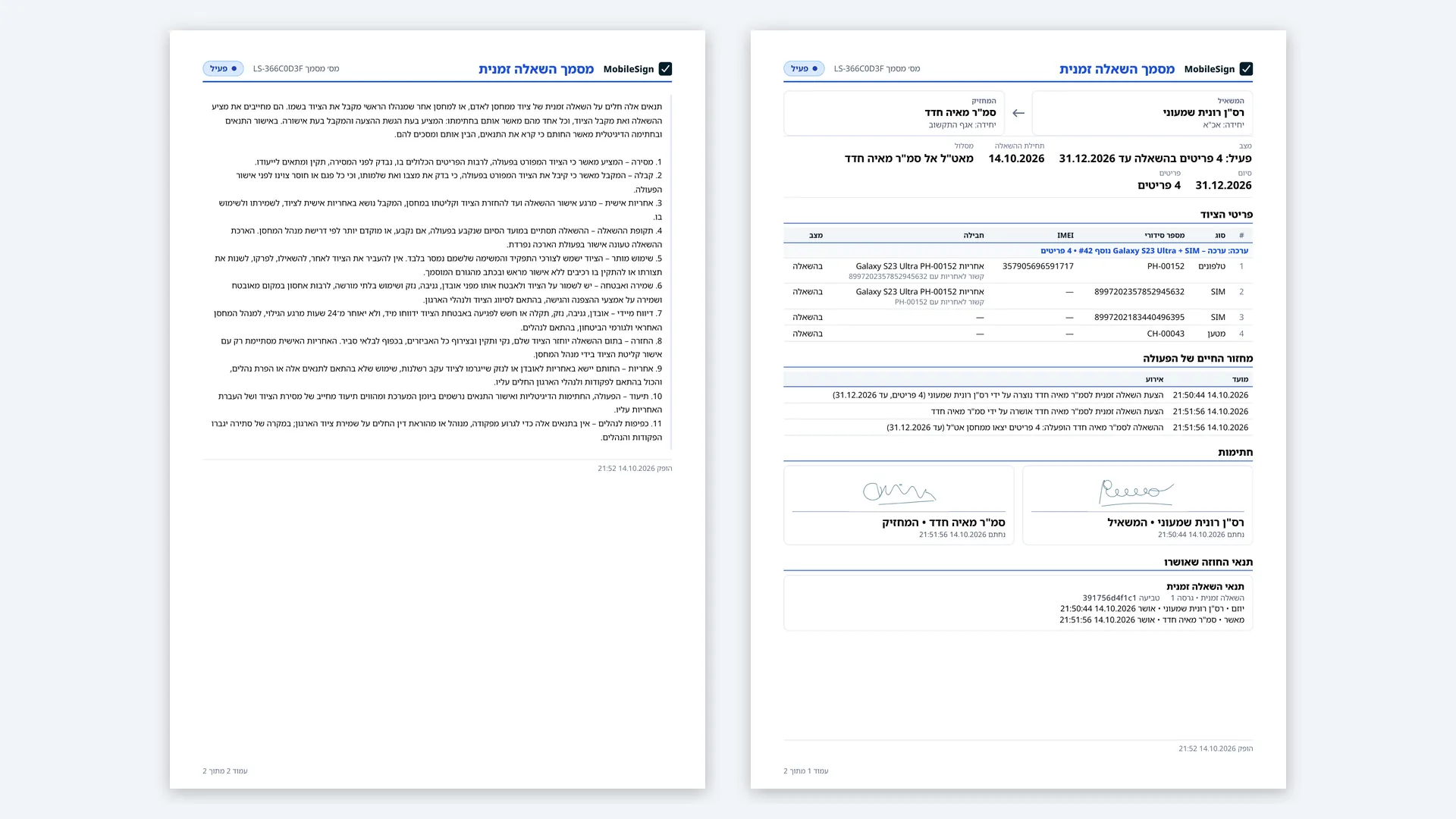
The moment a manager signs in, MobileSign shows everything that is waiting for them. Every approved step goes into a permanent history, each step written as one plain Hebrew sentence, and every hand-over becomes a formal signed document that can be exported as a PDF and printed.
How it came together
- 2024 – 2025The first versionMy first sign-off platform for equipment hand-overs, where the warehouses, items and signed hand-overs began; its records carry over into the 2026 version.
- Jan 2026Blueprint and first serverI wrote the product blueprint that AI assistants built from, then the complete server, with workflows, permissions and Hebrew demo data, and a first interface.
- Feb – Mar 2026A working web appThe interface rebuilt on shared building blocks, the permission specification, the organisation-tree picker and every item's movement history.
- Aug 2026Hardening with Claude CodeOne code base, both signatures on the record, a read-only role and automated CI. A full review fixed 24 findings, including two permission gaps.
- 5–7 Oct 2026Clear responsibility, start to finishAn inbox on sign-in, versioned contract terms, kits and warranty packages, formal PDF documents, and the receiver's item-by-item checklist.
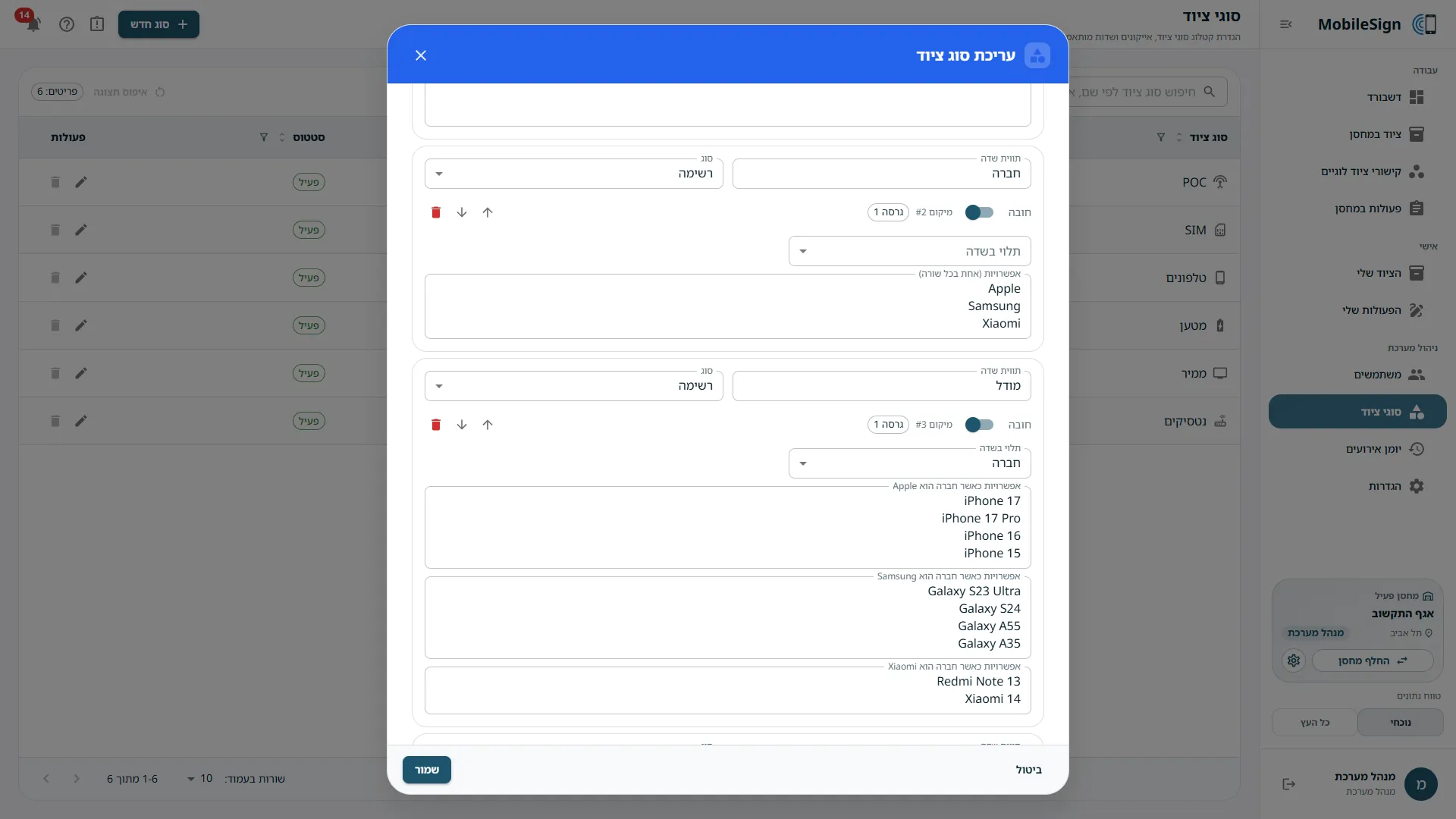
- 11–14 Oct 2026Dashboard, tours and finishA new analytics dashboard, 42 guided tours for five kinds of user, tables that remember their view, a guided kit editor and an unsaved-changes guard.
03 / Highlights
Signed on screen
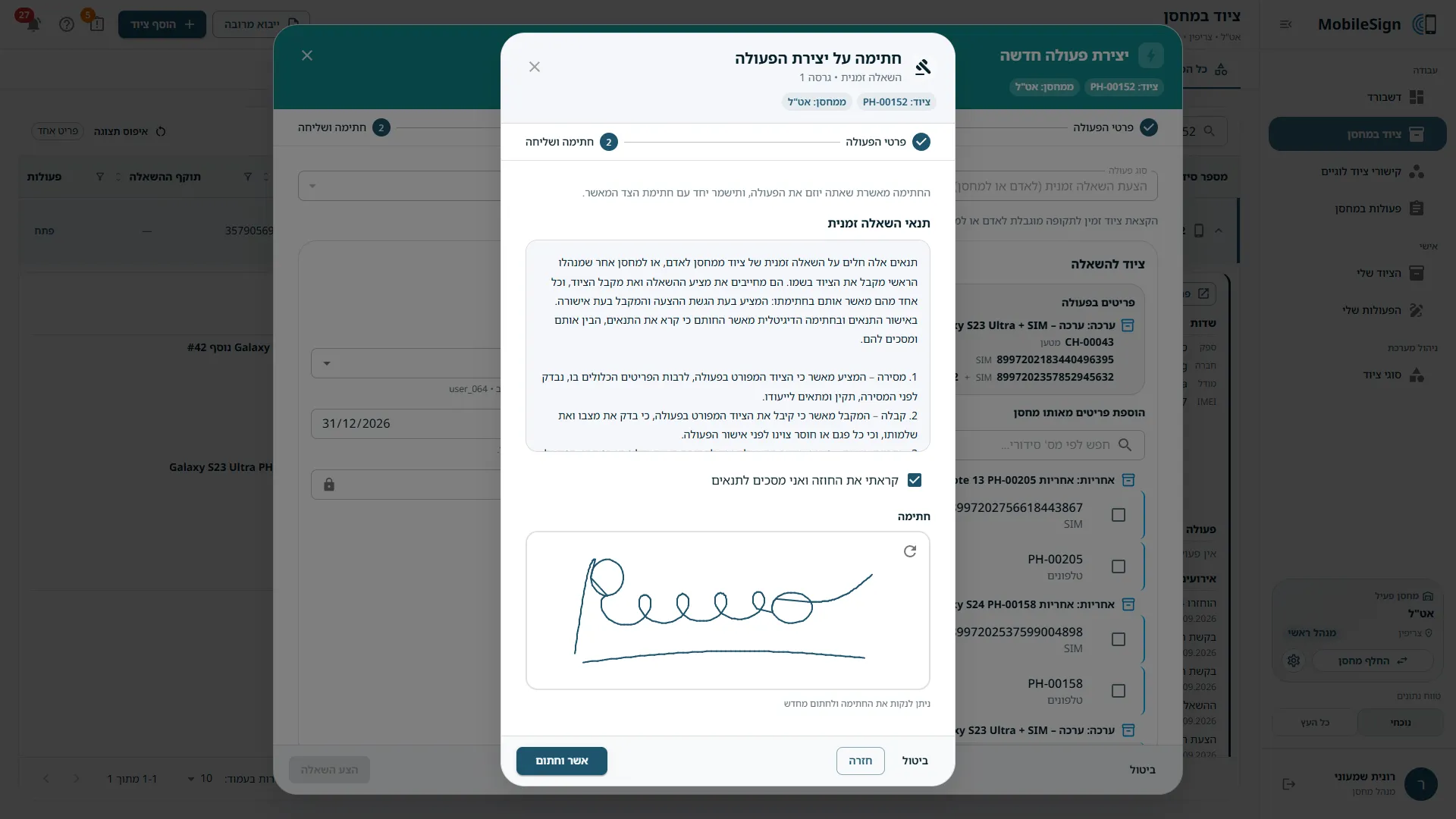
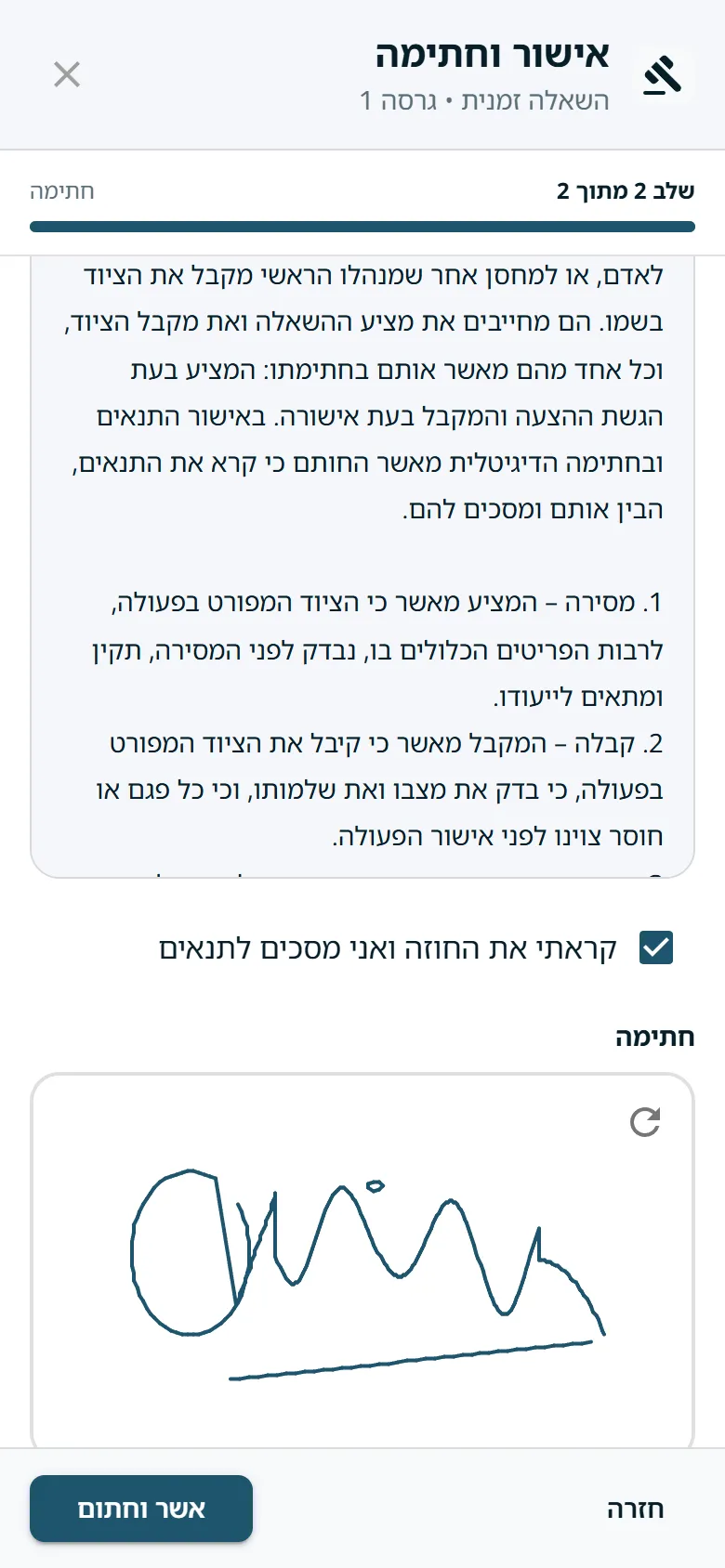
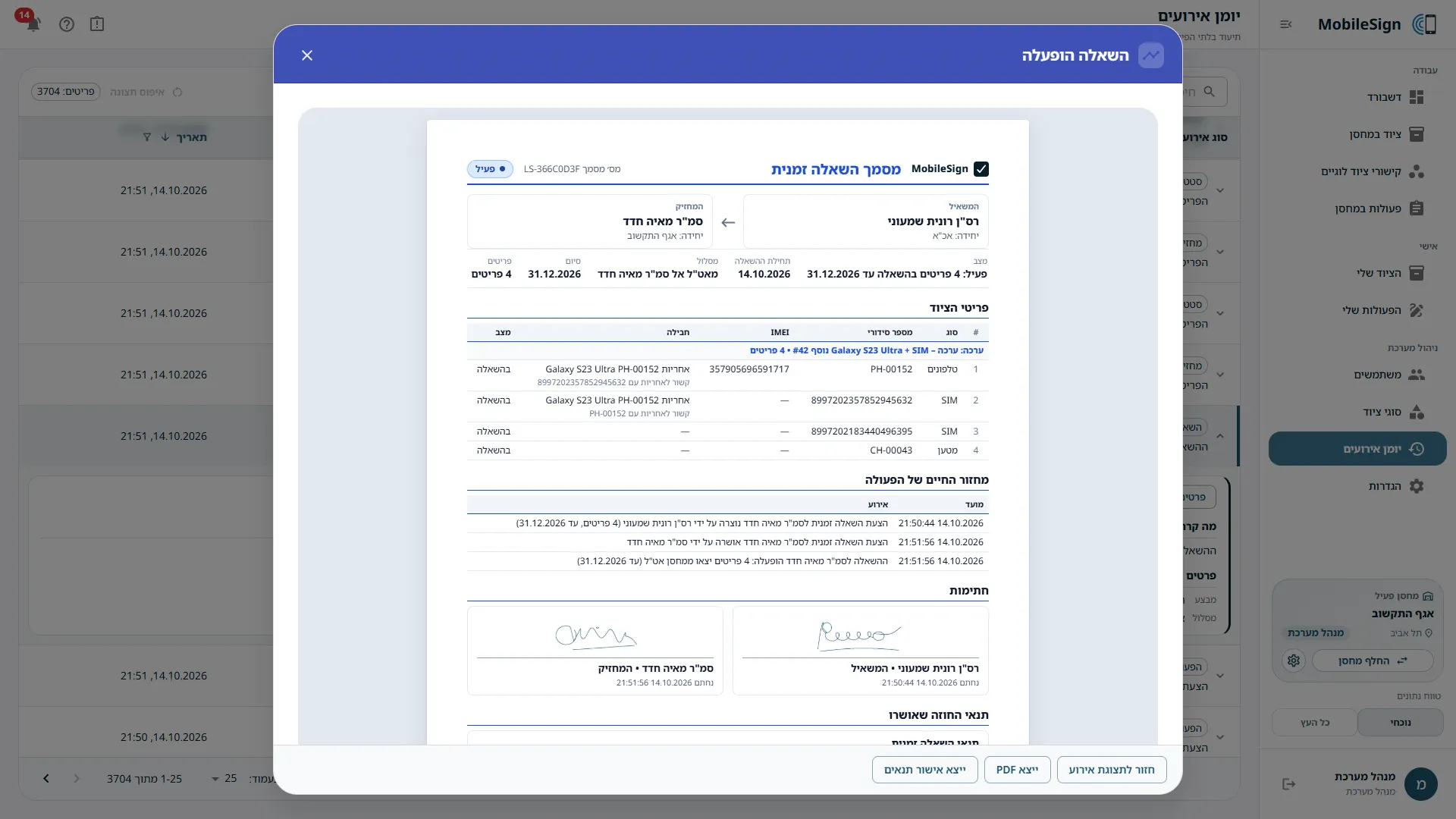
Both sides accept the current version of the terms and sign with a mouse or a finger. Signatures, times and terms stay with the record.
Nothing moves without approval
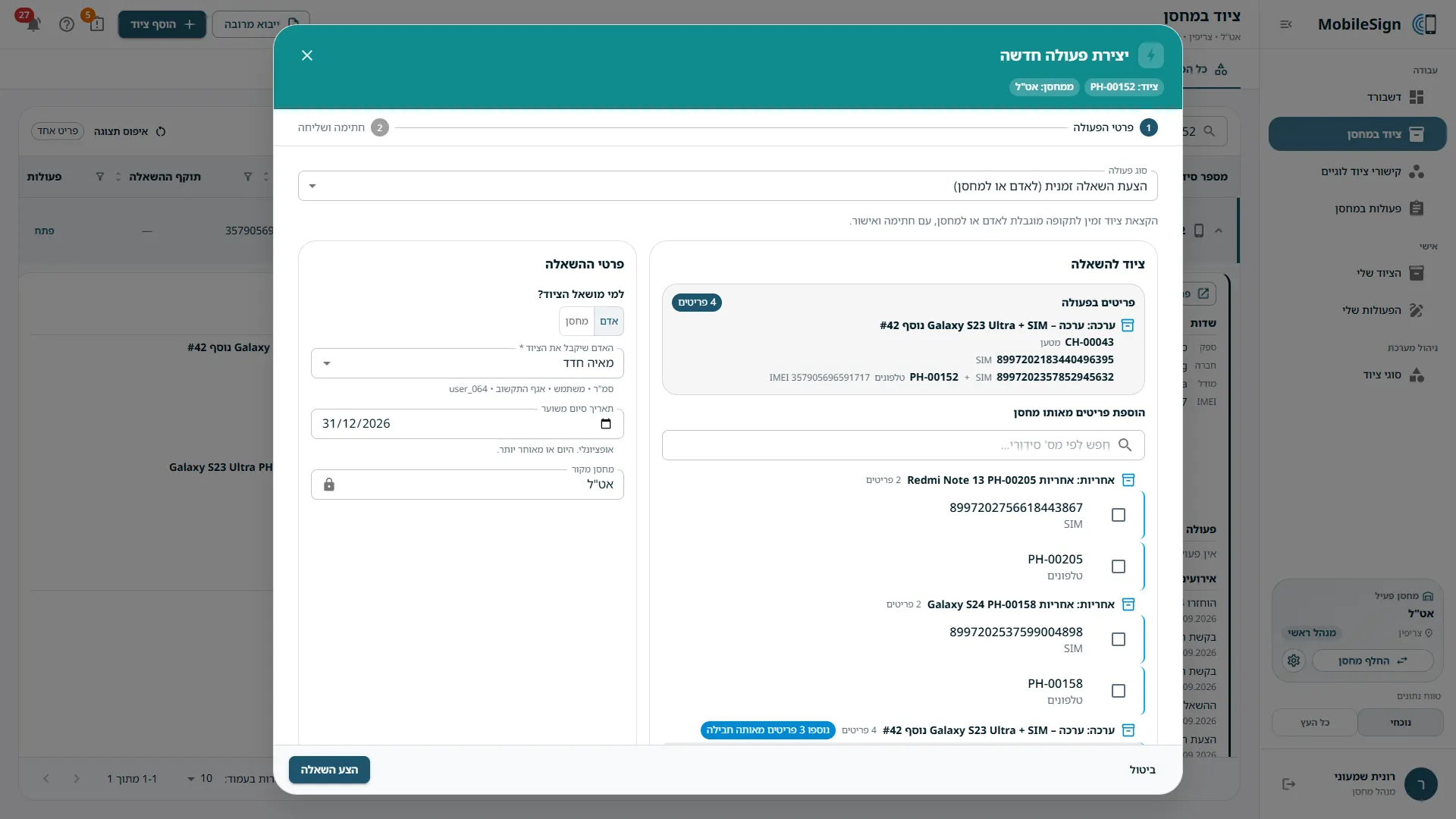
Six workflows: lease, return, transfer, extension, warehouse handover and new-equipment request. Equipment in a pending action is locked until the other side answers.
The receiver checks each item
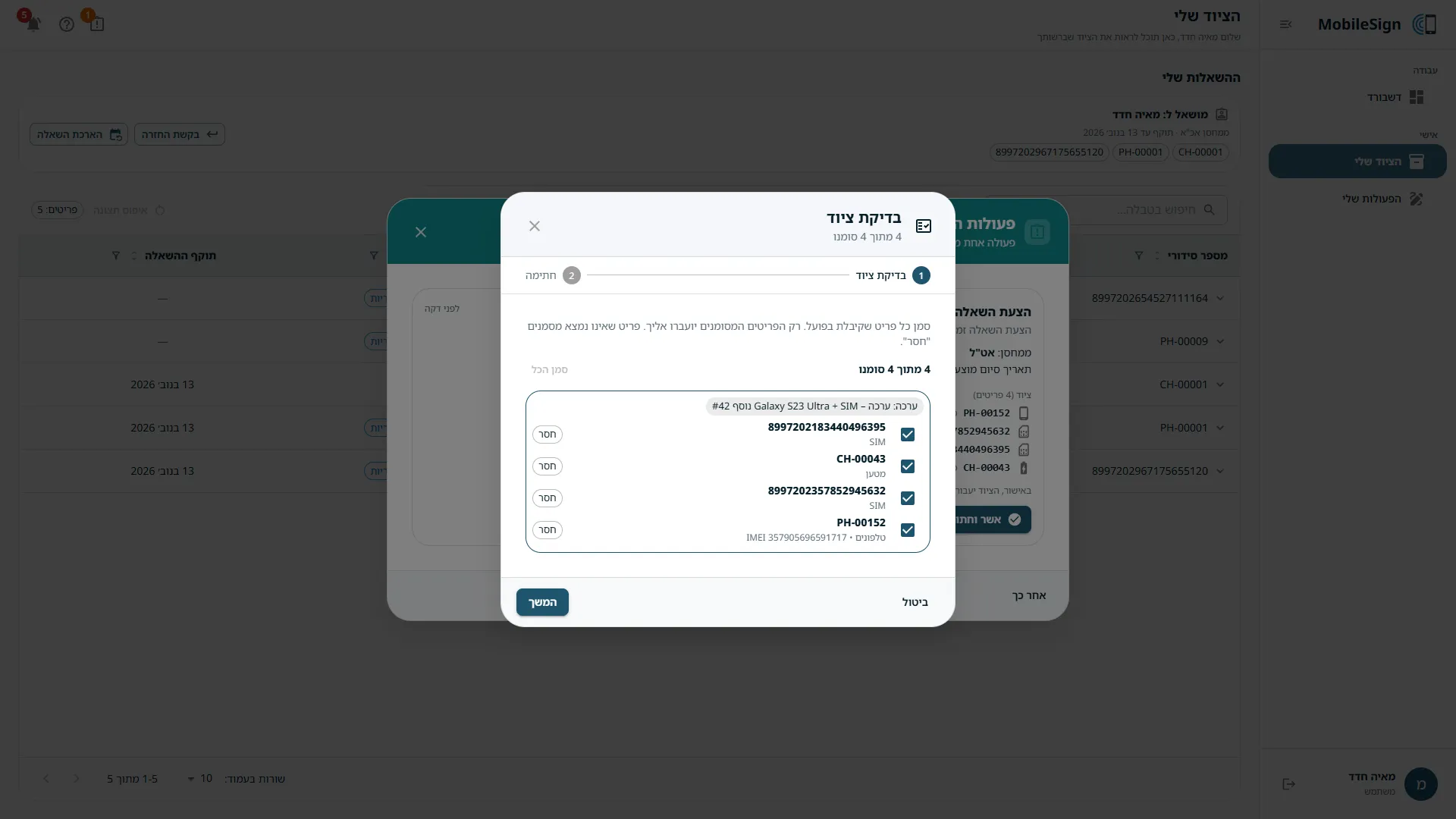
Before signing, the receiver ticks each item that actually arrived or marks it missing. Only what arrived moves; any gap is recorded with a reason.
A history no one changes
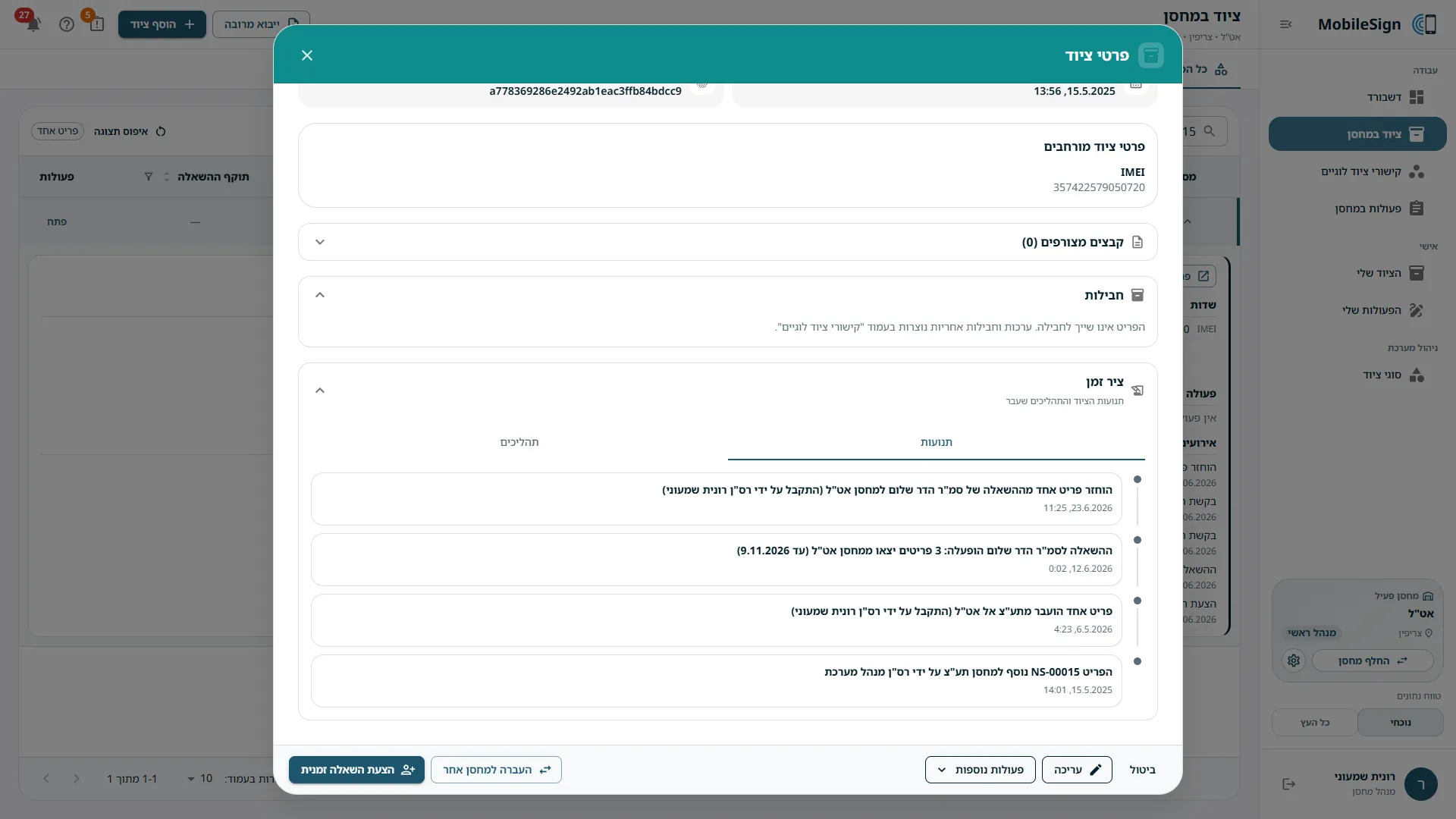
Every approved step is kept for good, in plain Hebrew sentences. Each item has a full timeline, and each hand-over a signed PDF document.
A warehouse per unit
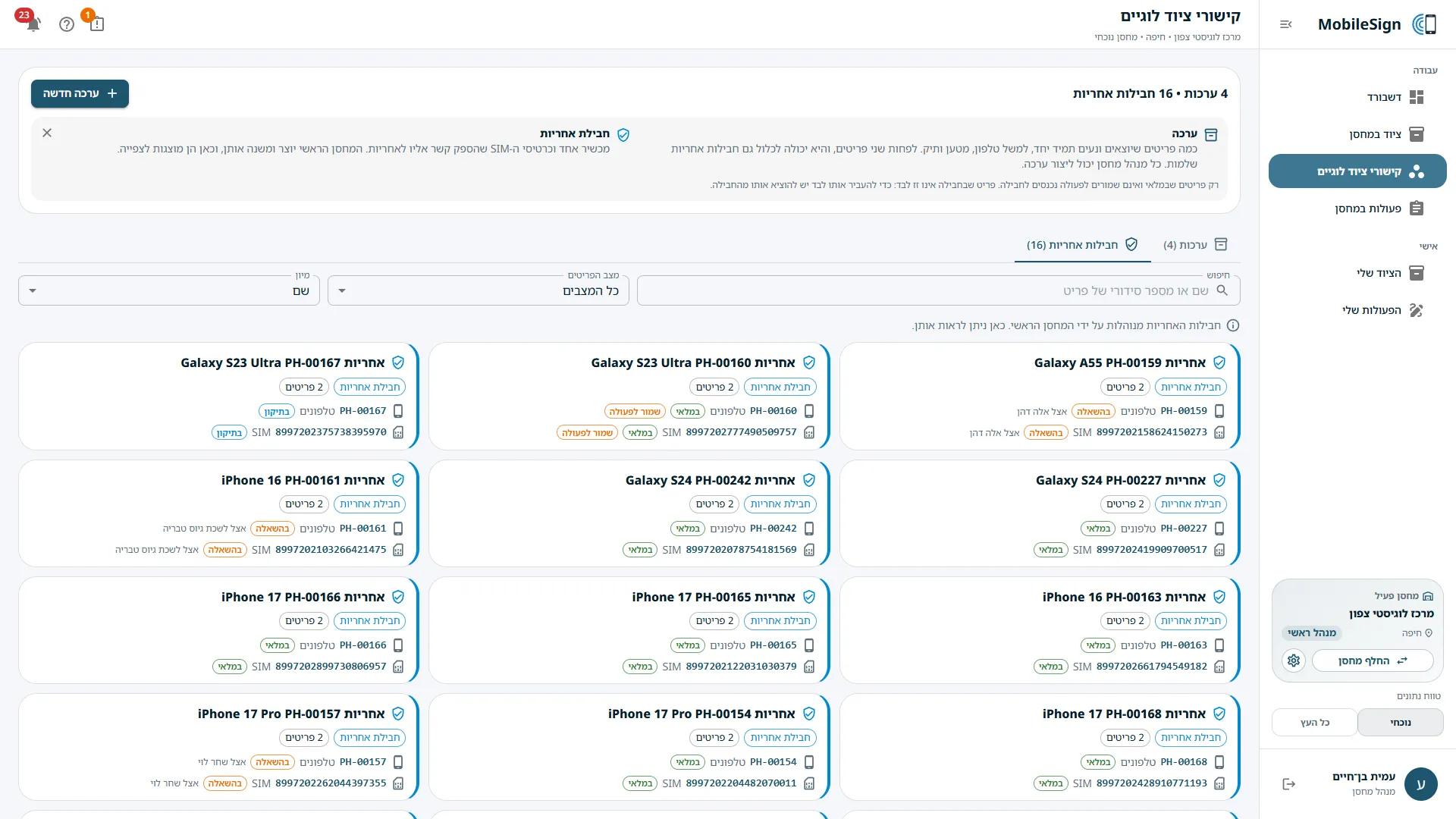
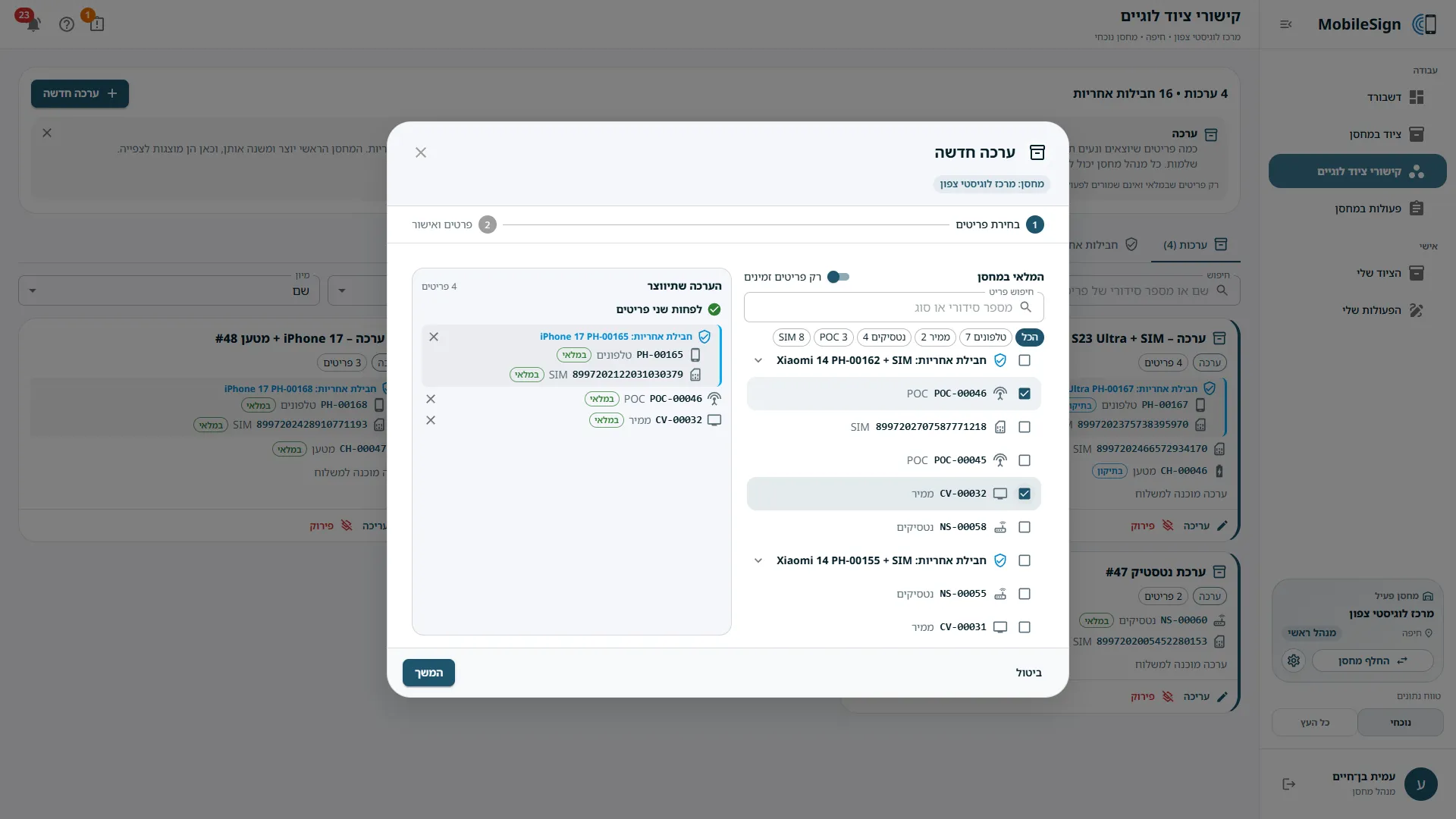
Warehouses nest in the organisation's tree, and each manager works in their own branch. Phones, SIM cards and chargers move together as kits.
AI-assisted engineering
Built with Claude Code to my written plan, my decisions and my reviews. Thousands of automatic tests check every change.
04 / Screens
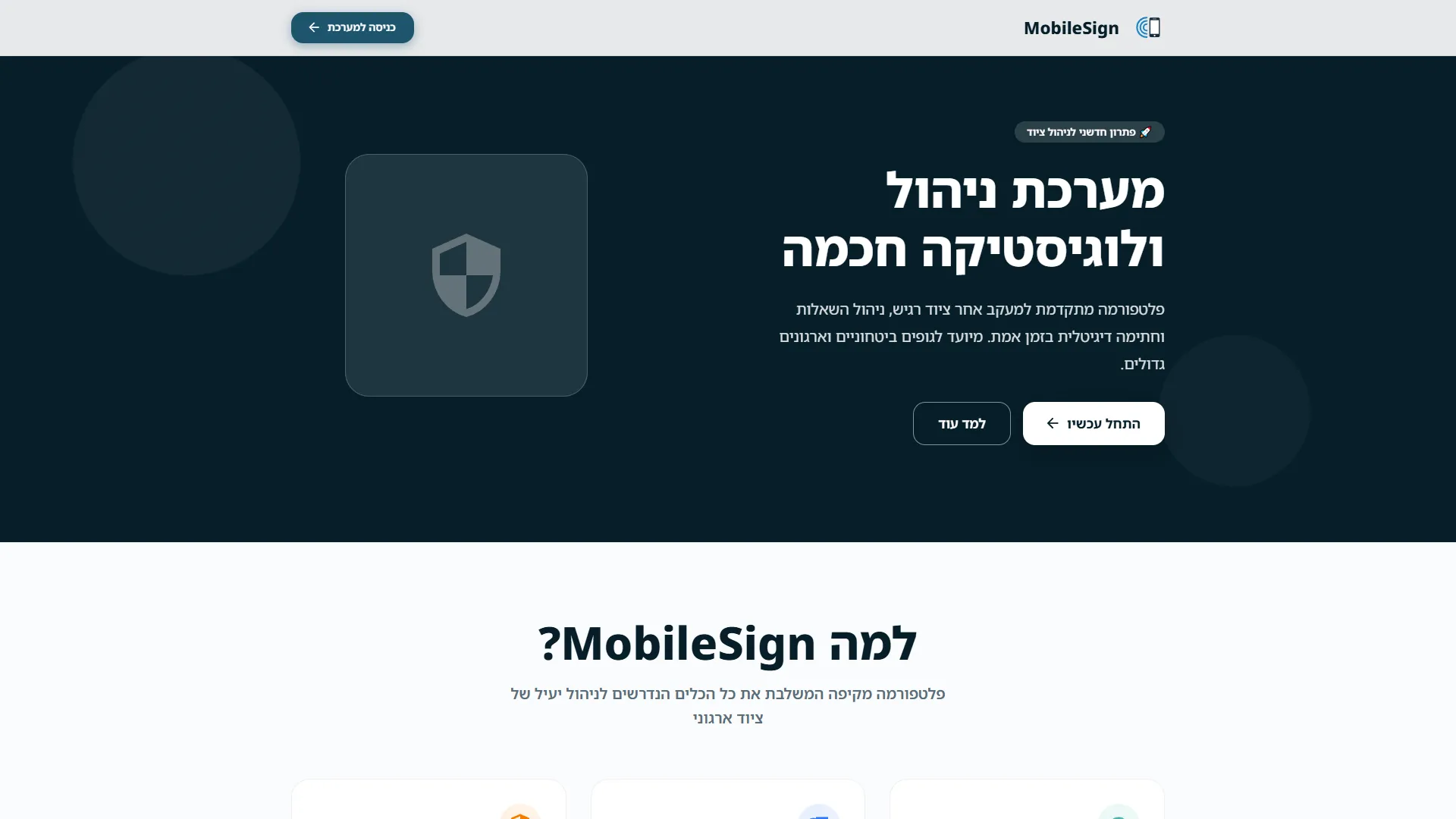
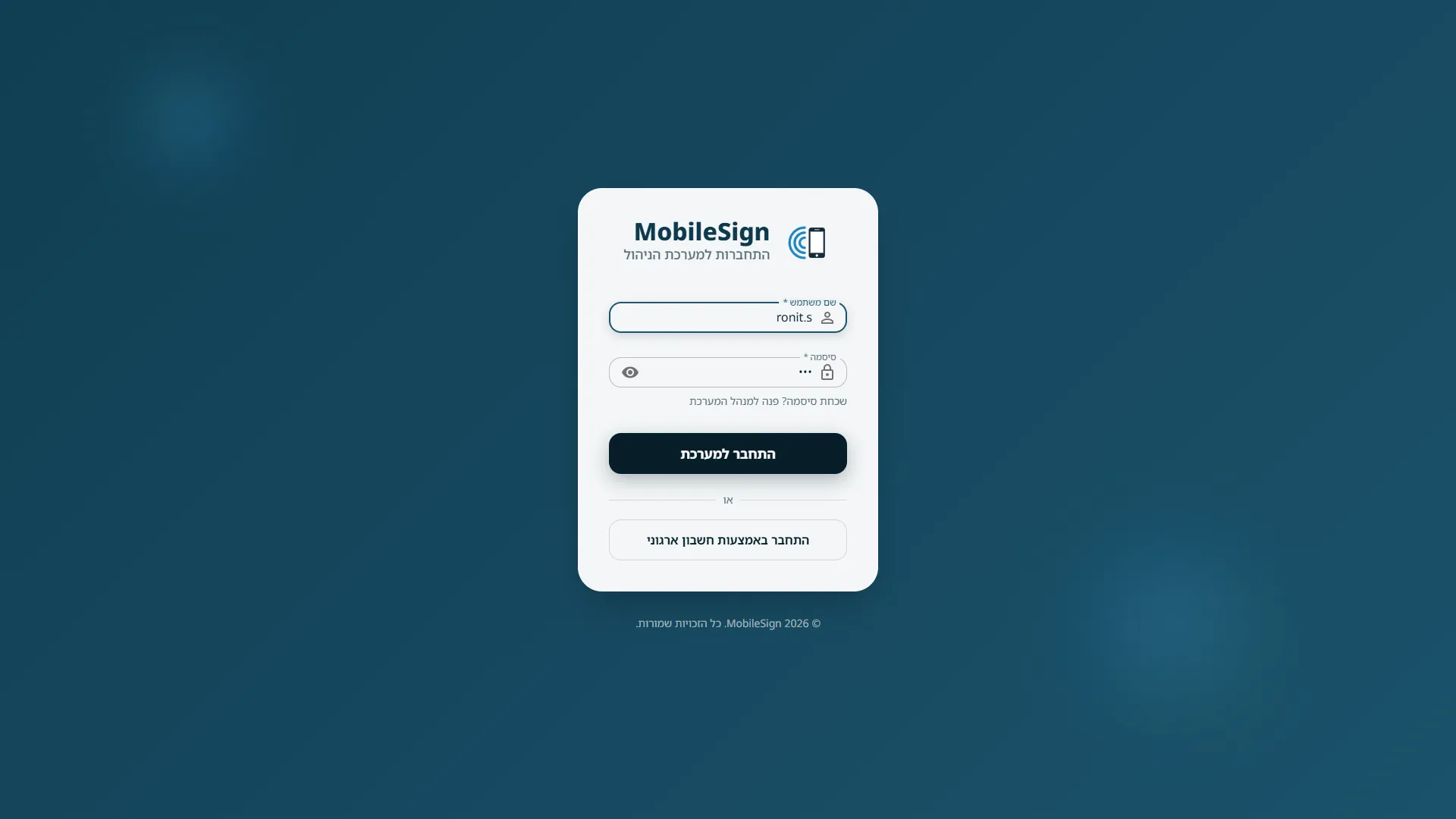
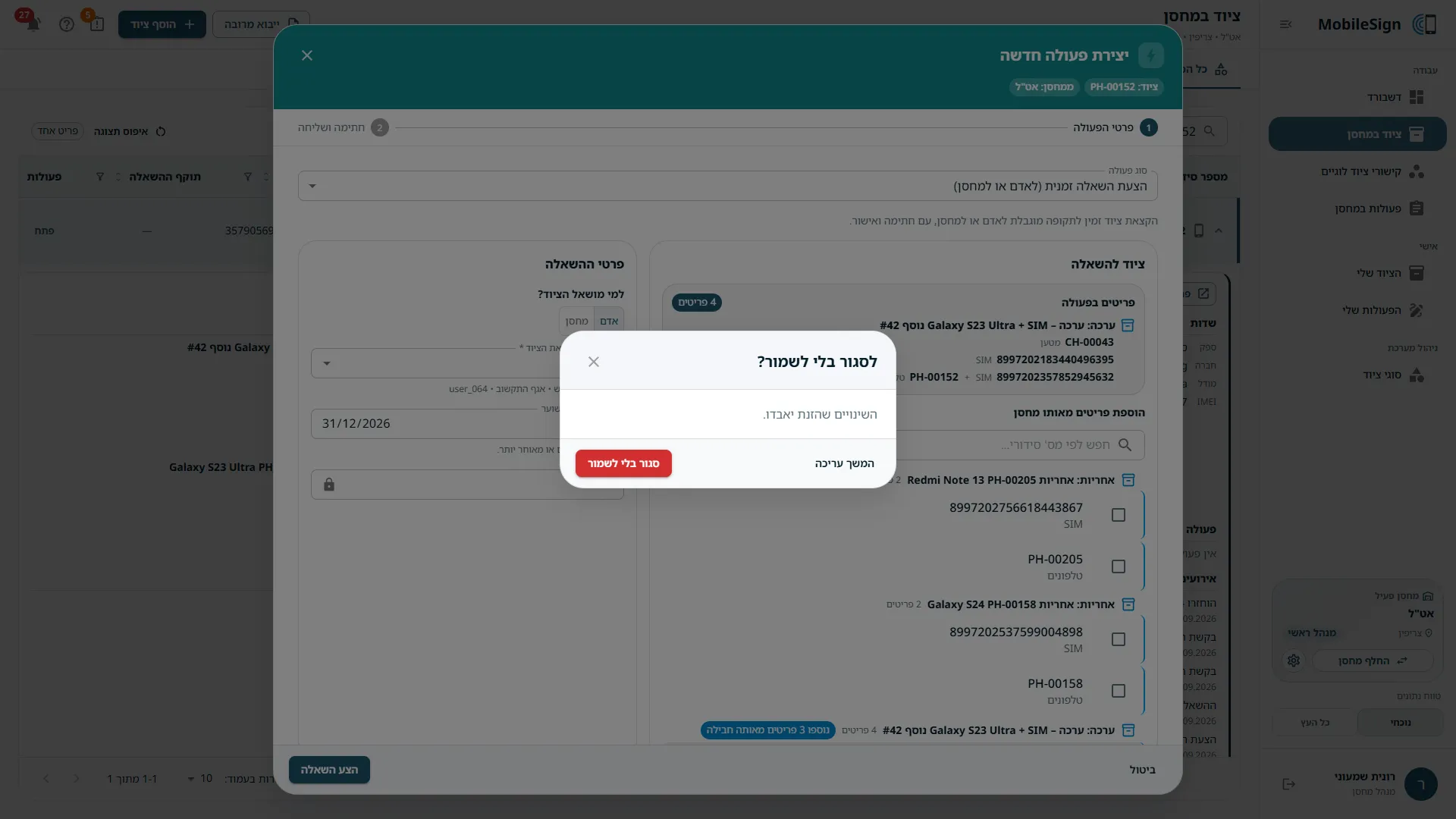
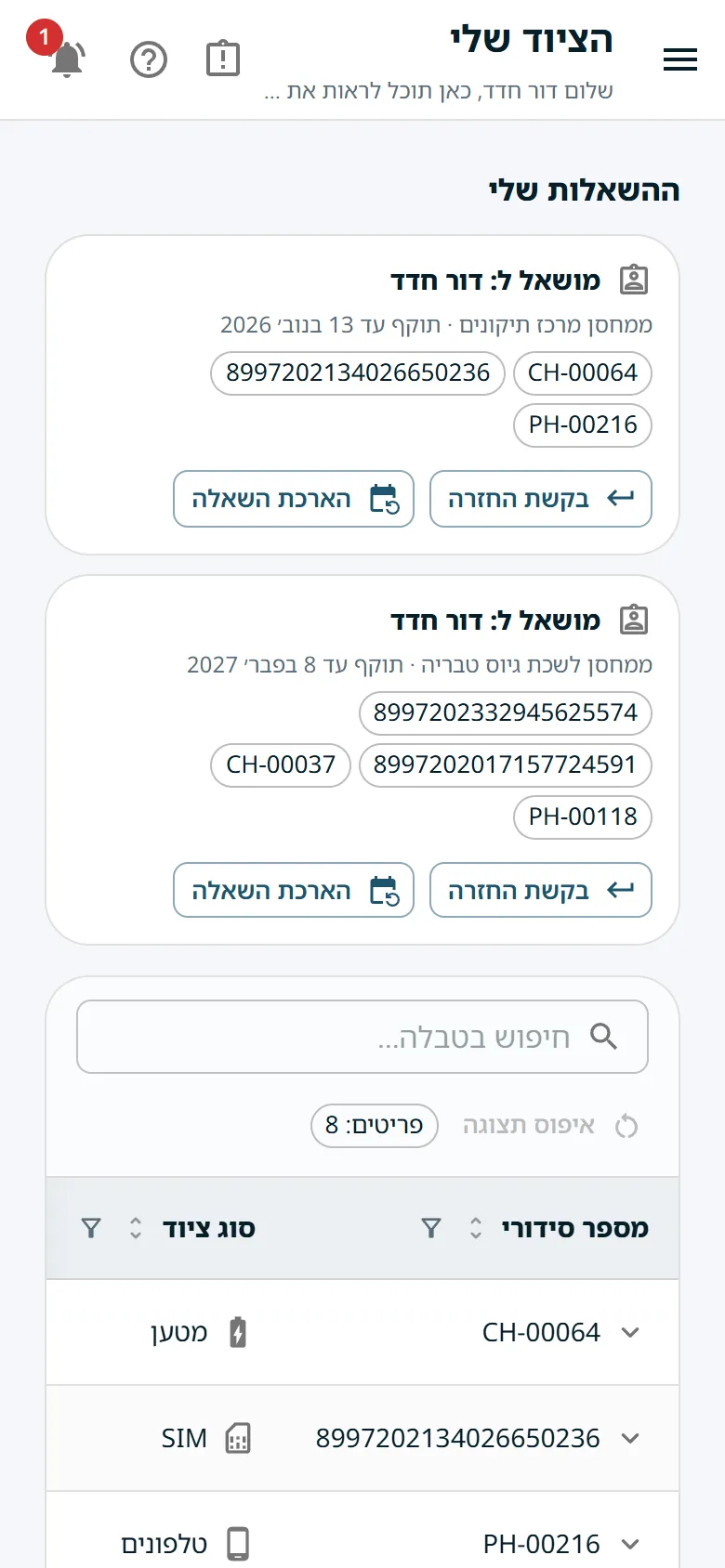
18 screens · sample dataDesign noteBuilt for people who are not technical: 42 guided tours written for five kinds of user, signing with a finger on a phone, heavy dialogs that open full screen on small screens, and a guard that stops unsaved changes from being lost.
05 / Impact
I built both versions, and the 2026 version, rolling out now, carries the previous version's data, so these figures are its own too. Across the two, 13 warehouse managers ran 7 warehouses holding more than 800 items of 12 equipment types; hundreds of people had an account, and over 400 hand-overs were approved and signed.
Instead of a paper form in a binder, each hand-over is signed on screen by both sides, checked item by item and kept for good. A manager sees at a glance what is in stock, leased out, overdue or in repair; every soldier sees exactly what they signed for; and the full history of any item is one click away.
06 / Role and tech
I built MobileSign on my own, end to end, as its product owner and only developer. I wrote the blueprint and the permission specification, designed the data model, the six workflows and the screens, and decided every product rule, down to how a SIM card that is missing from a return gets reported.
I built it with Claude Code, Anthropic's AI coding agent. I set the direction and the rules, walked through the running app and sent back screenshots and decisions, and automated tests and CI guarded every change. 190 of the 218 commits were made this way, the last 141 of them in seven working days.
Tech
- Python 3.12
- Flask 3
- SQLAlchemy 2
- Alembic
- SQLite
- React 18
- TypeScript
- MUI 5
- pnpm monorepo
- pytest
- Vitest
- GitHub Actions
- Claude Code
- Flask-Login
- openpyxl
- React Router
- React Hook Form
- Zod
- Vite
- ESLint
How it's built
A web app with a Python server (Flask and SQLAlchemy, with Alembic migrations) and a React and TypeScript interface built with MUI, in one pnpm monorepo with shared packages. The server owns the rules: about 100 API endpoints, a permission check on every action, equipment locked while it is part of a pending action, and a history that is only ever added to. Signatures are drawn on a canvas and stored with the event they approve; the formal documents are built in the app and exported as PDF. On every push, GitHub Actions runs 1,610 server tests and 1,188 interface tests, with lint, type checks and a database-migration check. I built it with Claude Code against my written blueprint and a 1,642-line description of the system, kept in step with the code.
Signing for equipment moved from paper to the screen.
Both sides sign, the receiver checks every item, and the history cannot be changed.