TaazTV
A digital news and notice board for screens around Merkaz Ta'az, edited by typing straight onto the cards.
01 / The challenge
A unit has a steady flow of information for the people in it: news, notices, events, safety instructions, the day's schedule and the numbers to call in an emergency. On printed notices it goes out of date quickly, and every change means printing and pinning up a new sheet.
The idea was one digital board for Merkaz Ta'az, shown on screens around the unit. It had to suit the place: run on an ordinary computer on a closed network with no internet, and be simple enough for staff who are not technical to update it themselves.
- Printed notices go out of date quickly
- No way to show a notice only when it matters
- Closed network: no internet connection
- The people updating it are not programmers
02 / What I built
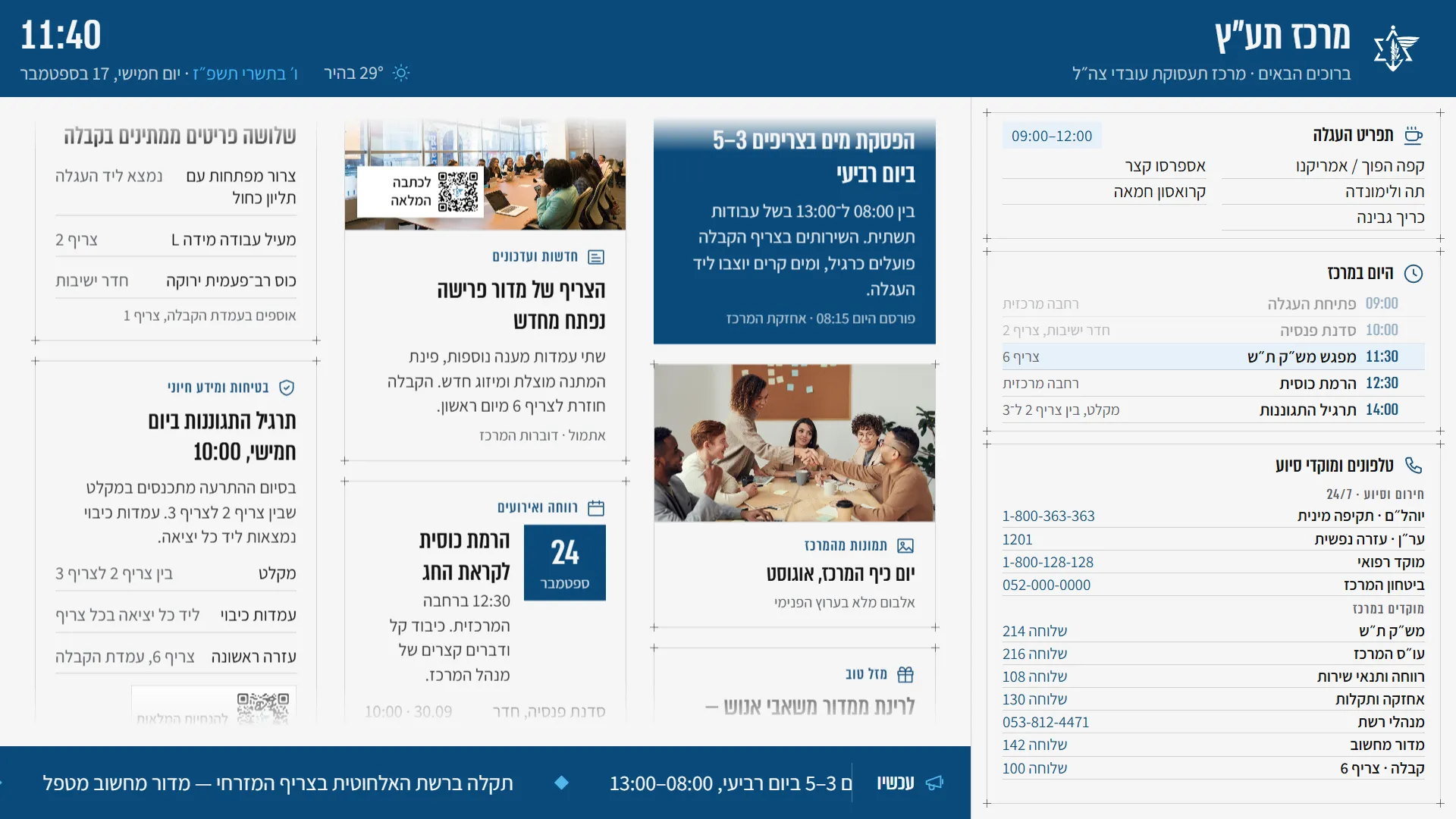
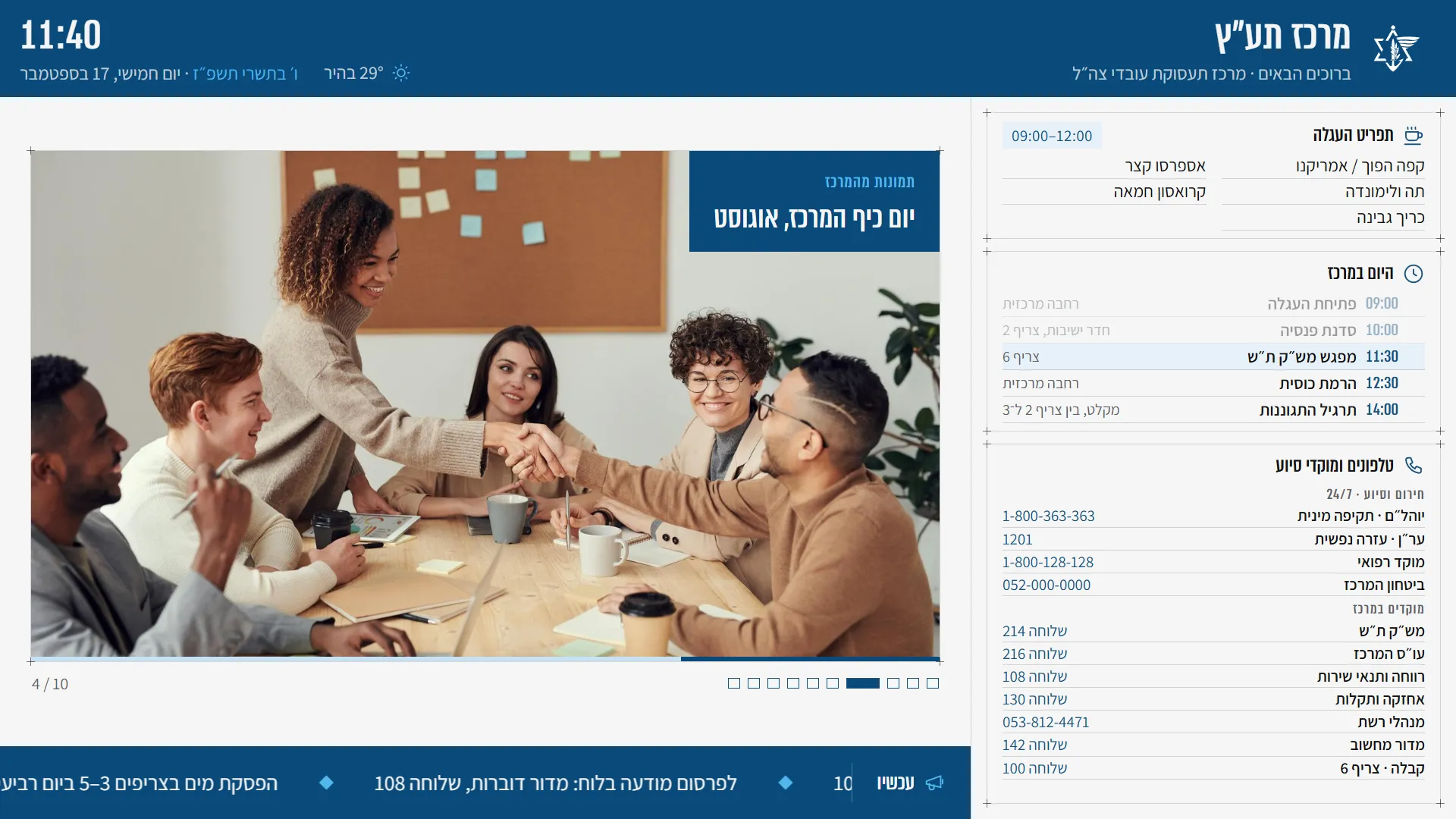
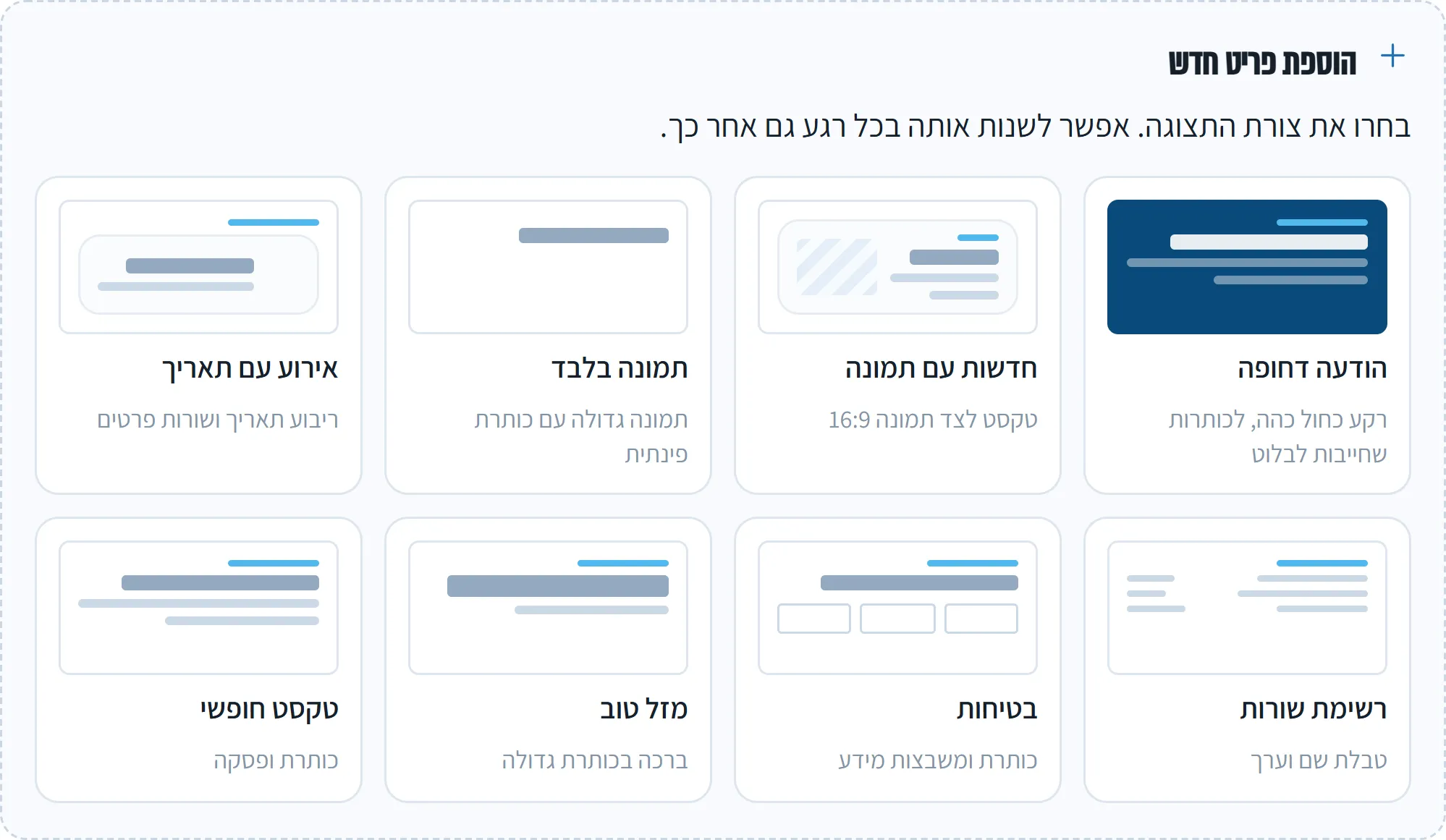
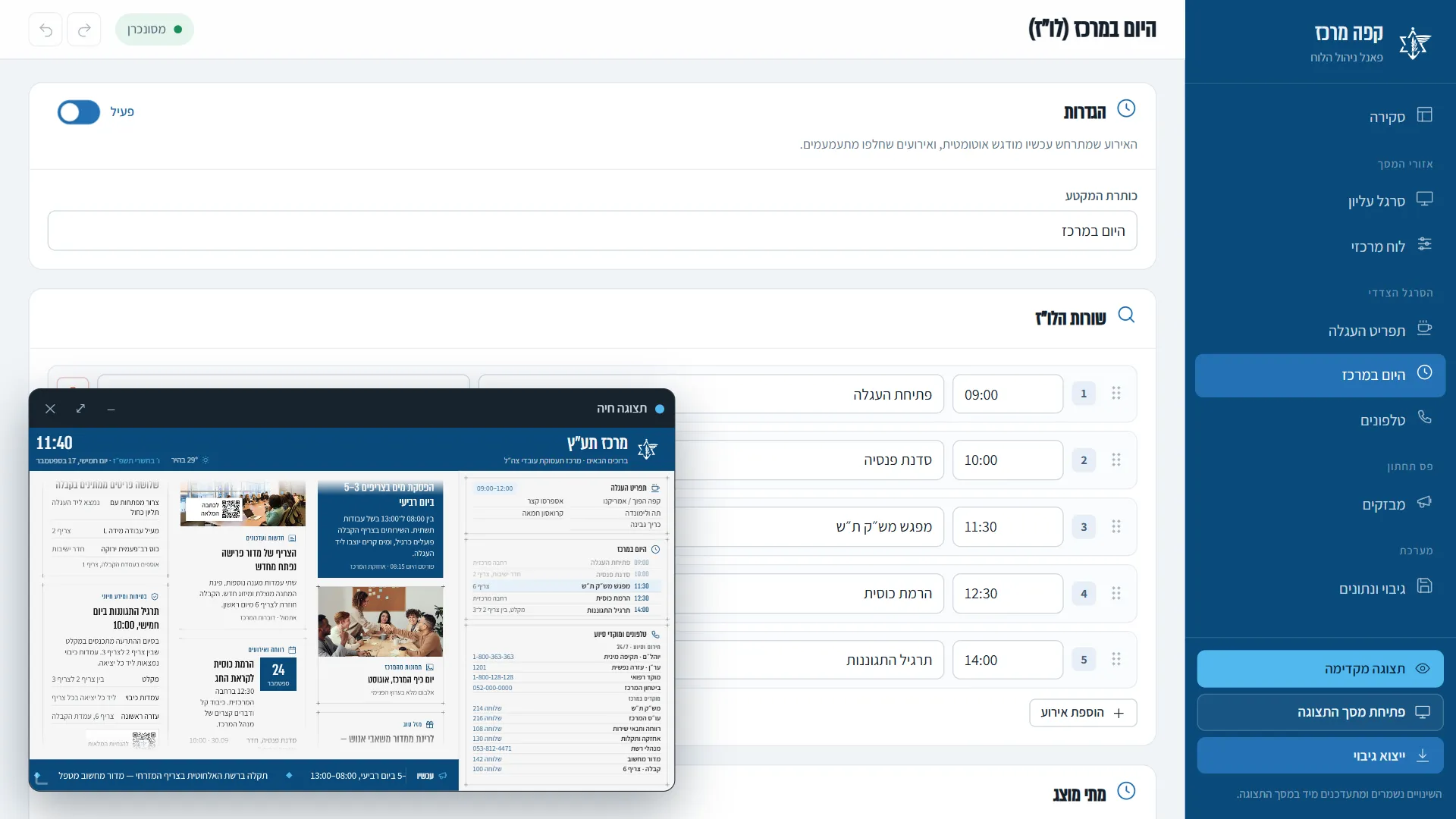
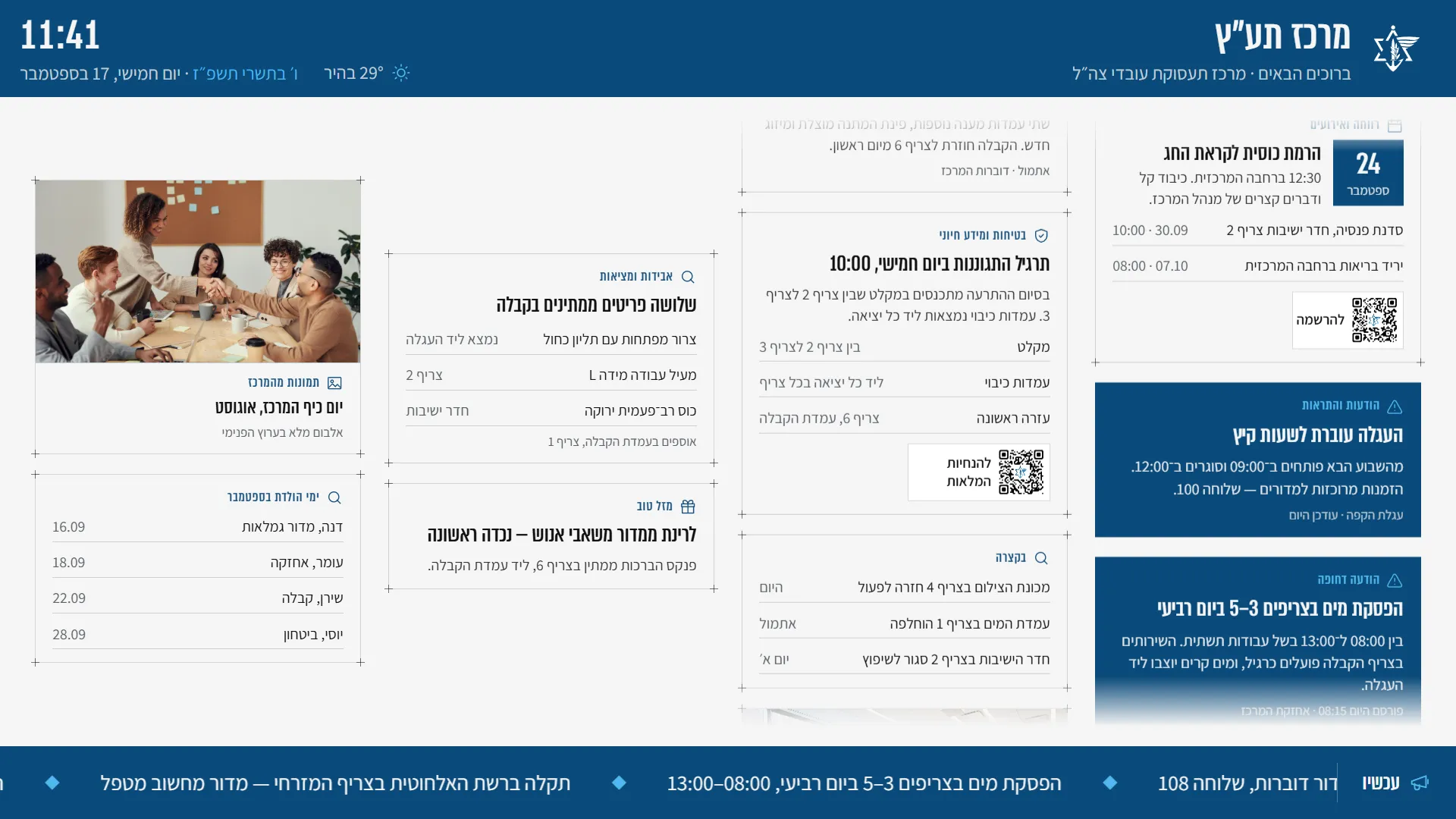
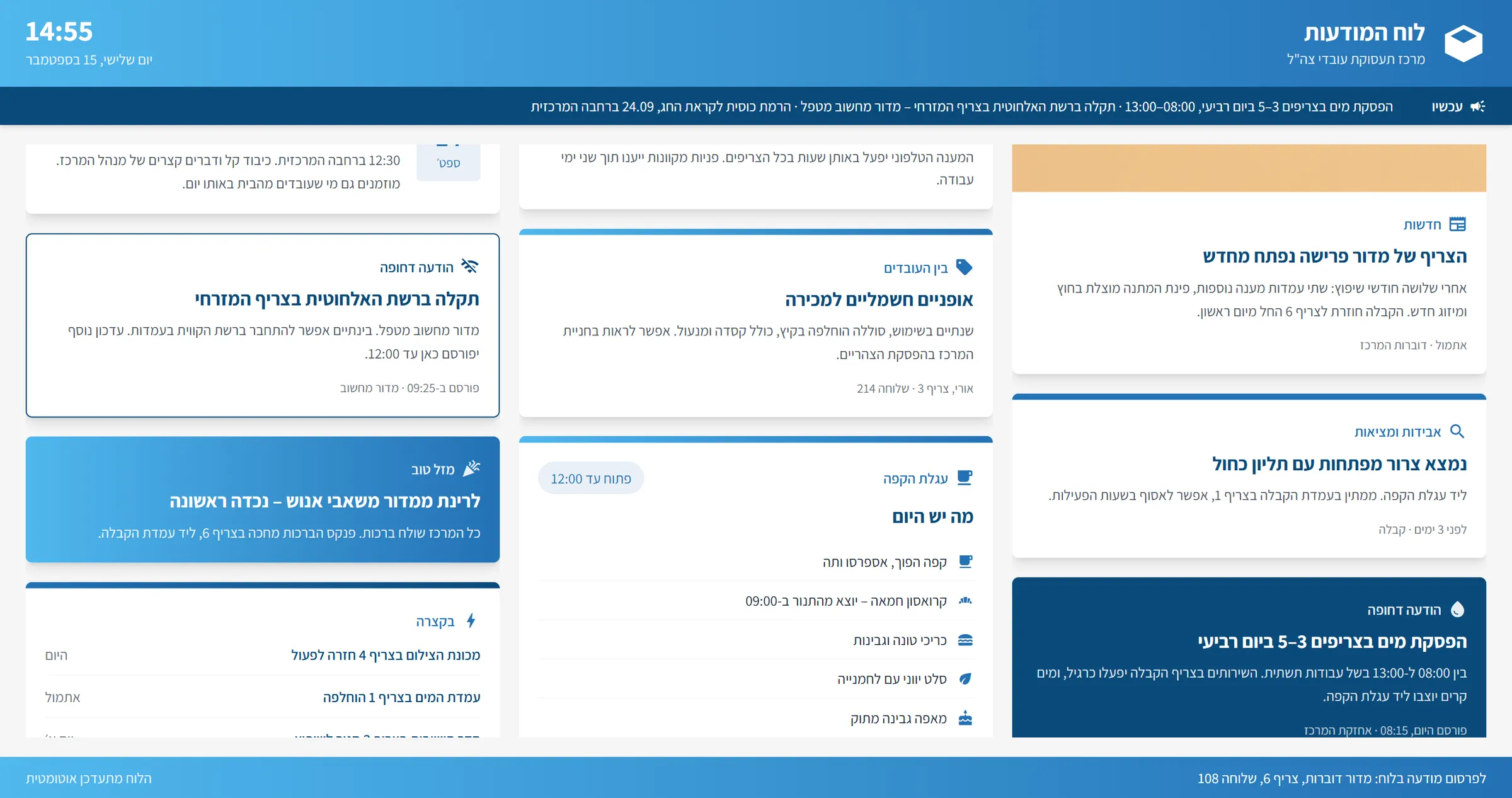
TaazTV is a digital board for any 16:9 screen. One display shows the unit's name with the clock and the Hebrew and Gregorian dates, a menu, today's schedule with the current event highlighted, emergency and in-house phone numbers, and a news ticker. The main area is a moving board of announcement cards in eight styles, or a full-width slideshow.
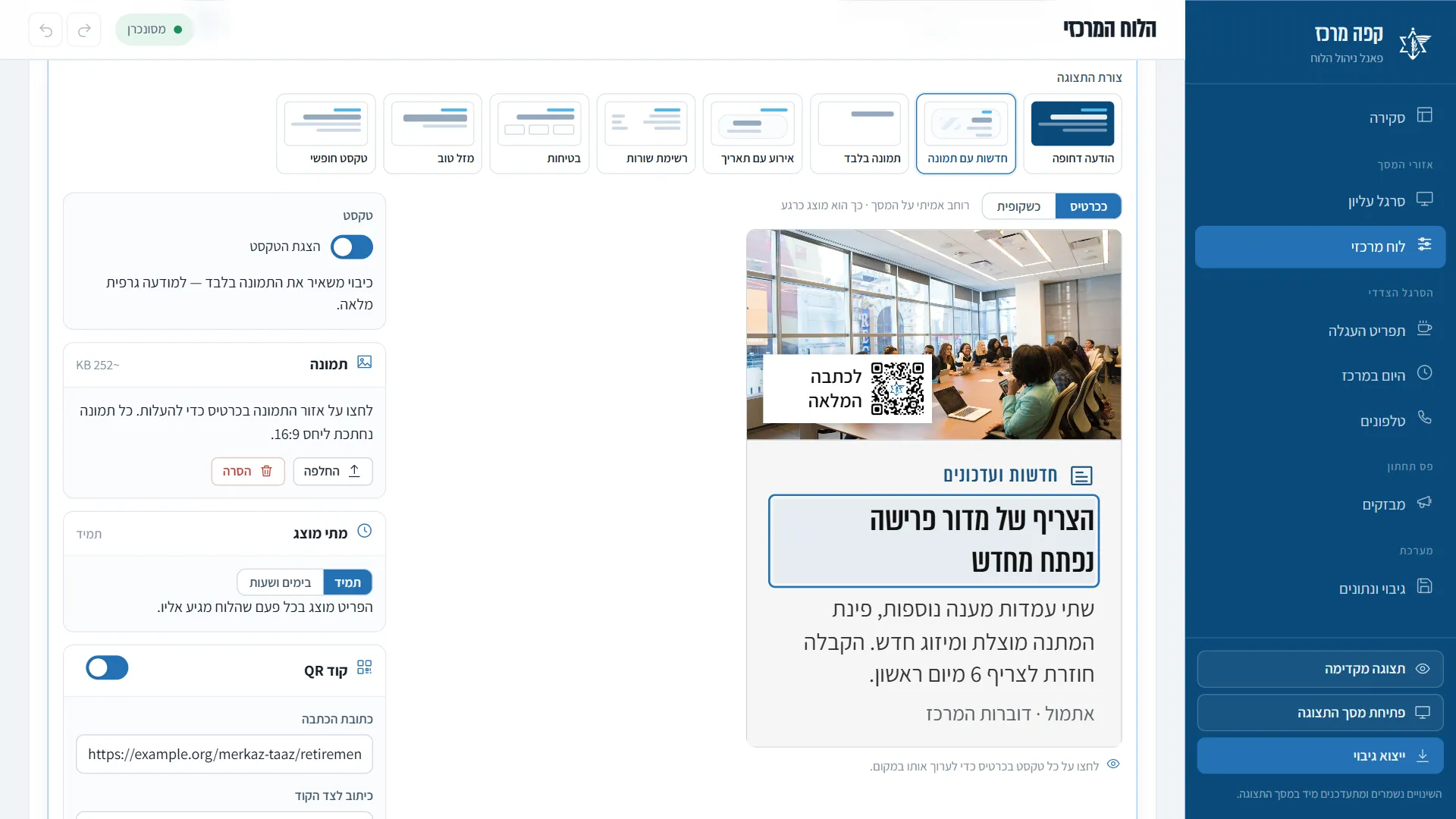
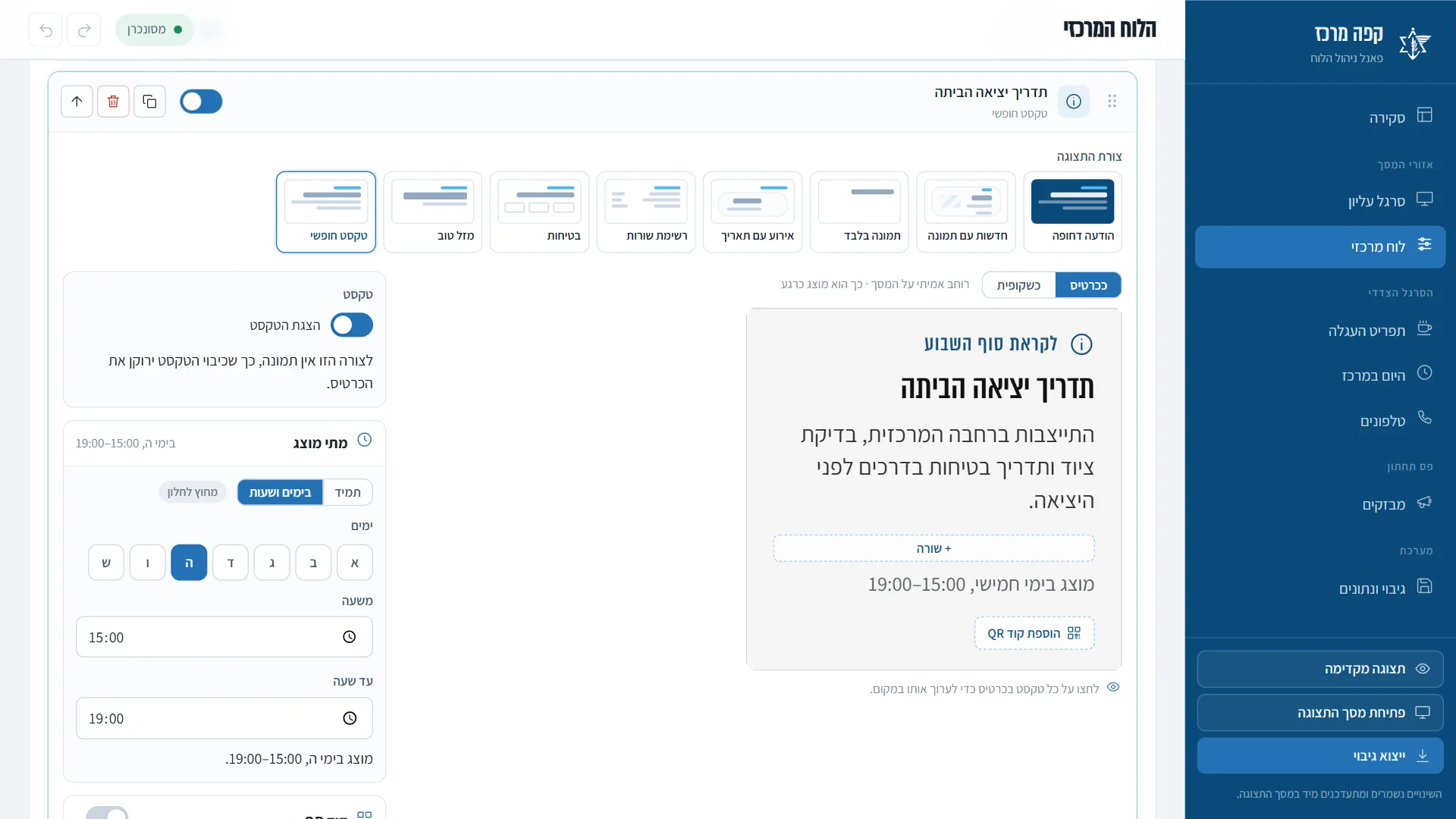
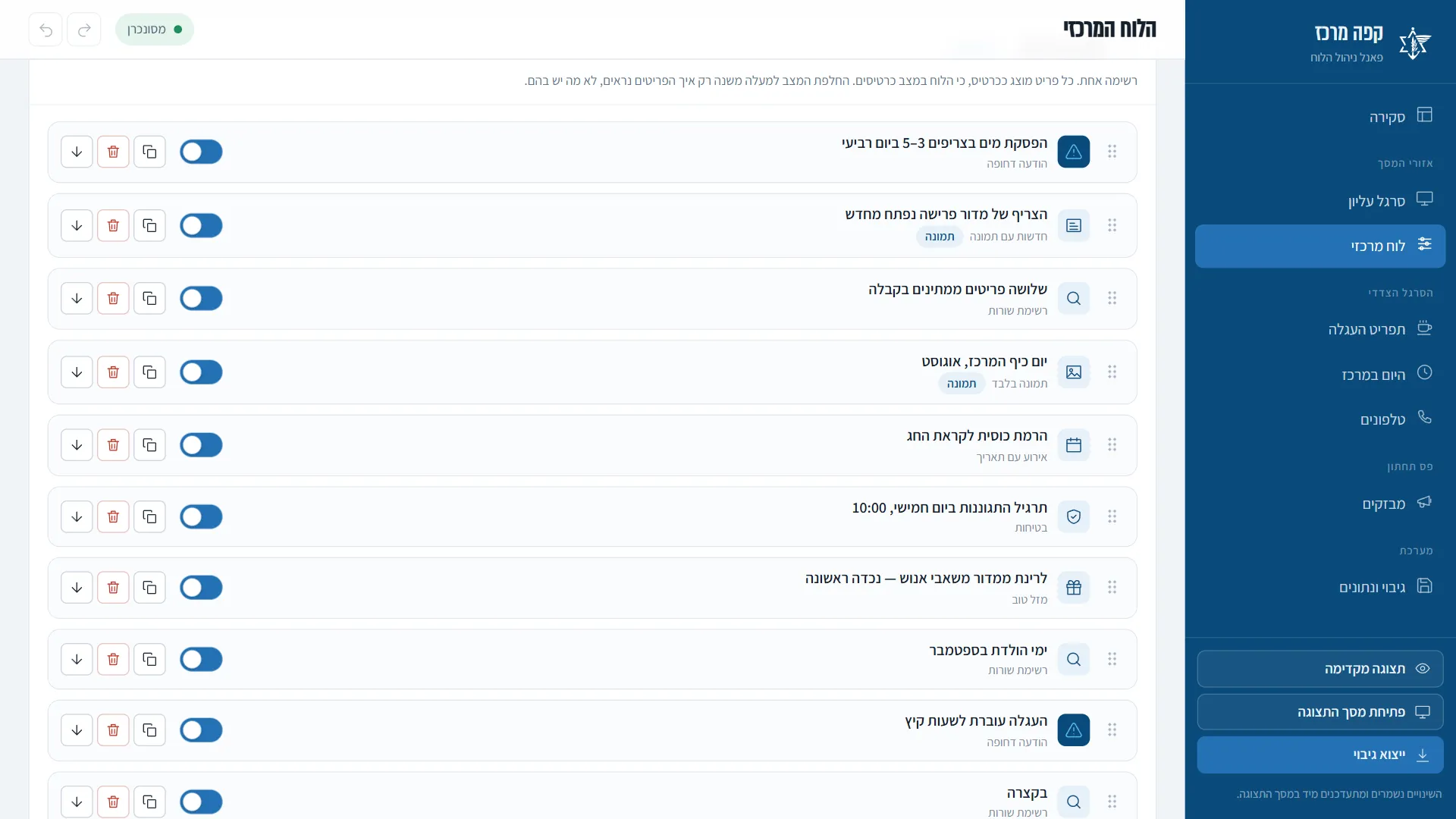
Staff run it from a Hebrew control panel in the browser. They open a card and type straight onto it, drag items into order, add pictures and QR codes, and set when each item should appear. Every change shows on the display at once, and the whole board works without an internet connection.
How it came together
- 15 Sep 2026Prototype, layout, designA first single-page board and a four-zone layout, taken into Claude Design to create the display and the control panel.
- 17 Sep, 12:00A working board and panelWith Claude Code the designs became a working display and control panel, synced without reloading, with picture cropping and backup.
- 17 Sep, 13:00A round of review notesReal weather, undo and redo, the Hebrew date in letters, and a live-preview window that can be dragged and resized.
- 17 Sep, 16:00Card becomes the editorA visual card-type picker, drag-to-reorder in every list, QR codes on cards, and in-place editing with the display's own drawing code.
- 17 Sep, 20:00Offline, one list, schedulesFonts kept inside the project, smooth endless scrolling, cards and slides from one list, and weekly time windows.
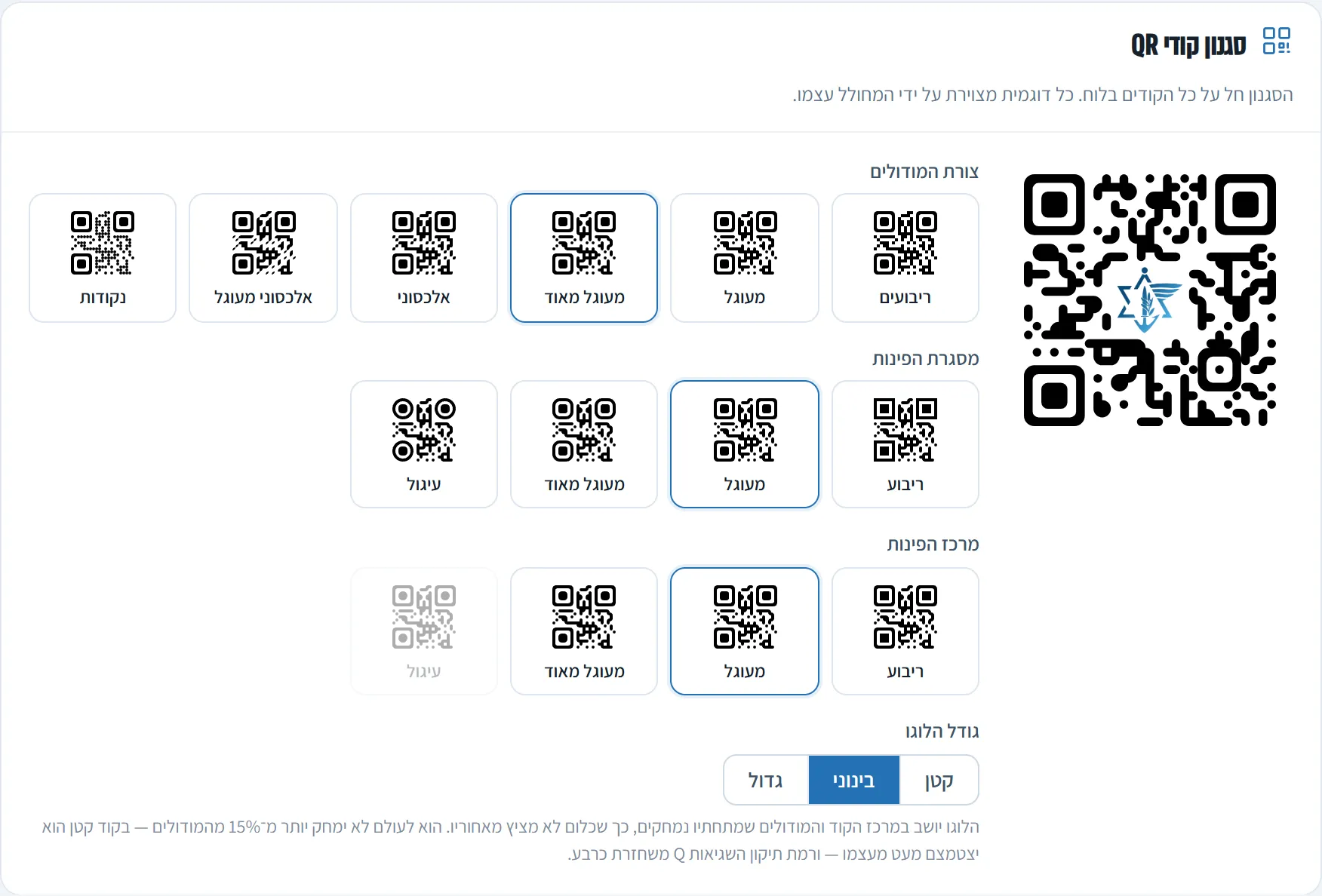
- 17 Sep, 21:30QR codes that really scanPhones could not read the codes from the hand-written QR encoder. I replaced it with a proven library and verified 254 codes.
- 22 Sep 2026Into Ta'az's code libraryPublished with its full history to the private Ta'az organisation on GitHub.
03 / Highlights
One screen, six areas
The unit's name, clock and dates, a menu, today's schedule, emergency numbers, a news ticker and a moving board of notices, on one display.
Edit on the card itself
Click a title and type, click the picture to replace it. Every change appears on the display at once, with no refresh.
QR codes that really scan
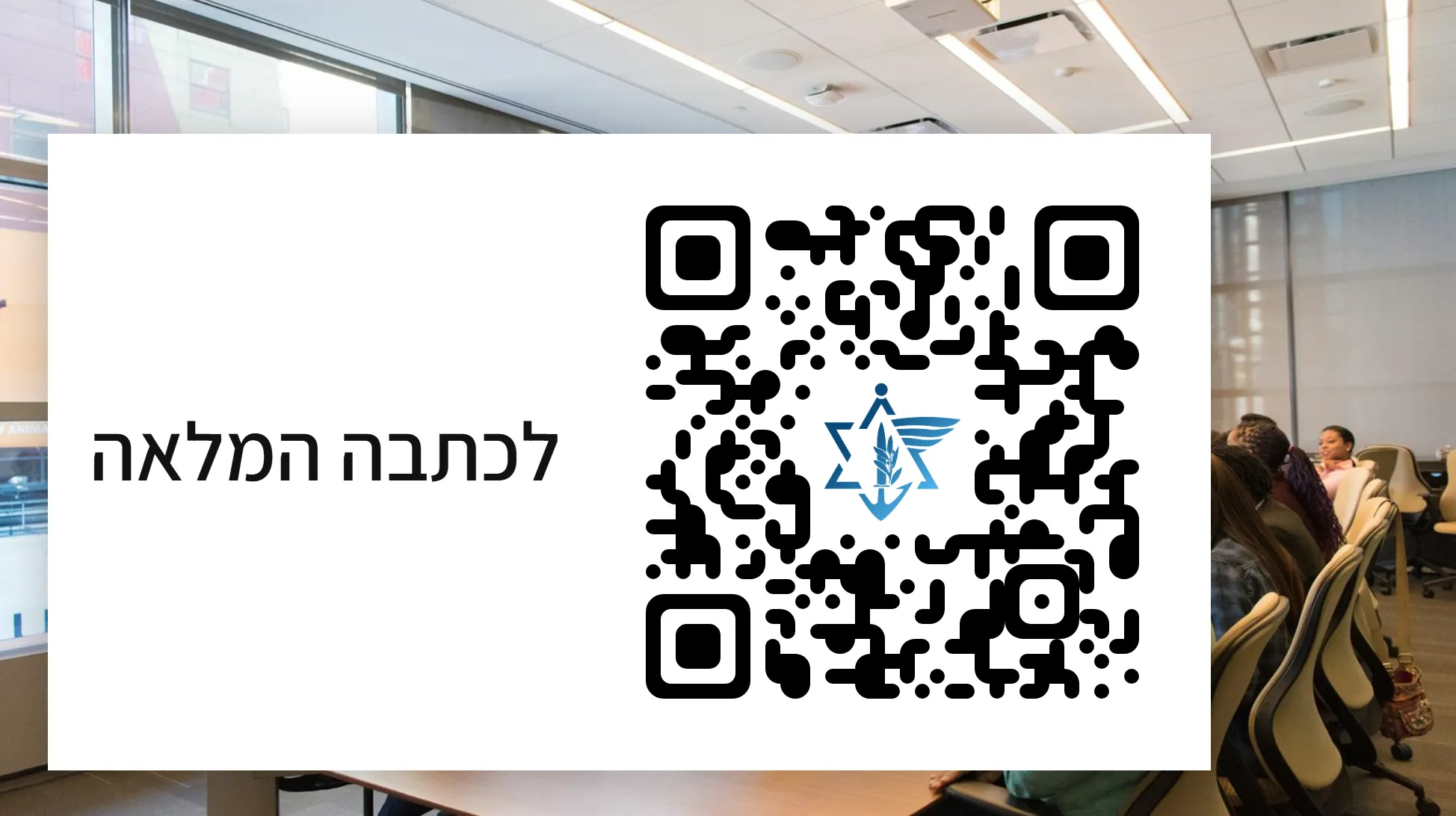
A card can carry a QR code that opens the full story on a phone, with the Ta'az emblem inside. Every code tested scans correctly.
Notices on a schedule
Any section or card can be limited to chosen weekdays and hours, like a briefing shown only on Thursdays, 15:00–19:00.
Works offline
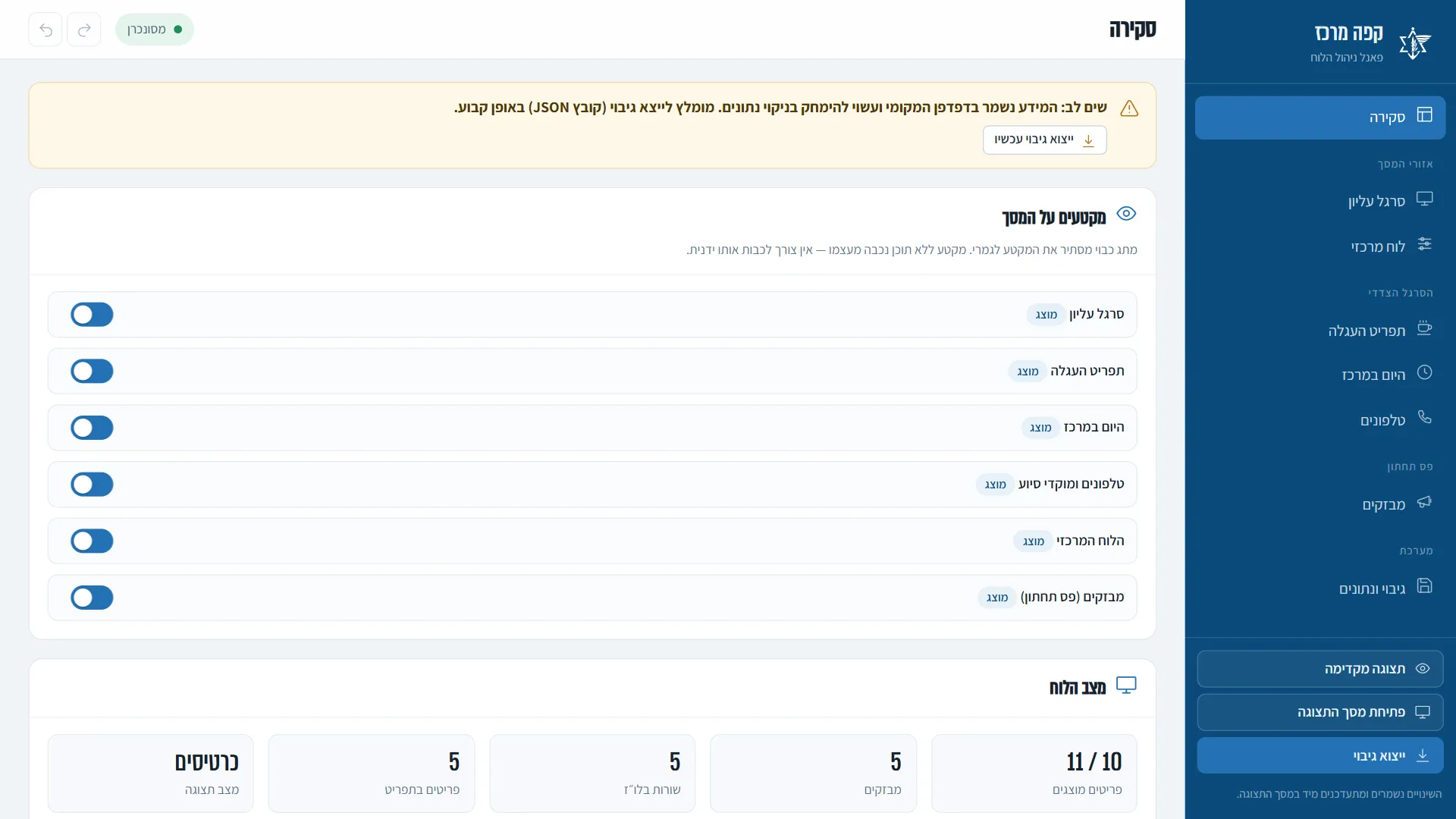
Runs in the browser of an ordinary computer on a closed network, with no internet connection. A double-click starts it.
AI-assisted engineering
Designed in Claude Design and coded with Claude Code under my direction: I set the requirements, reviewed each change and verified it by measurement.
04 / Screens
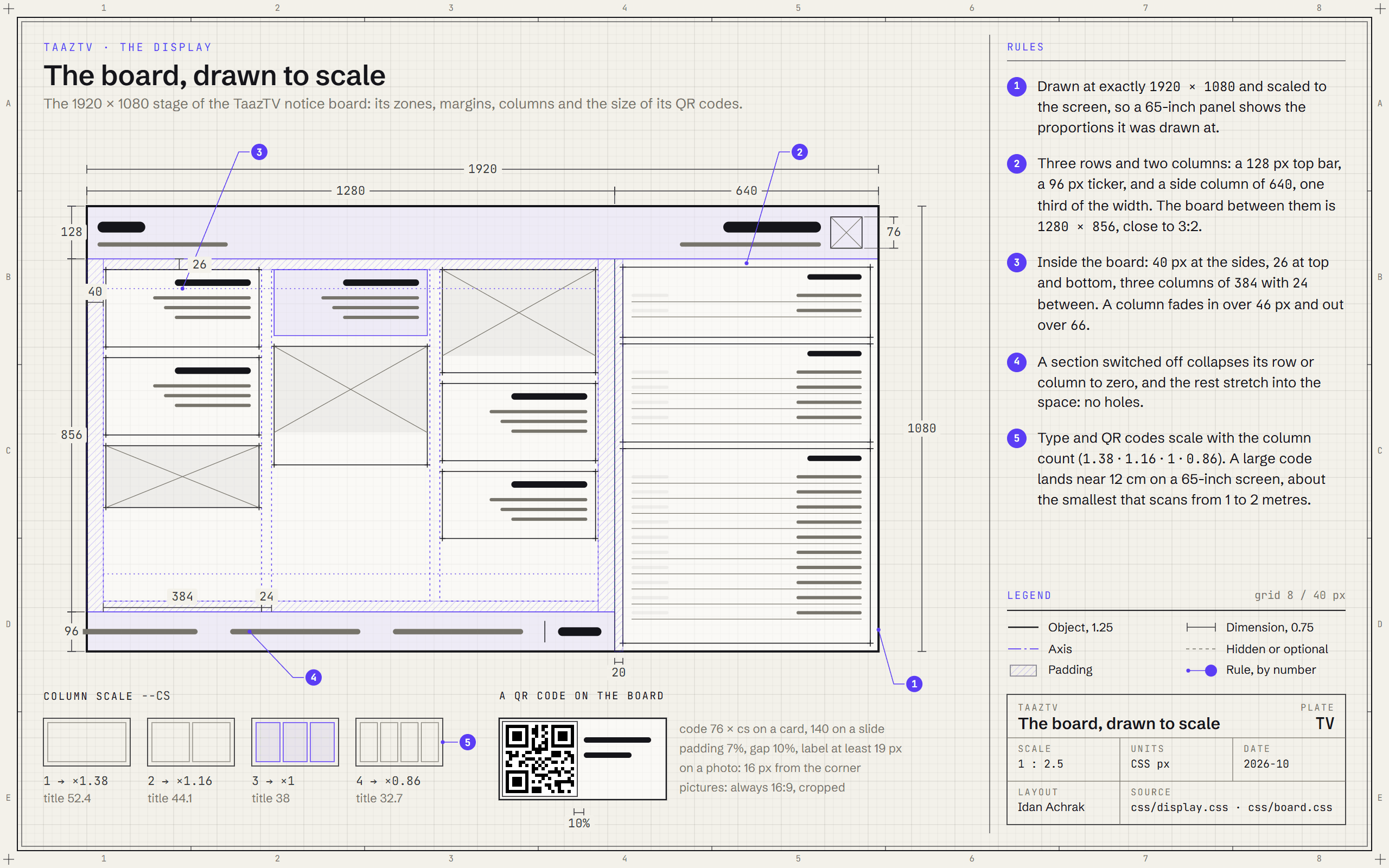
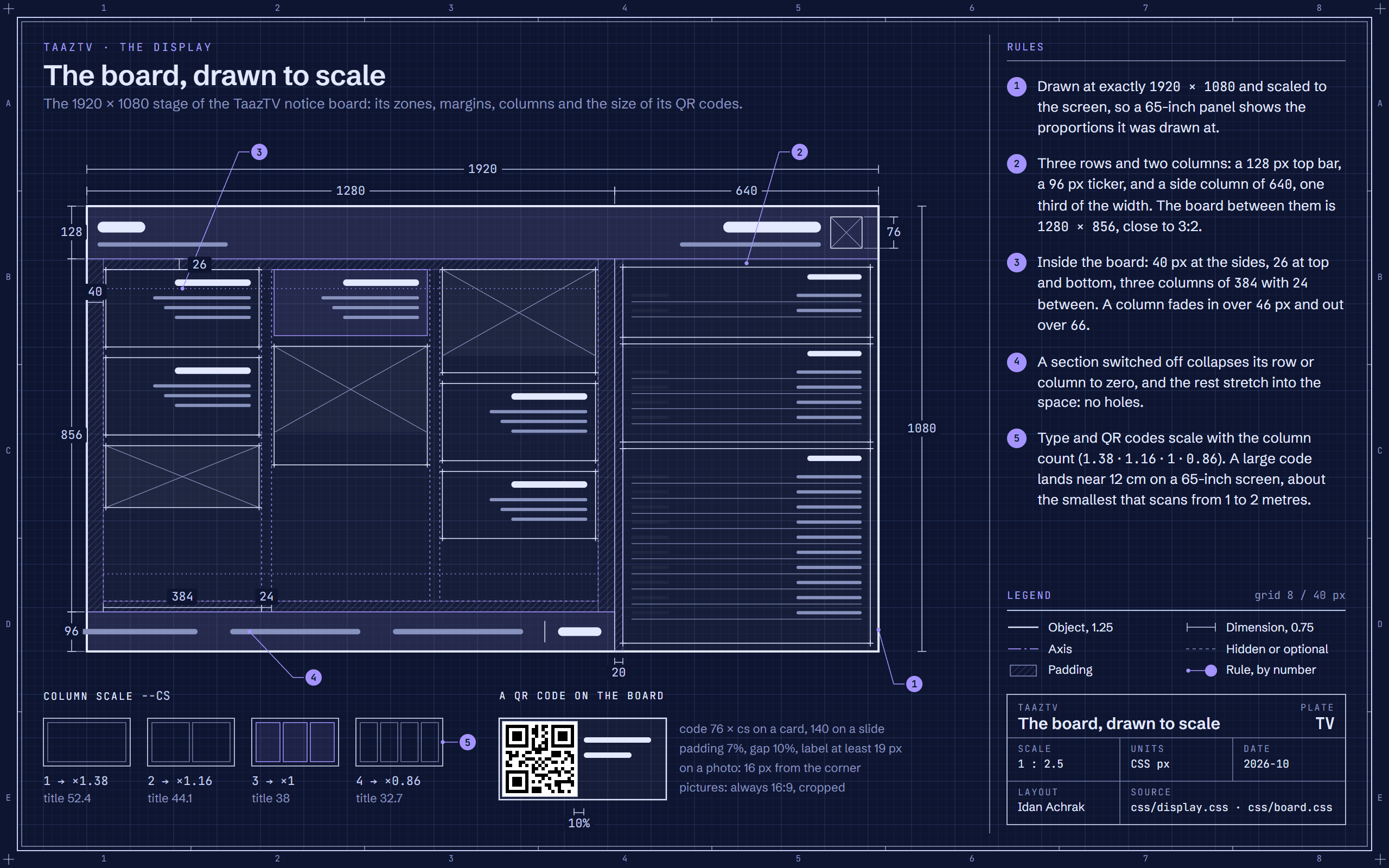
13 screens · sample dataDesign noteThe layout was mine before any visual design: four zones on a 1920 × 1080 stage, a top bar, the board, a side column of one third and a ticker. Claude Design then styled it under my direction, and the plate below draws the result to scale. Staff edit straight on the card, and the result was checked by measurement: 254 QR codes read back, and the scrolling measured frame by frame.
05 / What it delivers
TaazTV puts the unit's news, notices, schedule and emergency numbers on one live screen that looks after itself: items come and go on their own schedule, and staff can change anything from the control panel without a programmer. It runs on a closed network as it is, with no internet or outside services.
It also shows how I work with AI tools. I set the requirements and directed Claude Design for the look and Claude Code for the code, then reviewed every step and held the result to a measured standard: every QR style was checked with a separate reader, the scrolling was measured, and the editor was compared with the display until the two matched.
06 / Role and tech
I built TaazTV on my own, from the first prototype and the layout sketch to the finished product: the display, the control panel, the data model and the offline setup.
I worked with AI tools the way a lead works with a fast team: Claude Design produced the visual design, and Claude Code wrote the code with me, in 14 of the 15 commits. I set the requirements, directed each step, reviewed the results and checked them by measurement. When phones could not read the first QR codes, I replaced the hand-written encoder with a proven open-source library and verified 254 test codes before calling it done.
Tech
- HTML
- CSS
- JavaScript
- localStorage
- BroadcastChannel
- SVG
- qrcode-generator
- Intl (Hebrew calendar)
- Python http.server
- Open-Meteo (optional)
- Claude Design
- Claude Code
How it's built
The board is a plain web app in HTML, CSS and JavaScript, with no framework, no build step and nothing downloaded at run time. A small local server, started with a double-click, serves two pages on the computer connected to the screen: the display and the control panel. The content is kept in the browser's own storage, and every change is broadcast to the open display at once. The display and the editor draw cards with the same code, so they always match. QR codes come from a proven open-source encoder kept inside the project. The visual design was produced in Claude Design and the code written with Claude Code, under my direction and review.
One live screen for the unit's news and notices, edited by typing straight onto the cards.
Built in a day with AI tools I directed, and checked by measurement.