Wicogen
Pick a picture, or let it find one online, and Wicogen turns it into a Windows folder icon.
- Built with open-source work: CustomTkinter, tkinterdnd2 and CTkToolTip for the interface, and Pillow for the images. The Google and Bing search is my rework of Guru Prasad Singh's bing-image-downloader (MIT licence), and the right-click menu code builds on a snippet by Sam Birch. The app's icon and button icons are from Flaticon (Freepik and riajulislam), and the Harlequin and NightTrain colour themes are by Clive Bostock.
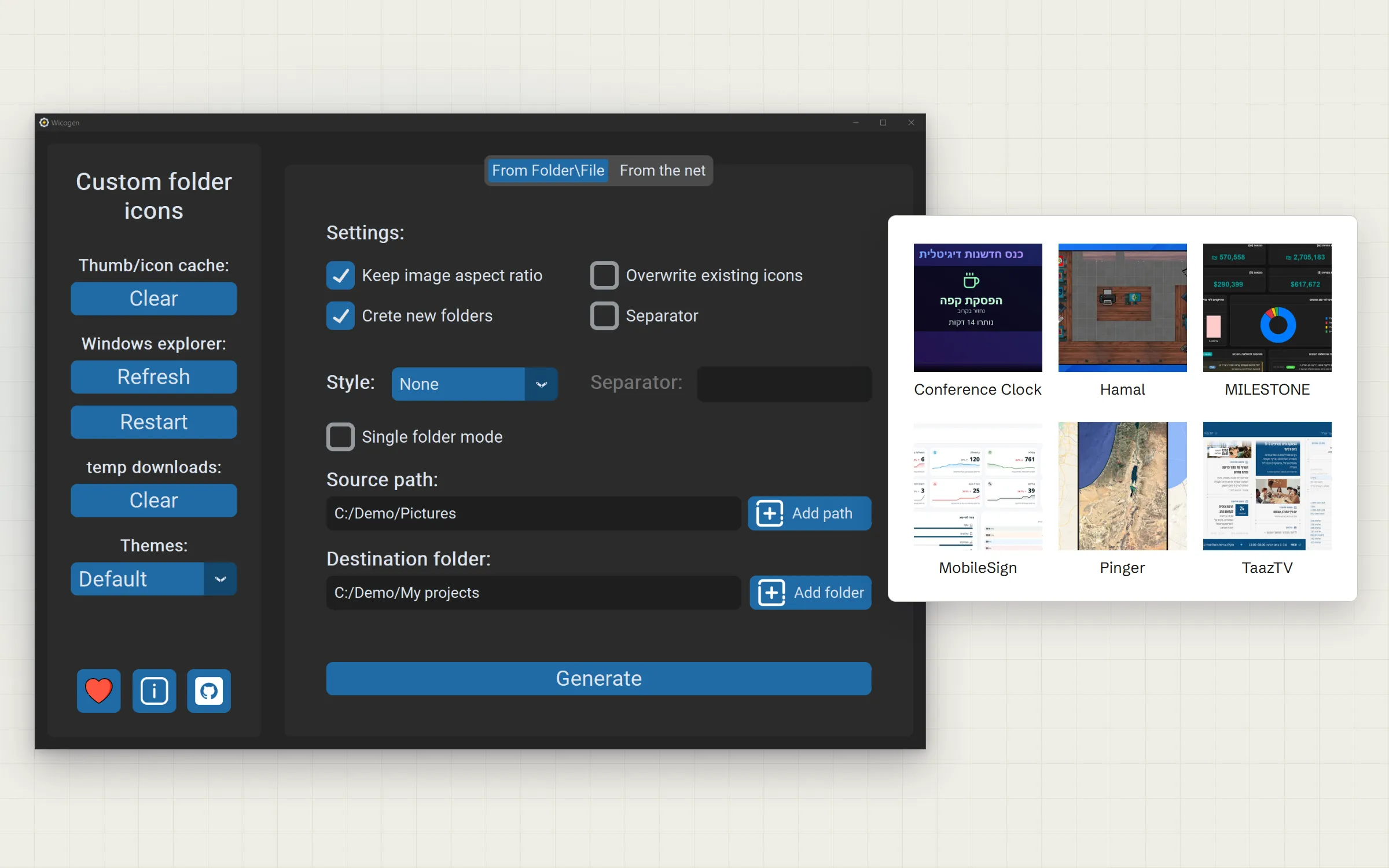
01 / The challenge
I built it for my own library of shows, and for the folders on my computer in general: I wanted to tell each folder apart at a glance by a picture of what it holds, and to set that up easily.
Windows lets you give a folder its own icon, but only through a few dialogs, and only from an icon file. A normal picture has to be converted with another tool first. For a library of movies, shows or projects, that means finding a picture, converting it and setting it, one folder at a time.
Even then, Windows keeps old icons in a cache, so a new icon often doesn't show up until the cache is cleared or File Explorer restarts.
- Folder icons only accept icon files, not pictures
- Every folder is set by hand, one at a time
- Finding a good picture is a search of its own
- Windows often keeps showing the old icon
02 / What I built
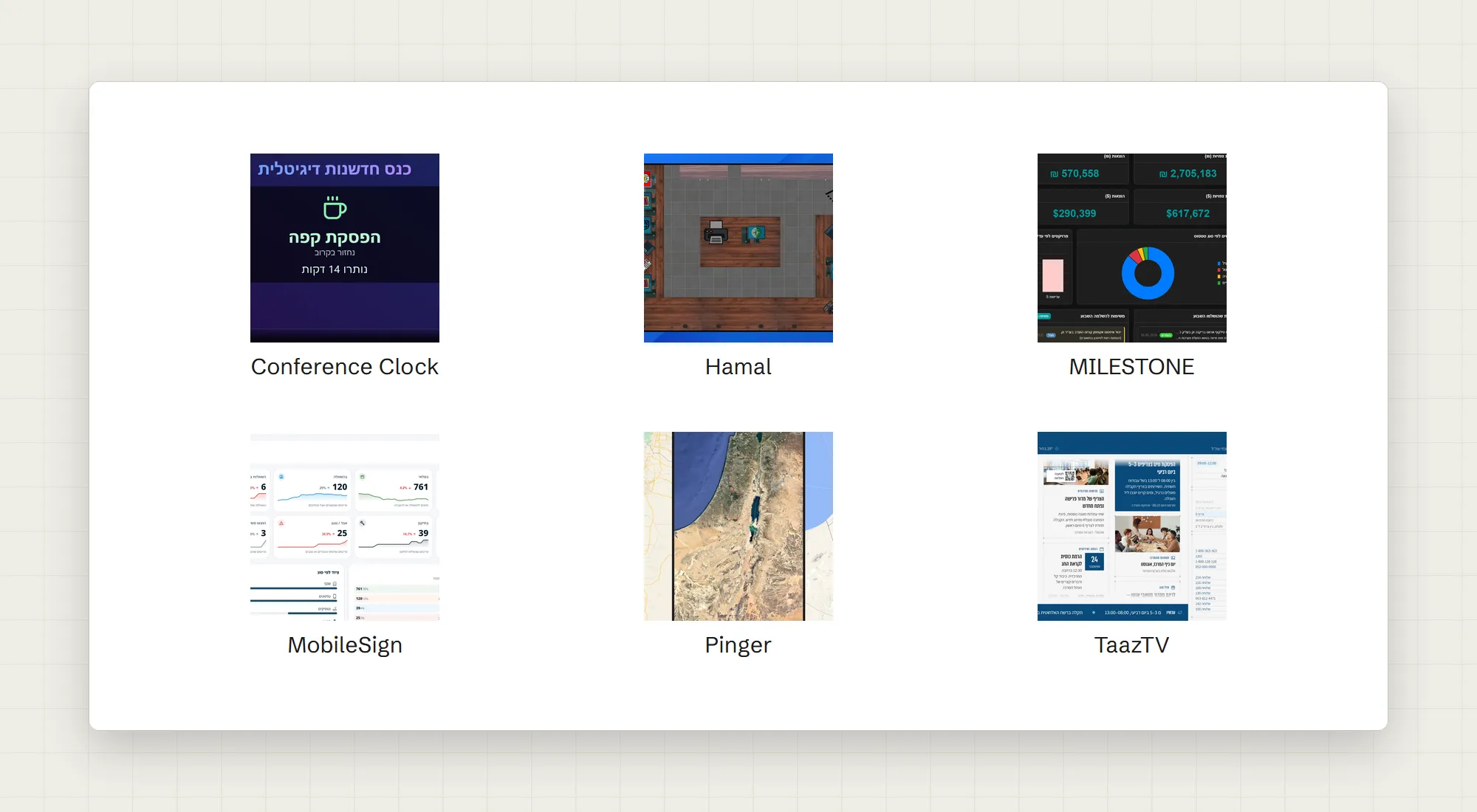
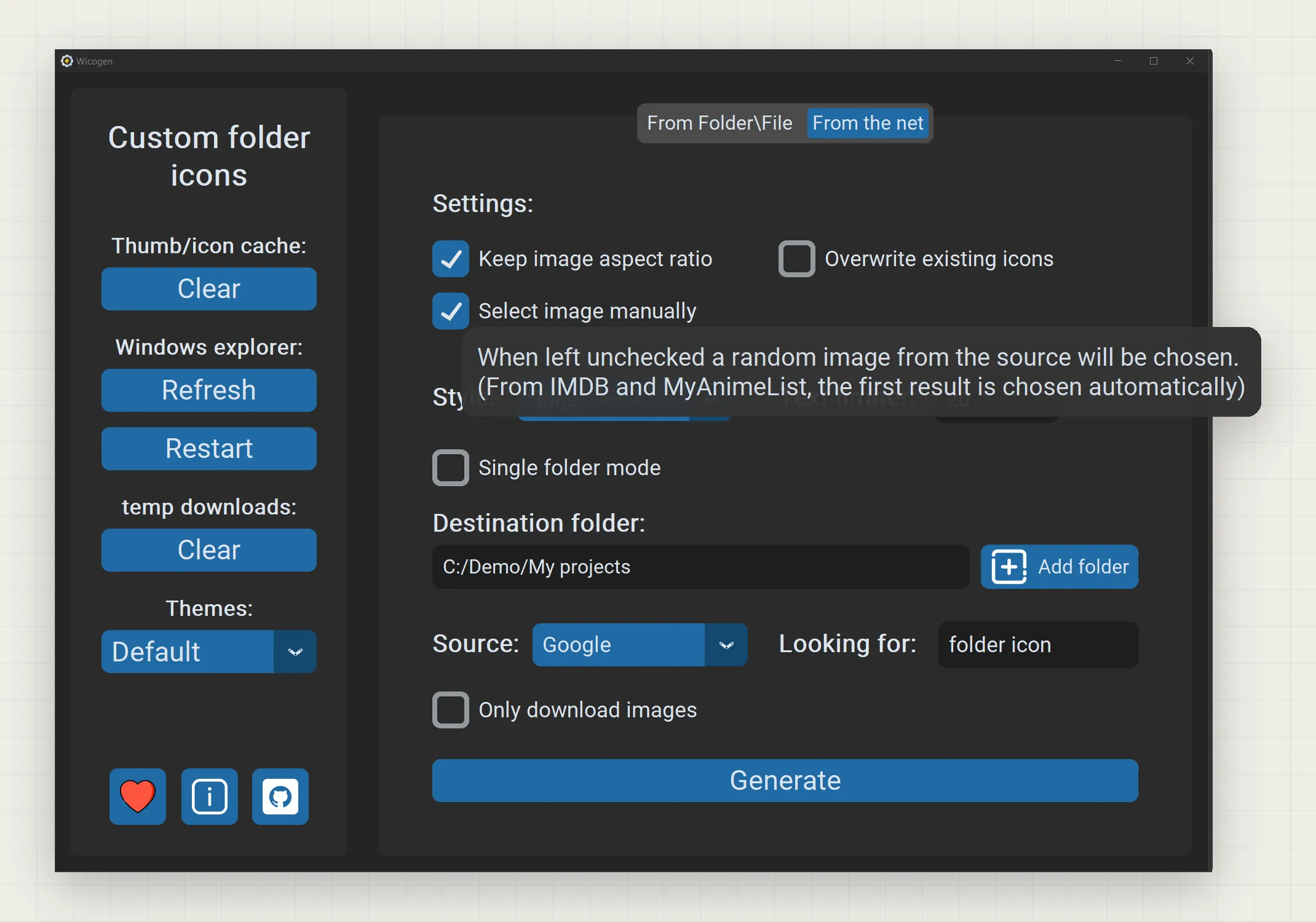
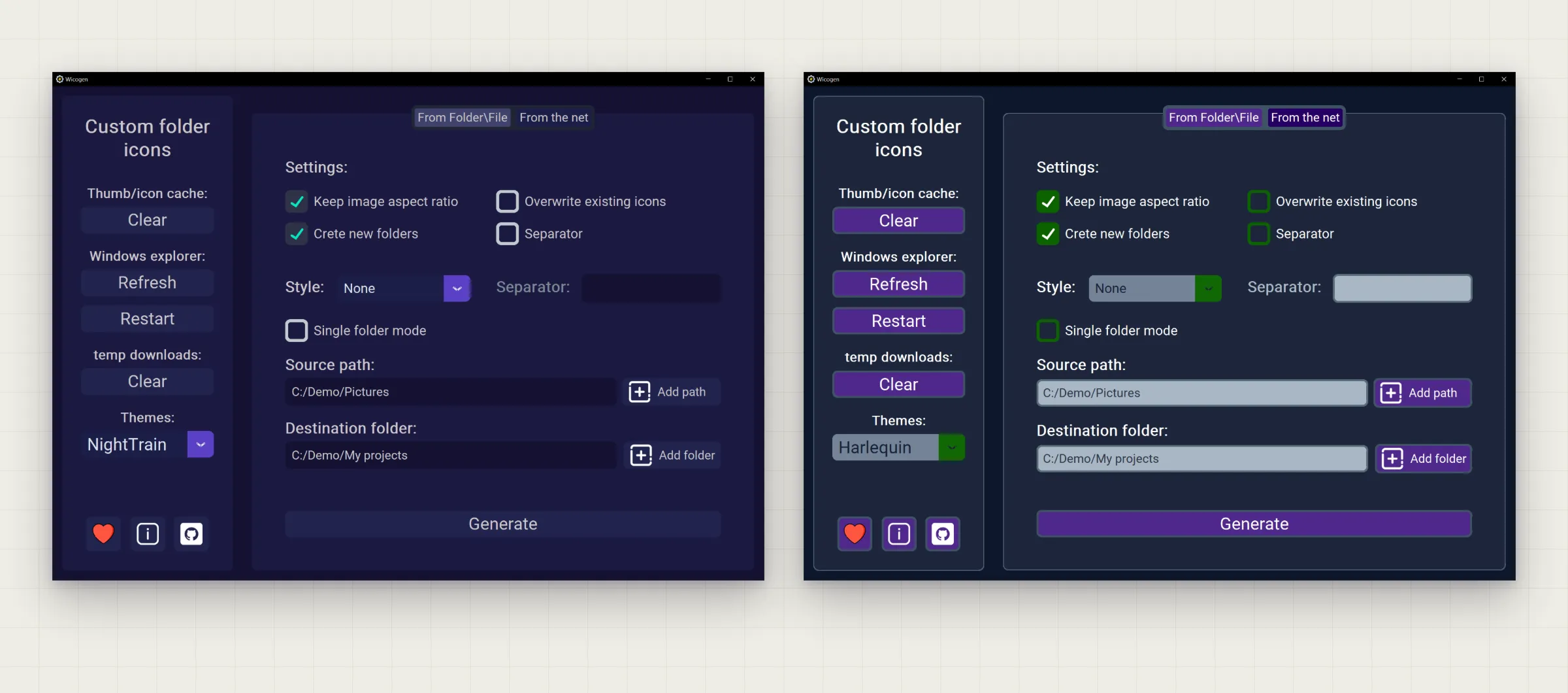
Wicogen is a desktop app with two ways to work. From a file: pick a picture and a folder, or a whole folder of pictures, and each picture becomes the icon of the folder with the same name. From the net: point it at a folder, and it searches Google, Bing, IMDB or MyAnimeList by each folder's name, downloads the results, and lets you choose a picture or picks one for you.
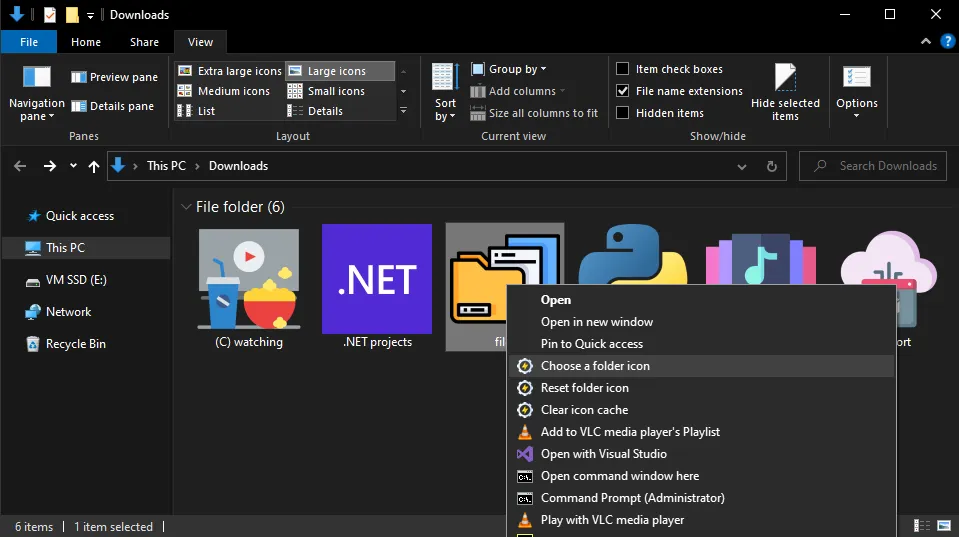
Either way, Wicogen makes a proper icon file in seven sizes, tells Windows to use it for that folder, and refreshes File Explorer so the change shows. A disc style frames movie and series covers like a DVD case. From version 1.2 an installer adds a right-click menu to File Explorer, so setting an icon takes one click, without opening the app.
How it came together
- Sep 2023First releaseOne Windows program: pick a picture or search Google, Bing or IMDB by folder name, with a disc style for covers.
- Sep 2023First fixesVersion 1.0.1 clears the log on every run and no longer stops when IMDB finds nothing.
- Sep 2023Version 1.1Drag and drop, MyAnimeList search, an adjustable search length and a new colour theme.
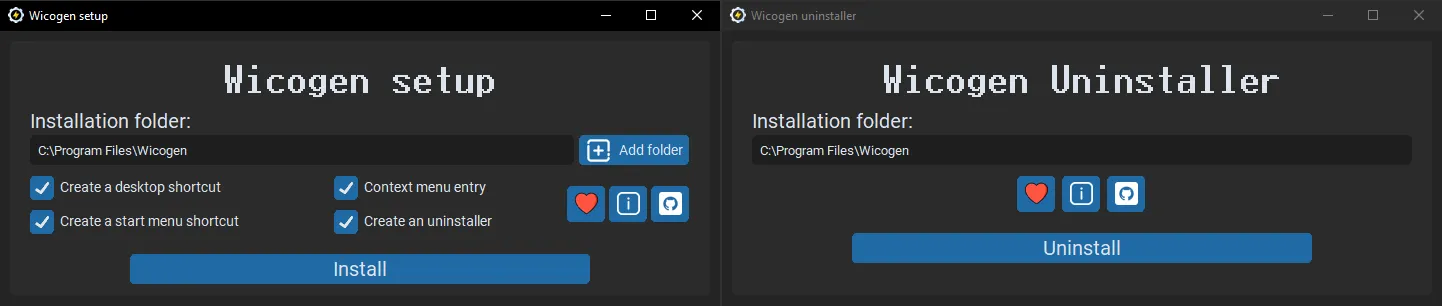
- Oct 2023Version 1.2: installer and right-click menuAn installer and uninstaller, the File Explorer menu, a portable edition less than half the size, and a theme picker.
- Oct 2023Versions 1.2.1 and 1.2.2Folders with similar names no longer share one icon, and File Explorer shows new icons faster.
03 / Highlights
Any picture, a real icon
Takes 31 image file types, from PNG and JPG to WebP and TIFF, and makes an icon in seven sizes, 16 to 256 pixels.
Finds the picture for you
Searches Google, Bing, IMDB or MyAnimeList by the folder's name. You choose an image, or it picks one.
A whole library at once
Bulk mode gives every sub-folder its own icon in one run, and can create the folders from the pictures' names.
One click in File Explorer
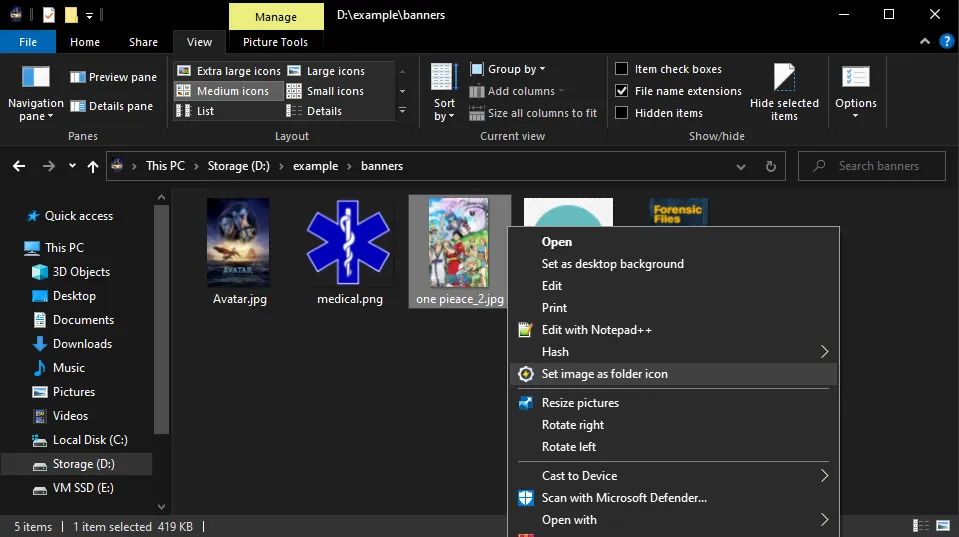
The installed version adds set, choose and reset folder icon, and clear icon cache, to the right-click menu.
Disc style for covers
Frames a movie, series or anime cover like a DVD case, so a media library looks like a shelf.
The new icon shows
Clears Windows' icon cache and refreshes or restarts File Explorer, so new icons appear without a reboot.
04 / Screens
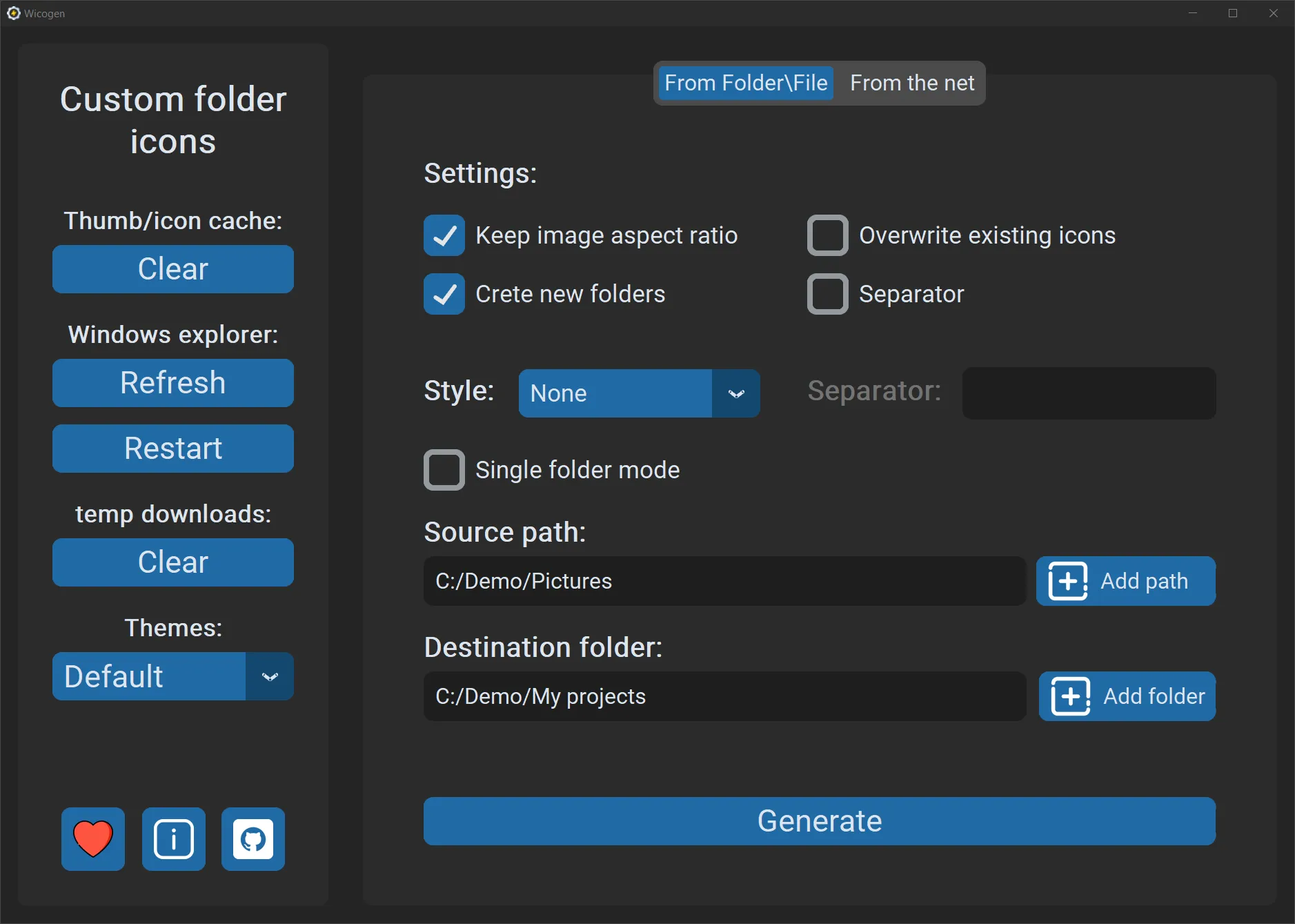
7 screensDesign noteOne window, no manual: tools on the left, a tab for each way of working, and a short tooltip on every option. Version 1.2 added a theme picker, and the installer and uninstaller follow the same look.
05 / Impact
Wicogen is the first app I published for anyone to download. It was downloaded 1,000+ times.
It also taught me what shipping to the public takes. I released six versions in seven weeks, each with its own release notes, and fixed what came up along the way: drag and drop, file extensions in capital letters, special characters in IMDB searches, and two folders with similar names that got the same icon. Version 1.2 split it into an installer with a right-click menu and a portable version less than half the size.
06 / Role and tech
I built Wicogen on my own, from the idea to the public releases: the interface, the icon making, the image search, the installer and the right-click menu, the Windows builds and the release notes. I published the code on GitHub under the Mozilla Public License 2.0.
I didn't draw any of its images. The pictures that become icons are the user's own or come from the search, the app's own icon and most of its button icons are from Flaticon, and the two extra colour themes are by Clive Bostock.
Tech
- Python
- CustomTkinter
- tkinter
- Pillow
- requests
- threading
- PyInstaller
How it's built
Wicogen is a Python desktop app of about 2,300 lines, across the app, the right-click helper and the installer. The interface is CustomTkinter, with tkinterdnd2 for drag and drop and CTkToolTip for the help on every setting. Pillow makes each icon: it pads the picture to a square, or frames it in the disc style, and saves one icon file with seven sizes. The app then writes the hidden desktop.ini file that points the folder at its icon, sets the folder attributes Windows looks for, and asks File Explorer to refresh. Generating and searching run in a background thread, so the window stays responsive. Google and Bing are searched through my rework of an open-source downloader, IMDB through its public suggestions feed and MyAnimeList through its search, with requests and tqdm for the downloads. The installer, itself a CustomTkinter app, unpacks the program, creates shortcuts with pywin32 and registers the right-click menu in the Windows registry for the current user, and it can remove all of it again. Every release was packaged as a Windows program with auto-py-to-exe (PyInstaller); from version 1.2 the portable build came from a clean virtual environment with only the packages it needs.
Wicogen was my first app for the public.
A small idea, taken all the way to an installer, a right-click menu and six releases in seven weeks.